
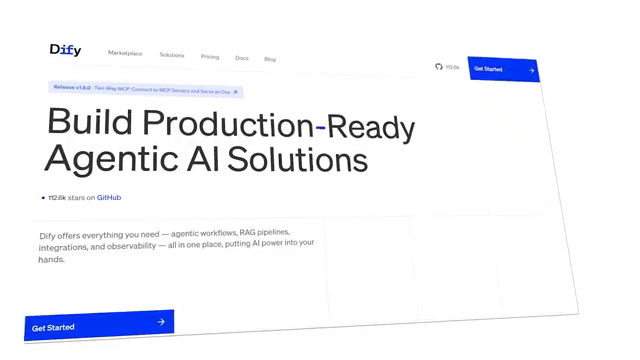
Dify is an AI-native application development platform, and n8n is a general-purpose workflow automation tool. They are not direct competitors. Dify builds LLM-powered apps, chatbots, and RAG systems. n8n connects hundreds of SaaS tools, APIs, and services through event-driven workflows. The correct question is not which tool is better – it is which tool matches the goal.
For the previous guide in this series, read n8n HIPAA Compliance: Is n8n HIPAA Compliant, 3 Deployment Facts, and 6 Required Safeguards.
What Are Dify and n8n?
n8n is a general-purpose, open-source workflow automation tool. It uses a node-based editor to connect applications, APIs, and services for IT and data automation. Dify is an AI-native application development platform. It provides specialized tools for building, evaluating, and deploying LLM-powered applications with minimal coding.
What Is n8n?
n8n is a workflow automation platform built around a visual node-canvas. It was founded in 2019 and has grown to over 90,000 GitHub stars, with an active self-hosted community and a growing cloud offering. The core concept is simple: triggers start workflows, nodes process data, and connectors move that data between services. n8n ships with 400+ integrations covering everything from Slack and HubSpot to PostgreSQL, Google Sheets, HTTP requests, and raw JavaScript and Python code nodes.
What Is Dify?
Dify is an LLM application development platform. Founded in 2023, it reached 100,000+ GitHub stars faster than almost any AI infrastructure project, reflecting how quickly teams needed a structured way to build and deploy LLM-powered applications. Dify supports every major LLM provider, including OpenAI, Anthropic, Gemini, Mistral, and local models via Ollama. It includes built-in tools for knowledge management, workflow orchestration, and app publishing.
What Is the Core Difference Between Dify and n8n?
n8n connects existing services and automates processes between them. A webhook fires, data transforms, an action runs, a notification sends. Dify builds AI-powered applications. You design AI logic visually, connect LLMs and knowledge bases, and deploy as an API. The 2 platforms differ in 1 fundamental way: n8n starts with an event, and Dify starts with a question. If automation starts with “something happened, now do these steps,” the mental model fits n8n. If automation starts with “I want an AI that can answer questions or complete tasks, and it needs access to data and tools,” the mental model fits Dify.
What Are the Key Features of n8n?
n8n has 5 core strengths: event-driven automation, 400+ pre-built integrations, code-level flexibility, simple self-hosting, and multi-system orchestration. With 400+ pre-built nodes, n8n covers almost every SaaS tool, database, and API a team uses. Building that same connectivity from scratch in Dify would require custom API calls for each service. n8n self-hosted setup uses a single Docker container. The cloud plan starts at $20 per month for 2,500 workflow executions. n8n uses a Sustainable Use License – free to self-host for internal use, but commercial resale of automations requires a license.
What Are the Key Features of Dify?
Dify has 5 core strengths: built-in RAG pipeline management, LLM-agnostic model support, conversation memory, app deployment as an API endpoint, and built-in observability tools. Dify’s knowledge base feature handles the entire RAG pipeline: document ingestion, chunking strategy configuration, embedding, vector storage, and retrieval. Teams building RAG pipeline architecture find Dify provides the fastest path to a working system. Dify uses the Apache 2.0 license – fully open source with no commercial restrictions. The cloud plan starts at $59 per month. Dify requires a Docker Compose stack with 8 services and at least 4 GB RAM to run reliably.
Dify vs n8n – Full Feature Comparison
| Feature | Dify | n8n |
|---|---|---|
| Primary purpose | AI app builder | Workflow automation |
| Founded | 2023 | 2019 |
| GitHub Stars | 136,000+ | 182,000+ |
| Integrations | Limited – AI-focused | 400+ SaaS and API nodes |
| RAG pipeline | Built-in, native | Not available |
| Conversation memory | Built-in | Requires manual setup |
| Self-hosting | Docker Compose, 8 services, 4 GB RAM min | Single container, 2 GB RAM min |
| Cloud pricing | From $59/month | From $20/month |
| License | Apache 2.0 | Sustainable Use License |
| LLM support | OpenAI, Anthropic, Gemini, Mistral, Ollama | Via API nodes only |
| App deployment | Automatic API endpoint | Not applicable |
| Non-AI automation | Not supported | Core function |
What Are the Use Cases for Dify?
Dify suits 4 primary use cases. These include customer support chatbots trained on product documentation, internal knowledge base assistants using RAG, AI content generators with multi-step workflows, and document analysis tools that extract structured data from uploaded files. These are AI-native applications. The AI is not a step in a workflow – it is the product. If RAG is required, Dify is significantly easier than building it independently or connecting it together in n8n. Startups and small teams focused on rapid prototyping find Dify offers a faster path to an MVP. If the primary goal is quick iteration and deployment of AI-native features with less coding, Dify is the more direct choice.
What Are the Use Cases for n8n?
n8n suits 4 primary use cases. These include webhook processing between business apps, data synchronization across CRMs and databases, scheduled reporting jobs, and DevOps automation triggered by code events. These workflows have no dependency on AI. They are pure automation. Dify cannot perform any of this – it is not built for it. n8n added AI agent capabilities that are genuinely strong. Multi-step agent workflows with tool calling, memory, and vector stores are achievable. For AI workflows that are part of a larger automation pipeline, n8n fits naturally. Enterprises with strict data compliance requirements benefit from n8n’s strong self-hosting options, which provide full control over data residency and infrastructure.
Can Dify and n8n Be Used Together?
Yes. Many teams use n8n for business automation and Dify for the AI layer. n8n calls Dify’s API to trigger LLM workflows when AI processing is needed. This is a productive pattern: n8n acts as the automation backbone and Dify handles the AI reasoning. The 2 tools communicate via webhooks and REST APIs. Dify exposes every app as an API endpoint, making it straightforward to call from n8n workflows. This combination provides n8n’s integration breadth alongside Dify’s AI depth.
Which Is Better – Dify or n8n?
Neither platform is universally better. The correct choice depends on the primary goal. Choose n8n when automation starts with events and AI is one step in a larger workflow. Choose Dify when the goal is an AI application – a chatbot, an agent, or a RAG system – and workflow is supporting infrastructure. For automation engineers and IT teams requiring extensive system integration, complex workflow logic, and high data control, n8n’s automation capabilities and self-hosting are the stronger option. For AI application developers and product managers building LLM-powered applications, chatbots, and RAG pipelines, Dify is the purpose-built choice.
Which Platform Should You Choose?
| Goal | Choose |
|---|---|
| Build a chatbot with RAG on your documents | Dify |
| Automate CRM, email, and Slack workflows | n8n |
| Deploy an AI agent as a standalone app | Dify |
| Sync data between 10+ SaaS tools | n8n |
| Prototype an LLM-powered internal tool | Dify |
| Add AI as 1 step in a business process | n8n |
| Need full Apache 2.0 license for commercial use | Dify |
| Enterprise compliance with strict data residency | n8n |

Olaitan Oladipo holds a BSc in Sociology from Olabisi Onabanjo University. He is a self-taught automation builder who has spent years inside n8n doing the work that most tutorials skip: debugging OAuth errors at 2am, migrating client automations from Make.com mid-project, fighting reverse proxy misconfigurations on AWS EC2, and figuring out through trial and error what actually holds up in production versus what only looks clean in a demo.
He is not a developer by training and not a SaaS founder. He is the person in the Discord server who actually answers the question instead of linking to the docs.
His writing on n8n Automation Tutorial covers self-hosting, AI agent workflows, tool comparisons, and the security vulnerabilities the automation industry would rather not discuss. He has built AI-assisted invoice approval flows using OpenAI function calling, connected Claude via HTTP Request nodes, and holds considered opinions about Zapier, Make.com, LangChain, and CrewAI that their marketing teams would not appreciate.
He writes for people who are technical enough to follow a tutorial but experienced enough to want the honest version.