


The Workflow Was Running Fine. That Was the Problem.
The first sign was a webhook execution I did not recognise in the logs. Not an error. A successful execution, green, timestamped at 02:47 on a Wednesday morning, triggered by a path I had set up six months earlier for a client integration that had since been replaced by a different approach. I had disabled the workflow. Or I thought I had. What I had actually done was set the workflow to inactive, which stops the trigger from firing on a schedule but does not, as I discovered while reading the n8n documentation more carefully than I had the first time, deactivate a webhook endpoint that was already registered. The URL was still live. Something had found it.
I want to be precise about what that felt like, because I think the security conversation around self-hosted automation tools tends to happen either in abstract threat-model language or in post-breach retrospectives, and neither of those is actually useful to someone sitting in front of their n8n instance at three in the morning trying to work out whether they have a problem. What it felt like was a very specific kind of dread. Not panic. Something colder. The dread of realising that a thing you built and trusted had been operating in a way you did not know about, in a window of time you were not watching, doing something you did not authorise.
The broader attack pattern that has been documented, where threat actors use publicly accessible n8n webhook endpoints as part of malware delivery infrastructure, is not complicated once you understand how n8n webhooks work. A webhook in n8n is an HTTP endpoint that your instance exposes to the internet. By default, it requires no authentication. The path is generated from the workflow configuration and is not secret in any meaningful cryptographic sense, it is just a UUID-style string that is obscure by convention rather than protected by design. If your n8n instance is publicly reachable, which it needs to be for most real-world webhook use cases, then every webhook you have ever created and not explicitly removed is a door. The question is whether anyone has a key, and the answer is that the lock was never the main protection to begin with.
What the attackers figured out, and what took organisations running compromised instances a long time to identify, is that a malicious actor does not need to break into your n8n instance to use its webhook infrastructure. They need to either find an existing unauthenticated webhook that executes something useful to them, or, in the more serious variant of this attack, gain enough access to create a workflow themselves and use the HTTP Request node to pull payloads from external infrastructure. An n8n instance with the API enabled and a weak or default credential set is a fully functional HTTP client that can reach any URL, execute JavaScript in the Code node, store credentials, and run on a schedule. That is a very capable tool to have running inside someone’s network perimeter.
The documentation issue that made this harder to catch than it should have been is this: the n8n docs on webhook security, at the time these attacks were being carried out, described the authentication options available for webhook nodes in terms of how to configure them, not in terms of why you should default to requiring them. The framing was instructional rather than advisory. Here is how to add header authentication. Here is how to set up basic auth. What was missing was the sentence that should have appeared before both of those, which is: if you do not configure one of these, your webhook endpoint accepts requests from anyone who knows or can guess the URL, and in a sufficiently exposed instance, the URL is findable.

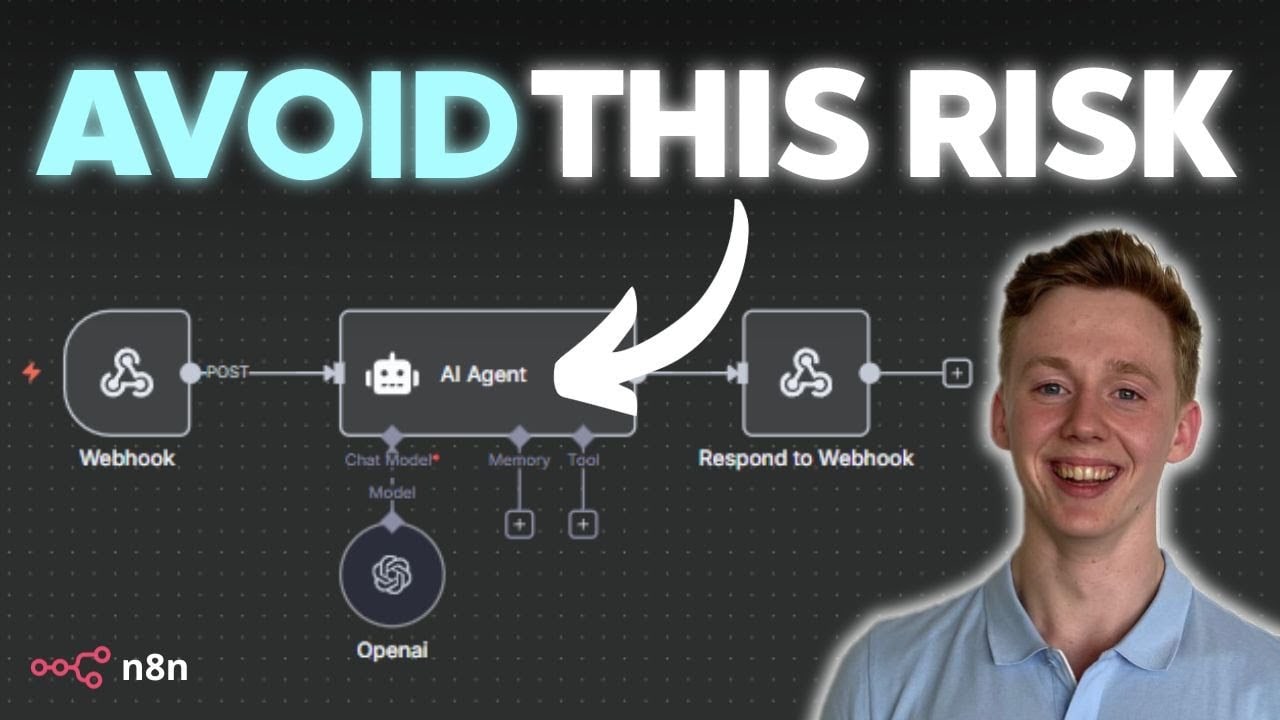
I have had this conversation with three different people who self-host n8n and consider themselves reasonably careful about security. None of them had applied authentication to all their webhook nodes. Not because they were reckless, but because the tool did not make the risk legible at the point where the decision was being made. You add the webhook node, you copy the URL, you test it, it works, you move on. The security configuration is opt-in and it is downstream of the moment of momentum.
CrewAI gets marketed as the future of autonomous agent infrastructure, and maybe it is, but I have not seen a production deployment of it that I would trust with anything client-facing, partly because the agent behaviour is hard to audit and partly because the attack surface of a system that autonomously makes HTTP calls based on LLM output is something I am not ready to hand to a client without a much more honest security conversation than the framework’s documentation currently supports. This n8n webhook situation is a smaller version of the same problem. Tools that make capability easy also make exposure easy, and the documentation tends to be written by people who are thinking about the capability side.
What I actually changed after that 02:47 log entry: I went through every workflow in every instance I manage, active or inactive, and audited the webhook nodes. Added header authentication to everything still in use. Deleted the paths that were not. Set up a monthly reminder to do it again. None of this is in the official hardening guide, because at the time there was not one worth reading.
The default configuration of any self-hosted tool is a statement about what its builders thought was important to make easy. Make sure you agree with their priorities before you put the thing on a public IP.


Olaitan Oladipo holds a BSc in Sociology from Olabisi Onabanjo University. He is a self-taught automation builder who has spent years inside n8n doing the work that most tutorials skip: debugging OAuth errors at 2am, migrating client automations from Make.com mid-project, fighting reverse proxy misconfigurations on AWS EC2, and figuring out through trial and error what actually holds up in production versus what only looks clean in a demo.
He is not a developer by training and not a SaaS founder. He is the person in the Discord server who actually answers the question instead of linking to the docs.
His writing on n8n Automation Tutorial covers self-hosting, AI agent workflows, tool comparisons, and the security vulnerabilities the automation industry would rather not discuss. He has built AI-assisted invoice approval flows using OpenAI function calling, connected Claude via HTTP Request nodes, and holds considered opinions about Zapier, Make.com, LangChain, and CrewAI that their marketing teams would not appreciate.
He writes for people who are technical enough to follow a tutorial but experienced enough to want the honest version.


