What Is n8n, How Does It Work, and How Much Does It Cost? A 2026 Guide to Open-Source Workflow Automation
n8n is an open-source workflow automation platform that connects apps, APIs, and services through a visual node-based editor. It runs on cloud and self-hosted infrastructure, supports over 400 integrations, and includes native AI agent capabilities for building intelligent automations.
What Does n8n Stand For?
n8n stands for “nodemation”. The name compresses the word into n, 8 middle letters, and n. It is pronounced “n-eight-n.” The name reflects the platform’s node-based architecture, where every action, trigger, or integration is represented as a node.
What Is n8n Used For?
n8n is used for automating repetitive business tasks, connecting third-party applications, processing data between services, and building AI agents. There are 8 primary use cases:
- API integration using the HTTP Request node
- Data transformation between databases and spreadsheets
- AI agent workflows with tool use and memory
- Social media automation across LinkedIn, Twitter, and YouTube
- Email processing through Gmail and IMAP nodes
- Lead generation and CRM data enrichment
- File processing using PDF, spreadsheet, and binary file nodes
- IT operations such as health checks and error alerting
How Does n8n Work?
n8n works through a visual workflow editor where nodes connect in sequence or in parallel. Data passes between nodes in JSON format. Each node receives input items, processes them, and passes output items to the next node.
There are 3 core node categories in n8n:
- Trigger nodes: Start workflows on a schedule, webhook, event, or manual action
- Action nodes: Perform tasks such as sending messages, querying APIs, or writing to databases
- Logic nodes: Control data flow through conditions, loops, merges, and branches
What Is the n8n Workflow JSON Format?
n8n stores all workflows in JSON format. A workflow JSON file contains node configurations, connection mappings, credentials references, and workflow settings. Users import and export workflow JSON through the editor. The n8n workflow JSON schema and structure are documented in the official n8n documentation.
Is n8n Open Source and Free?
n8n is source-available under a fair-code license, not a traditional open-source license such as MIT or Apache 2.0. The source code is publicly hosted on GitHub. The Community Edition is free to self-host with no execution limits.
What Is the n8n Sustainable Use License?
The n8n Sustainable Use License allows free use for self-hosted non-commercial deployments. It restricts commercial SaaS providers from reselling n8n without an enterprise agreement. This differs from the fully permissive licenses used by projects such as Node-RED.
What Is the n8n Community Edition?
The n8n Community Edition is the free self-hosted version of n8n. It includes unlimited workflows, executions, and access to all core nodes. Community Edition limitations include the absence of SSO, advanced user management, and enterprise support, which are reserved for paid plans.
How Much Does n8n Cost?
n8n costs $0 for the self-hosted Community Edition. Cloud plans start with a free tier and scale to paid subscriptions based on execution volume. Enterprise pricing is custom.
What Are the n8n Pricing Plans?
| Plan | Hosting | Cost | Key Features |
|---|---|---|---|
| Community Edition | Self-hosted | Free | Unlimited executions, all core nodes |
| n8n Cloud Free | Cloud | Free | Limited monthly executions |
| n8n Cloud Starter | Cloud | Paid | Higher execution limits, support |
| n8n Cloud Pro | Cloud | Paid | Advanced features, more executions |
| n8n Enterprise | Cloud or Self-hosted | Custom | SSO, audit logs, dedicated support |
What Is n8n Self-Hosted Pricing?
n8n self-hosted pricing is free for the Community Edition. There are no per-execution charges for self-hosted deployments. Enterprise self-hosting with features such as SSO and priority support requires a paid enterprise license.
Does n8n Have a Free Plan?
n8n has 2 free options. The first is the self-hosted Community Edition, which has no execution limits. The second is the n8n Cloud free tier, which limits the number of monthly executions. Both options include access to all 400+ integration nodes.
What Is n8n Cloud Free Tier?
The n8n Cloud free tier provides limited monthly workflow executions without a credit card requirement. It is suitable for testing and small personal automations. The cloud starter plan removes these execution limits.
What Are n8n’s Core Nodes and Documentation?
n8n includes over 400 built-in nodes. The most searched node documentation covers trigger nodes, data transformation nodes, and AI-related nodes.
What Is the n8n HTTP Request Node?
The HTTP Request node sends HTTP requests to any REST API endpoint. It supports GET, POST, PUT, DELETE, PATCH, and HEAD methods. Configuration options include authentication types (API key, OAuth2, Bearer token), query parameters, request headers, JSON body, and response parsing.
Key HTTP Request node features include:
- Retry on fail for unreliable API endpoints
- Pagination for multi-page API responses
- Binary data handling for file uploads and downloads
- Full control over request headers and body
What Is the n8n Code Node?
The n8n Code node executes custom JavaScript or Python code inside a workflow. It processes all items at once or one item at a time. The Code node supports the getWorkflowStaticData() method, which persists data across workflow executions without a database.
The n8n code node in Python mode allows importing standard Python libraries. JavaScript mode allows using built-in Node.js modules.
What Is the n8n Function Node?
The n8n Function node is the predecessor to the Code node. It executes JavaScript code and transforms items. The Function node documentation covers working with items, setting metadata, and returning modified data. It behaves similarly to the Code node but lacks Python support and some newer features.
What Is the n8n IF Node?
The n8n IF node routes workflow items into 2 output branches based on a condition. The condition evaluates values using operators such as equals, contains, greater than, and regex. Items that match the condition pass through the true branch. All other items pass through the false branch.
What Is the n8n Webhook Node?
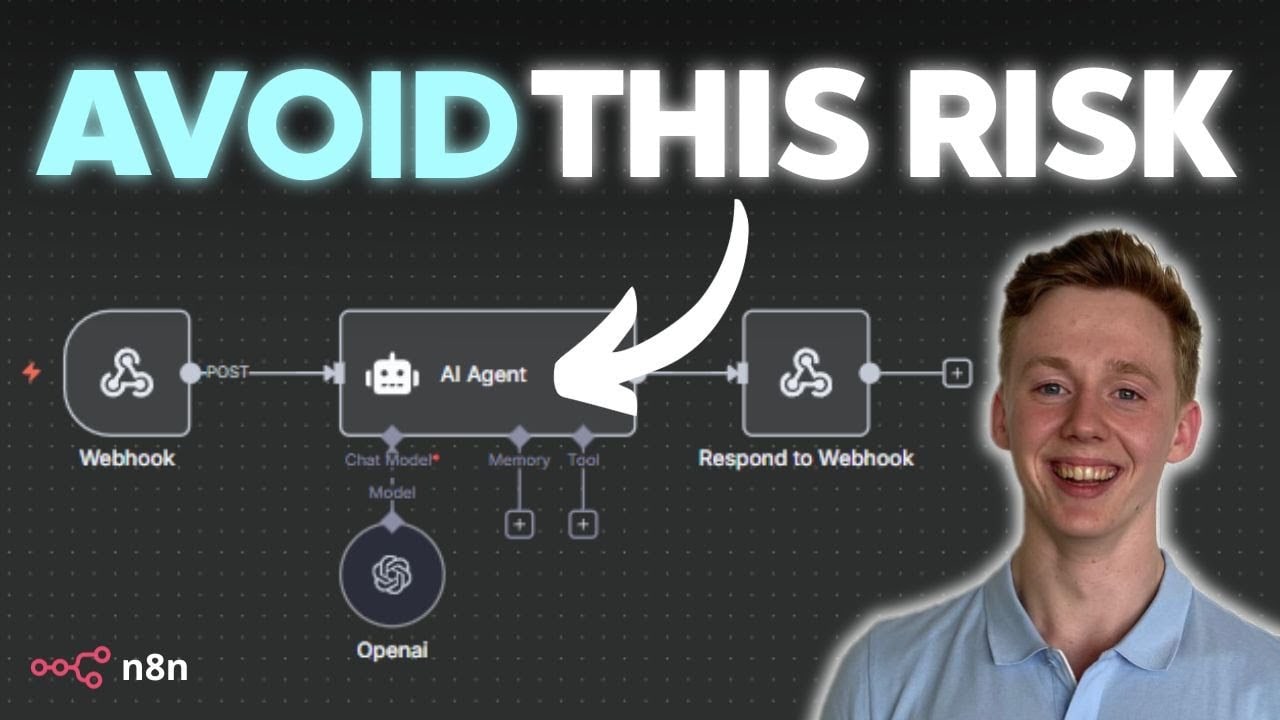
The n8n Webhook node receives HTTP POST, GET, or PUT requests from external services and starts a workflow. It generates a unique URL. External services call the URL to trigger the automation. The Respond to Webhook node sends a synchronous HTTP response back to the caller.
What Is the n8n Switch Node?
The n8n Switch node routes items to one of multiple output branches based on matching rules. It evaluates a value against multiple conditions and directs items to the matching branch. It functions as a multi-branch alternative to the IF node.
What Is the n8n Merge Node?
The n8n Merge node combines data streams from 2 or more workflow branches into a single output. It supports merge modes including combining by position, merging by key field, keeping only matching records, or waiting for all branches to complete before continuing.
What Is the n8n Error Trigger Node?
The n8n Error Trigger node starts a dedicated error-handling workflow when another workflow fails. It receives the error message, execution ID, workflow name, and timestamp. Teams use this node to send Slack or email alerts on workflow failures.
What Is the n8n Chat Trigger Node?
The n8n Chat Trigger node starts a workflow when a message is sent through the n8n chat interface. It enables building chatbot-style interfaces that connect to AI agents, databases, or external APIs. The Respond to Chat node sends the AI agent’s response back to the chat window.
What Is the n8n Schedule Trigger Node?
The n8n Schedule Trigger node runs a workflow on a defined time interval or cron schedule. It supports running workflows every minute, hour, day, week, or on a custom cron expression.
What Is the n8n MCP Server Trigger Node?
The n8n MCP Server Trigger node exposes an n8n workflow as a Model Context Protocol (MCP) tool. External AI agents built on Claude, GPT-4, or other models call the workflow as a structured tool via the MCP protocol. The MCP server trigger documentation covers input schema definition and response formatting.
What Are Other Key n8n Nodes?
Additional integration nodes in n8n include:
- Google Sheets node: Reads, writes, and appends spreadsheet data
- Gmail node: Sends and retrieves emails through the Gmail API
- Slack node: Posts messages and manages Slack channels
- OpenAI node: Calls GPT models for text generation and embeddings
- Google Gemini node: Sends prompts to Google Gemini models
- Telegram node: Sends and receives Telegram messages
- Google Drive node: Manages files in Google Drive
- Google Docs node: Creates and edits Google Docs documents
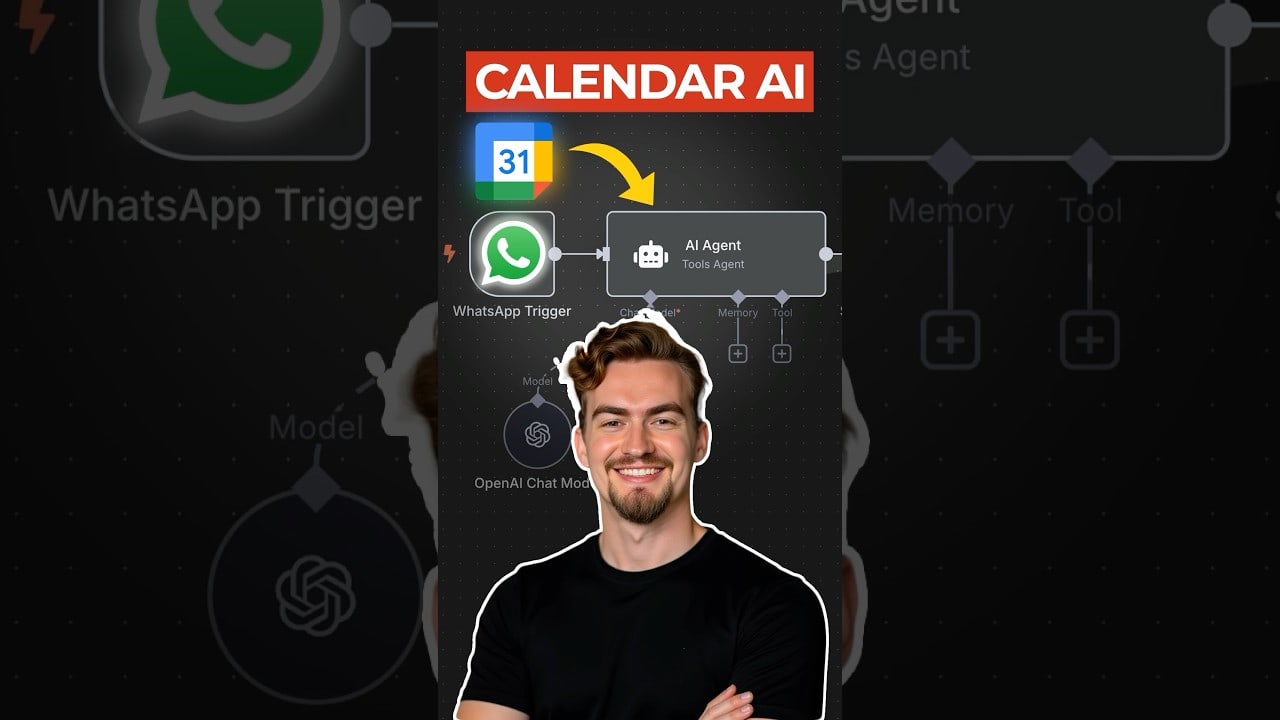
- Google Calendar node: Creates and retrieves calendar events
- Notion node: Reads and writes Notion database records
- Supabase node: Queries and inserts rows in Supabase tables
- Discord trigger node: Receives Discord messages as workflow triggers
- Microsoft Outlook node: Sends emails via Microsoft Outlook
- Microsoft Teams integration: Posts messages to Teams channels
- GitHub node: Manages repositories, issues, and pull requests
- Redis node: Reads and writes Redis key-value pairs
- PostgreSQL node: Executes SQL queries on PostgreSQL databases
- PDF extract node: Extracts text from PDF files
- HTML extract node: Parses and extracts data from HTML content
- RSS feed node: Reads RSS feed items as workflow inputs
- YouTube upload node: Uploads videos to YouTube channels
- Facebook Graph API node: Calls the Facebook Graph API
- Google Ads node: Manages Google Ads campaigns and data
- Google Slides node: Creates and modifies Google Slides presentations
- Spreadsheet file node: Reads and writes .xlsx spreadsheet files
What Are n8n’s AI Agent and MCP Features?
n8n supports native AI agent workflows through the AI Agent node, AI Workflow Builder, and Model Context Protocol integration. These features allow building multi-step intelligent agents that use tools and retain memory across conversations.
What Is the n8n AI Agent Node?
The n8n AI Agent node builds AI agents that plan, call tools, and complete multi-step tasks. It connects to a language model and optionally assigns tools such as HTTP Request nodes, database nodes, or sub-workflows. The agent uses a ReAct loop or function-calling approach to select and execute tools.
The AI Agent node requires 3 components:
- A language model node (OpenAI, Gemini, Ollama, Anthropic, etc.)
- Optional memory nodes (window buffer, PostgreSQL, Redis)
- Tool nodes for external actions
What Is the n8n AI Workflow Builder?
The n8n AI Workflow Builder is a beta feature that generates complete workflows from natural language descriptions. A user describes the automation goal in plain text, and n8n generates the workflow structure with nodes and connections. It is available in the n8n Cloud and select self-hosted versions.
What Is an n8n Multi-Agent Workflow?
An n8n multi-agent workflow connects multiple AI agents that collaborate to complete a complex task. A supervisor agent receives the main task and delegates subtasks to specialized sub-agents. Use cases include automated research systems, content pipelines, and data enrichment workflows.
What Is the n8n MCP Client Tool Node?
The n8n MCP Client Tool node connects an n8n AI agent to an external MCP server. The agent calls tools exposed by the MCP server, such as file systems, databases, or third-party APIs. MCP client stdio mode connects to local MCP servers running on the same machine.
What Is n8n’s Model Context Protocol Integration?
n8n supports the Model Context Protocol (MCP) as both a server and a client. As an MCP server via the MCP Server Trigger node, n8n exposes workflows as callable tools. As an MCP client via the MCP Client Tool node, n8n agents call external MCP tool servers. This makes n8n compatible with AI platforms such as Claude Desktop, Cursor, and others that support MCP.
What Is the n8n AI Starter Kit?
The n8n AI Starter Kit is a self-hosted Docker Compose package that bundles n8n, Ollama, and Qdrant for local AI agent development. It enables building AI agents with local language models and vector databases without cloud dependencies. A self-hosted AI starter kit version is available for offline deployments.
How to Install n8n
n8n can be installed in 4 ways: npm, Docker, Docker Compose, and the n8n Desktop App.
How to Install n8n Locally with npm
To run n8n locally for free using npm:
npx n8n
This starts n8n at http://localhost:5678. No account or payment is required. Data is stored locally in a SQLite database.
How to Install n8n with Docker Compose
A standard n8n Docker Compose configuration:
version: ‘3’
services:
n8n:
image: n8nio/n8n
restart: always
ports:
– “5678:5678”
environment:
– N8N_ENCRYPTION_KEY=your-secure-key
– N8N_TRUST_PROXY=true
– WEBHOOK_TUNNEL_URL=https://yourdomain.com/
volumes:
– n8n_data:/home/node/.n8n
volumes:
n8n_data:
The N8N_ENCRYPTION_KEY environment variable protects stored credentials. The N8N_TRUST_PROXY variable enables correct IP handling behind a reverse proxy. WEBHOOK_TUNNEL_URL sets the public URL for webhook nodes.
How to Install n8n on Docker Desktop
To install n8n on Docker Desktop for Windows or Mac, run:
docker run -it –rm –name n8n -p 5678:5678 n8nio/n8n
The n8n Desktop App for Windows is also available as a standalone download from the n8n releases page. It bundles n8n into an installable application without requiring Docker.
What Are n8n Self-Hosting Requirements?
n8n self-hosting requires the following minimum specifications:
| Resource | Minimum | Recommended |
|---|---|---|
| CPU | 1 vCPU | 2 vCPU |
| RAM | 2 GB | 4 GB |
| Storage | 10 GB | 20 GB SSD |
| Node.js | v18 | v20 |
| Database | SQLite | PostgreSQL |
For production deployments, PostgreSQL is the recommended database. The n8n self-host PostgreSQL schema creates the required tables on first run. PostgreSQL provides better performance, concurrent access, and backup support compared to SQLite.
What Is the Best VPS Hosting for n8n?
The 3 most popular VPS hosting providers for n8n are Hostinger, DigitalOcean, and Hetzner. Hostinger VPS plans support Docker and offer entry-level pricing suitable for small teams. A minimum of 2 vCPU and 4 GB RAM is recommended for stable production operation.
What Is the n8n n8n_community_packages_allow_tool_usage Variable?
The N8N_COMMUNITY_PACKAGES_ALLOW_TOOL_USAGE environment variable enables community-contributed nodes to be used as AI agent tools. By default, community nodes are restricted from the AI Agent tool list. Setting this variable to true allows custom community integrations to appear as callable agent tools.
How Does n8n Compare to Zapier, Make, and Power Automate?
| Feature | n8n | Zapier | Make | Power Automate |
|---|---|---|---|---|
| Pricing | Free self-hosted | Subscription only | Subscription only | Included with M365 |
| Open source | Fair-code | Closed | Closed | Closed |
| Self-hosting | Yes | No | No | On-premises only |
| Custom code | JavaScript, Python | Not supported | Limited | Yes |
| AI agent support | Native | Limited | Limited | Via Copilot |
| Integrations | 400+ | 6,000+ | 1,000+ | 1,000+ |
| Kubernetes support | Yes (Helm chart) | No | No | No |
n8n is strongest for teams that require self-hosting, custom code, and native AI agent workflows. Zapier leads in total integration count at 6,000+. Make offers better pricing for medium-volume automations. Power Automate integrates natively with Microsoft 365 products.
n8n vs Node-RED: What Is the Difference?
n8n focuses on business app integration and enterprise workflow automation. Node-RED targets IoT, home automation, and low-level hardware integration. n8n includes a credential manager, multi-user support, and cloud hosting. Node-RED is fully open-source under the OpenJS Foundation. The 2 tools serve different primary audiences.
n8n vs Activepieces: What Is the Difference?
Activepieces is a fully open-source Make alternative under the MIT license. n8n uses a fair-code license. Activepieces supports fewer integrations than n8n but is growing rapidly. n8n leads in AI agent support and MCP integration as of 2026.
n8n vs Relevance AI: What Is the Difference?
Relevance AI is a no-code AI agent platform focused on building AI tools and agents without workflow automation features. n8n combines traditional workflow automation with AI agent capabilities. Relevance AI targets AI-first use cases, while n8n targets both automation and AI workflows.
What Are the n8n Security Advisories for 2025 and 2026?
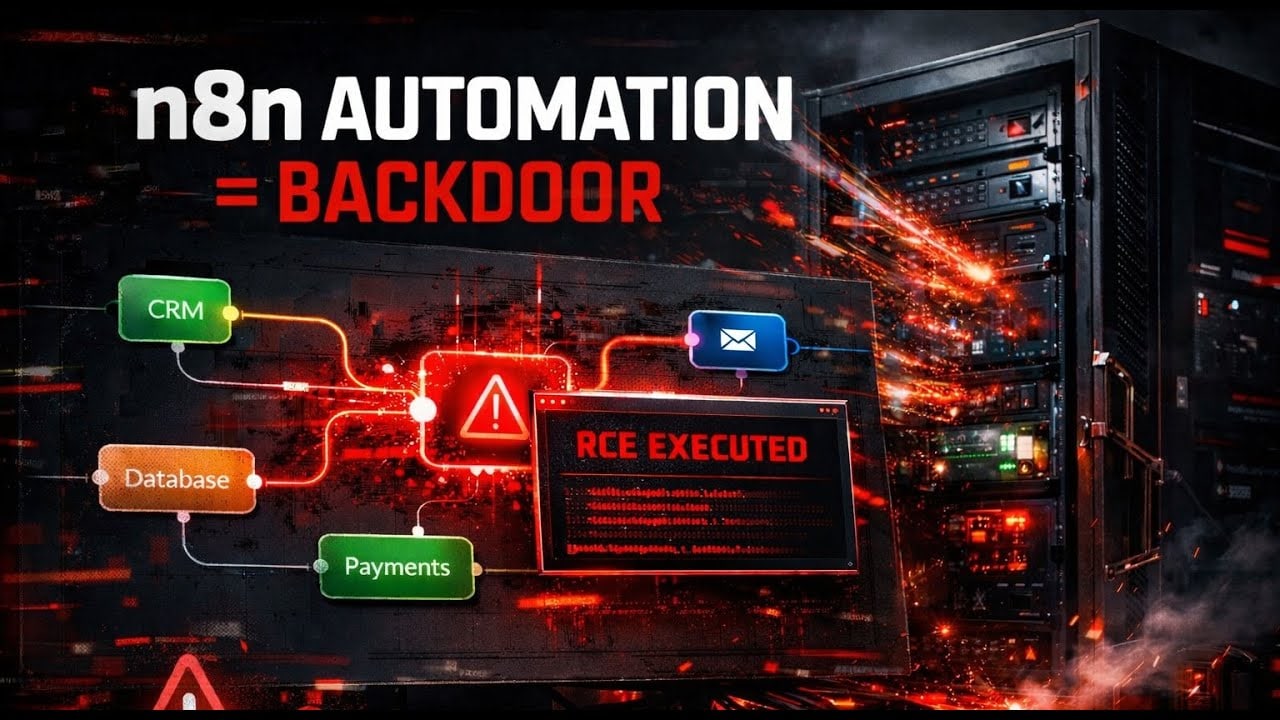
n8n disclosed multiple critical vulnerabilities between 2025 and 2026, including 2 remote code execution (RCE) flaws. All users running self-hosted n8n should apply security updates immediately.
What Is CVE-2025-68613 in n8n?
CVE-2025-68613 is a critical remote code execution vulnerability in n8n. It allows an authenticated attacker to execute arbitrary commands on the server. It was publicly disclosed in 2025. Patched versions were released as part of the n8n security advisory for CVE-2025-68613 in December 2025.
What Is CVE-2026-21858 in n8n?
CVE-2026-21858 is a critical vulnerability allowing full system control over an n8n instance. It was disclosed in 2026. n8n released a security advisory and patched version shortly after disclosure.
What Are n8n Security Best Practices?
There are 5 key security practices for n8n self-hosted deployments:
- Set a strong N8N_ENCRYPTION_KEY environment variable before first run
- Restrict network access to the n8n port using a firewall
- Place n8n behind a reverse proxy with HTTPS
- Apply all security patches by updating to the latest stable version
- Limit user permissions using n8n role-based access controls
What Is the Latest Version of n8n?
The latest stable version of n8n is 2.0.2 as of June 2026. n8n version 2.0 introduced breaking changes from the 1.x series. Users migrating from n8n 1.x to 2.0 should follow the official n8n 2.0 migration guide.
What Changed in n8n 2.0?
n8n 2.0 introduced the following major changes:
- A redesigned workflow execution engine
- AI Workflow Builder (beta)
- Updated MCP server and client node support
- Breaking changes to several node APIs
- Improved Community Edition stability
Previous stable versions include n8n 1.119.0 and 1.118.2, with full release notes available in the n8n GitHub changelog.
What Are n8n Workflow Best Practices?
There are 5 best practices for building reliable and scalable n8n workflows:
- Use the Error Trigger node to catch failures and send alerts via Slack or email
- Use the Split in Batches node to process large datasets in chunks and avoid memory overload
- Store all sensitive values in environment variables, not hardcoded in node fields
- Enable retry on fail in HTTP Request nodes to handle intermittent API errors
- Use the Execute Workflow node to break large workflows into modular, reusable sub-workflows
How Does n8n Handle Errors?
n8n handles errors through the Error Trigger node. When a workflow fails, n8n calls a separate error-handling workflow automatically. The error payload includes the error message, workflow name, execution ID, and timestamp. This enables automated error reporting without manual monitoring.
What Is n8n Loop Over Items?
The n8n Loop Over Items node iterates through an array of items and processes each one in sequence. It passes items to a connected set of nodes one at a time, collects results, and merges outputs at the end of the loop. It differs from the Split in Batches node, which groups items into fixed-size chunks.
What Is the n8n Data Table Node?
The n8n Data Table node displays workflow data in a structured table format within the n8n editor. It renders output data with column headers for inspection during workflow development. It does not persist data externally but is useful for debugging multi-column datasets.
What Is the n8n Community and Ecosystem?
n8n has an active developer community that contributes custom nodes, workflow templates, and integrations not included in the core package.
What Is the n8n Community Nodes List?
The n8n community nodes list contains hundreds of third-party integration nodes published to npm. Community nodes are installed through the n8n Settings panel under Community Nodes. Examples include nodes for Airtable, custom AI models, and niche SaaS tools.
How Many Templates Does n8n Have?
n8n provides over 1,000 workflow templates covering common automation scenarios. Templates include lead generation workflows, AI research assistants, social media pipelines, data sync automations, and error alerting setups. Templates are accessible directly from the n8n editor.
Did n8n Raise Funding?
n8n raised a Series C funding round to accelerate enterprise growth and AI product development. The funding supports continued investment in the AI Workflow Builder, MCP integration, and enterprise security features. n8n is headquartered in Berlin, Germany.
What Is n8n.io?
n8n.io is the official website and cloud platform for n8n. It provides access to n8n Cloud accounts, documentation, workflow templates, the community forum, and the n8n blog. The platform hosts the cloud-managed version of n8n and links to the GitHub repository for self-hosted deployments.
Latest Posts
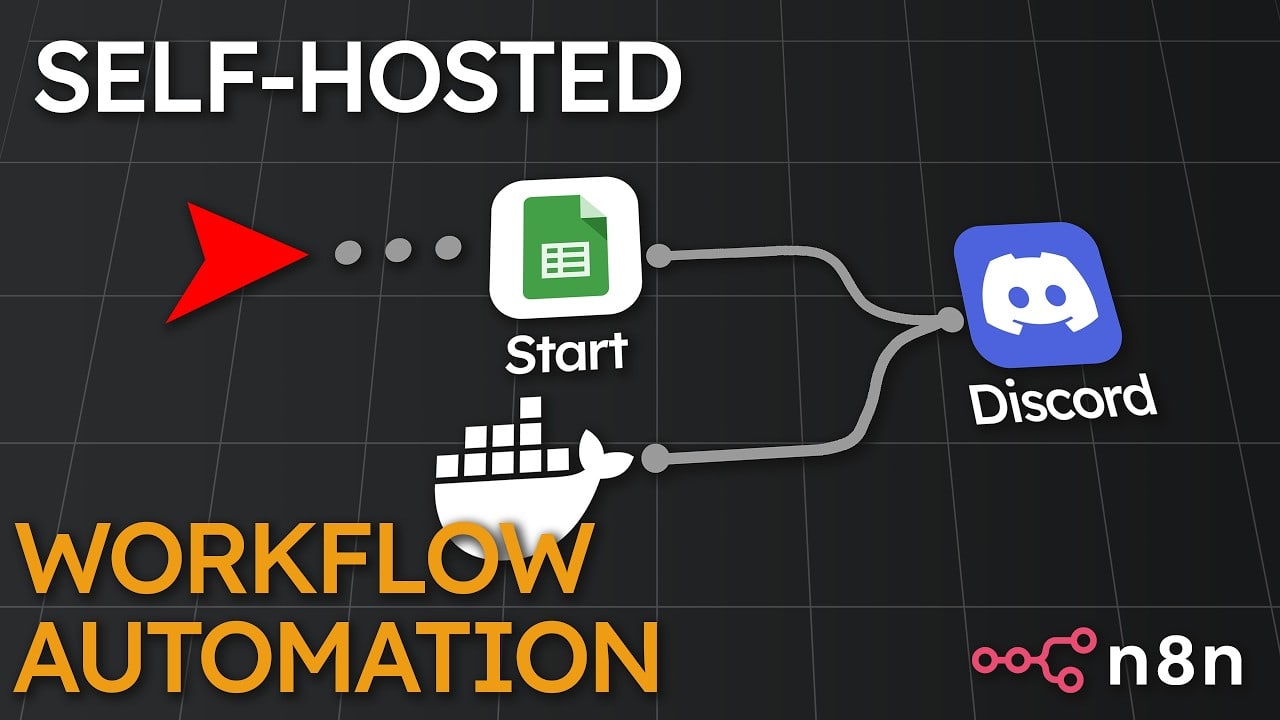
How to Self-Host n8n on Docker in a Weekend: The Tutorial That Has Been Shared 200,000 Times and Still Gets It Right
Forget ChatGPT Plugins. The Real AI Automation Revolution Is Happening Inside n8n Workflows Right Now.
How Hackers Turned n8n’s Own Webhook System Into a Malware Delivery Machine — and Why It Took Six Months to Catch

From Open-Source Hobby Project to SAP-Backed Unicorn: The Unlikely Rise of n8n and Its Founder Jan Oberhauser
Dify vs n8n – 7 Key Differences Between an AI App Builder and a Workflow Automation Platform

OpenAI Builds Plugins. Google Builds Bots. A Berlin Startup Just Built the Infrastructure Layer That Makes Both of Them Useful.
The Developer Who Built His Entire Business Operations on n8n Without Writing a Single Line of Production Code

The Agentic Workflow That Replaced Three Full-Time Employees at a Chicago Logistics Firm — Built in a Weekend
A CVSS Score of 9.9: The Critical n8n Flaw That Could Give Attackers Full Control of Your Entire Workflow Stack
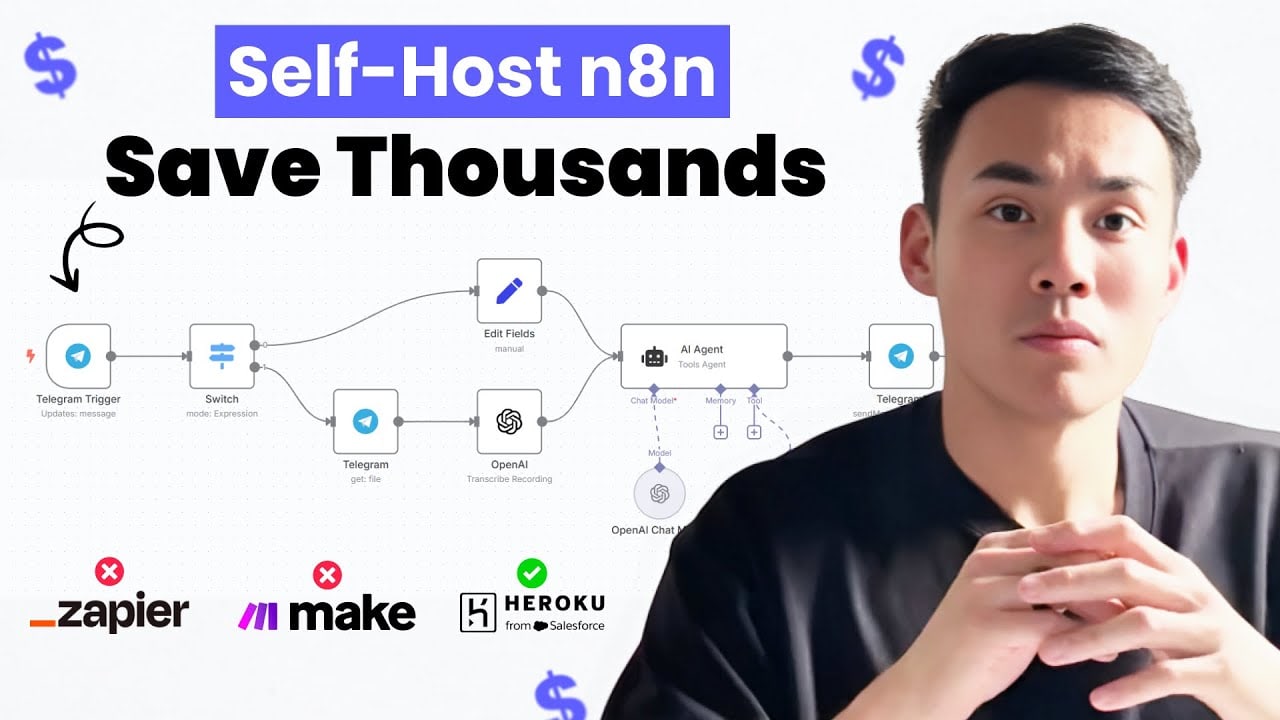
Zapier Charges Per Task. n8n Charges Per Server. After Six Months, I Know Which One Is Lying to You.
n8n Workflow Automation for Beginners
Every week, a new group of folks sit down with n8n for the first time and leave feeling truly taken aback. Not by the hoopla, but by the speed at which something tangible is constructed. This is the real outcome of starting at zero.
Instead of being curious, the majority of people reach n8n out of frustration. For the past six months, someone has been manually entering data from a form into a spreadsheet each morning. Or a tiny team is transferring updates between a project board and a messaging app every Friday for a silent, depressing hour. Lack of the proper tool is the issue, not a lack of technical expertise. When someone eventually types their complaint into a search bar, n8n usually comes into play. What they discover is a visual canvas that, contrary to expectations, makes their first real automation seem fairly simple.
At a Glance – n8n Workflow Automation
| Platform | n8n (pronounced “nodemation”) |
| Best suited for | Beginners, developers, small teams, solo operators |
| Entry-level setup | n8n Cloud (free tier) or self-hosted via Docker |
| Core interface | Visual node-based canvas – no coding required |
| Learning time | First working workflow typically within 1 hour |
| Key node types | Triggers, Actions, Logic (IF, Switch, Merge) |
| Popular beginner use cases | Gmail-to-Slack alerts, form-to-Google Sheets, AI email sorting |
| Templates available | 9,755+ community workflow templates |
| Pricing model | Free self-hosted; Cloud plans scale by execution volume |
| Official reference | n8n.io |
The drag-and-drop node concept is the foundation of the workflow automation platform n8n. Each node is a building block that represents a single application, action, or piece of logic. You link these nodes sequentially on an open canvas to construct an automated workflow. More than 400 integrations are supported by the platform, ranging from Gmail and Google Sheets to Stripe, GitHub, HubSpot, and whatever REST API you choose. Perhaps the first thing that surprises new users before they’ve even constructed anything is the enormous scope of what n8n can link. Seeing a tool that truly covers so many services without requiring a monthly fee that increases with each automation you run is almost disorienting.
The vocabulary takes about twenty minutes to grasp and then becomes second nature. A workflow is the entire recipe, the entire series of actions that are carried out from start to finish. Anything that initiates it, such as a fresh form submission, a time slot, an incoming email, or a webhook from an external service, is a trigger. The real work, such as publishing a row to a spreadsheet, sending a Slack message, searching a database, or contacting an API, is done by action nodes, which reside after the trigger. The process may make choices and branch according to situations thanks to logic nodes such as the IF, Switch, and Merge nodes. That’s the whole mental model. Building becomes intuitive once it lands, something that most software introductions claim but seldom do.
“Lack of technical expertise is not the issue. It’s a lack of the appropriate tool, and n8n usually shows up just in time.”
Where to run n8n is the first choice a new user must make. The cloud version, handled by the n8n team, requires no setup at all – sign up, log in, and the canvas is ready. It’s actually the quickest route to a functional automation, and there’s nothing wrong with beginning there for someone who only wants to test an idea during a lunch break. The alternative is self-hosting, which costs a few dollars a month for a basic VPS. The trade-off is real: you take on the duty of the server, but your data never leaves it, and your execution volume is constrained only by the hardware you’re running on. This calculus tends to swiftly tilt toward self-hosting for independent contractors and small firms creating automations they plan to employ in the long run.
A moment of focus should be given to the canvas itself. It’s simple and uncluttered, more like a blank canvas than a dashboard, which, depending on how you’ve used tools before, can be either welcoming or a little unsettling. After adding a trigger node, configuring it with the service you wish to monitor, and testing its ability to draw in actual data, you begin chaining action nodes to the output. A straight line is formed between nodes to represent each link. You can see exactly what’s moving at each stage as the data moves along those lines like water through pipes. The closest most people will get to reading a program run in real time without writing a single line of code is to watch a workflow run in test mode, node after node, each one lighting up as data passes through it.
This is made concrete using a real-world example. Consider the Gmail-to-Slack use case described in freeCodeCamp and several beginner tutorials: in only a few seconds, n8n will send a structured message to a Slack channel after labeling an email as “priority” in Gmail. The Gmail trigger node keeps an eye out for that label. The Slack action node receives the sender name, subject line, and timestamp from the email when it fires, assembles the message using n8n’s expression syntax, and sends it. When a first-time user configures the entire workflow from scratch, it usually takes less than thirty minutes. It’s a little issue. However, many individuals are also realizing for the first time that there is less time between “I wish this happened automatically” and “this now happens automatically” than they once believed.
One area where novices sometimes make mistakes is credentials, so it’s important to know how n8n manages them. Instead of pasting API keys straight into nodes, which is a security risk waiting to happen, n8n includes a special credentials area where keys are encrypted and named. Once you connect your Google account, all Google nodes in all workflows will be able to use that credential from a dropdown menu. It sounds little, but the discipline it imposes counts. The type of credential-rot that afflicts older, scrappier automation installations created in a hurry is avoided by teams who take n8n seriously since they tend to establish good credential management practices early on.
Another thing that novices should understand before they need it, rather than after something goes wrong, is the execution log. Every time a workflow runs, n8n keeps a complete account of what each node received and what it produced. When a node fails, it becomes red. The log displays the precise issue, which is frequently a clear API message explaining what went wrong. The majority of n8n troubleshooting involves closely examining that log rather than speculating. Since this feature really makes the difference between debugging that takes ten minutes and debugging that takes an hour, it’s still mystifying why so many tutorials ignore it.
Observing the n8n beginning community expand on YouTube, Reddit, and the official forums gives the impression that the platform is about to reach a tipping point. Compared to two years ago, the questions being raised in 2026 are more complex. These days, people are more interested in learning how to sequence AI calls within a workflow, manage rate restrictions from other APIs, and use Git to version-control their automation library than they are in just connecting two apps. The rate at which users are leveling up is already surpassing the starter content that was available twelve months ago. That could indicate that the barrier to entrance has actually decreased or that the community is doing well. Most likely, both.
Most individuals overthink the beginning. Choose a single repeated chore that is both manageable and annoying enough to justify the effort. Construct the trigger. Include one action. Give it a try. Observe the data flow. Add the subsequent piece after that. If you read the execution log when something doesn’t behave, the canvas is surprisingly forgiving of rookie mistakes and rewards deliberate progress. Nobody’s initial workflow in n8n is ever the most remarkable. It’s simply the one that enables everything else.
Self-host n8n on VPS
Unlimited automation is just a few dollars a month, a small Linux server, and a Docker container. It has never been more difficult to refute the argument for running n8n yourself.
A certain type of irritation develops gradually. After creating a few routines and starting with a free tier on a cloud automation platform, everything seems tidy and controllable. The pricing page then starts to appear different than it did three months ago as your consumption increases, as it usually does once automation gets going. Restrictions on execution. Caps on tasks. Gates with features. As the tool’s true worth increases, so does the monthly bill. It’s a well-known SaaS pattern that has led a lot of n8n users to choose a VPS and a Docker container for their long-term setup.
At a Glance – Self-Hosting n8n on a VPS
| Setup method | Docker on a Linux VPS (Ubuntu recommended) |
| Minimum specs | 1 vCPU, 2GB RAM (4GB recommended for comfort) |
| Typical monthly cost | $3 – $10/month depending on provider and plan |
| Popular VPS providers | Hostinger, Contabo, Hetzner, DigitalOcean, Oracle Cloud |
| Data ownership | Full – data never leaves your server |
| Workflow limits | Unlimited – no execution caps or task throttling |
| Setup complexity | Moderate – requires basic Linux and Docker familiarity |
| Security recommendations | HTTPS via reverse proxy, SSL certificate, regular backups |
| One-click options | Available on Hostinger, Contabo, Replit |
| Official hosting docs | docs.n8n.io/hosting |
Although self-hosting n8n on a VPS is not a novel concept – people have been doing it since the platform’s inception on DigitalOcean droplets running Ubuntu 20.04 – the discourse surrounding it has developed significantly. What once required a somewhat competent command line user is now truly accessible. With its VPS services, Hostinger provides a one-click n8n installation. In only a few minutes, Contabo’s pre-configured image will provide you with a functional dashboard. For many users, the friction that once made self-hosting feel like a weekend endeavor has been condensed into something more akin to an afternoon. That modification is significant since it modifies the intended audience for this option.
The economics are simple enough to be worth outlining. The monthly cost of a basic VPS with 2GB of RAM from a company like Hetzner or Contabo ranges from three to six dollars. Because of its fair-code license, n8n itself is free to self-host. The total cost of operating an unlimited, fully functional n8n instance – which can handle as many workflows and executions as your server can handle – is significantly less than what the majority of cloud automation platforms charge for a mid-tier plan. The numbers grow almost embarrassingly positive for independent contractors and small businesses operating dozens of client automations. A VPS that costs less per month than a streaming subscription can be used to run a significant automated business.
A new Ubuntu server, a Docker installation, and an n8n container setup with a few environment variables covering the database connection, encryption key, and the domain or subdomain where the instance would live are the first steps in the technical road that most people take. In front of n8n, a reverse proxy – Nginx or Caddy are popular options – manages HTTPS, which is mandatory for anything carrying actual credentials or client data. It takes more time to explain the setup than to carry it out. Including DNS propagation time, the majority of users with a basic understanding of Linux report finishing it in a few hours. The official documentation at docs.n8n.io is comprehensive enough that the path is at least plainly highlighted, but those who have never touched a terminal before typically take longer.
“Once it’s perfected, it’s far more affordable and private than purchasing the hosted plan, particularly if you’re handling a lot of confidential or automated tasks.”
When people handle sensitive information, the debate about data privacy usually hits home the hardest. Workflow data, including customer records, API responses, email content, and financial figures, never travels through a third-party cloud when n8n operates on your own server. That distinction is not insignificant for companies working under GDPR, HIPAA-related regulations, or just a client who has raised specific concerns about the use of their data. Being able to respond with “your data stays on our server in Frankfurt” is more tangible than simply pointing to a terms-of-service page and crossing your fingers. Although self-hosting firmly transfers control to the operator, it does not completely eliminate data risk.
Prior to selecting a plan, it is important to comprehend the hardware requirements. The community at large and n8n’s own literature generally concur that 2GB of RAM is the practical floor, with 4GB offering considerably more breathing room once numerous workflows are operating simultaneously. The server doesn’t need to be very powerful because the VPS merely manages workflow logic and API calls; the real hard computing takes place on the external services n8n connects to. Users in the n8n Reddit community who have closely monitored their uptime report that a $5-per-month machine from Hetzner running rootless Docker has successfully managed production workloads for months at a time. Even when you understand why it works, it is still a little startling to see a genuinely little piece of technology perform significant business automation without complaining.
Most novice manuals don’t give backups the attention they deserve. Workflow definitions, credentials, and execution history are stored in the n8n SQLite database, which is located in a disk on the host computer and needs to be regularly copied off-server. Once enabled, automated backup scripts that push to an S3-compatible bucket operate without any drama. Snapshot tools that manage the entire system are included by certain VPS providers. A self-hosted instance without a tested backup is just one corrupted disk away from a conversation no one wants to have with a client, so the habit is more important than the exact technique.
Self-hosting for a personal project differs significantly from self-hosting for a production environment that depends on other people. The typical single-container Docker solution is sufficient for lone individuals and small teams. The queue mode of n8n, which divides work among several worker processes, becomes worth the extra setting work for heavier workloads, such as high execution volumes, concurrent workflows, or anything with stringent uptime requirements. Although the proportion of self-hosted n8n users who ever use queue mode is still unknown, it is an option, and getting there from a typical Docker configuration is now less difficult than it used to be.
The strong community behind self-hosted n8n makes the alternative seem less dangerous than it might otherwise. Nearly every challenge a new self-hoster faces has been recorded somewhere thanks to the n8n forums, the subreddit, and an expanding library of YouTube walkthroughs that cover anything from Hostinger one-click installs to Coolify deployments with custom subdomains. Four years ago, when self-hosting n8n meant being at ease enough to solve problems mostly on your own, there was no such shared knowledge base. There is a noticeable difference. Peer advice may have contributed more to the growth of the self-hosted user base than any technical simplifications made by the platform.
Once someone tries self-hosting, the question of whether it’s worthwhile usually becomes clear. Although it is one-time, the setup expense is real. The recurring expense is little and predictable. The control is finished. The comfort of having someone else take responsibility when something goes wrong is what you give up, and for many users, that transaction seems perfectly reasonable while the server is operational and the operations are working smoothly. The VPS is merely a computer located in a data center. However, that machine is the entire world to the automations that operate on it.
n8n AI Agent Tutorial
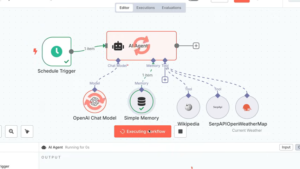
It used to take a developer, an API wrapper, and a quiet weekend to build an AI agent. It requires no code at all and takes roughly thirty minutes in n8n. This is how something really appears in real life.
Over the past two years, the term “AI agent” has been used so ambiguously that it has begun to lose its meaning in some contexts. However, within n8n, it refers to a particular and observable thing: a workflow node that connects to a huge language model, receives a prompt or message, uses the tools at its disposal to reason through it, and generates an output – all without human intervention between input and response. That’s a real capability, not a marketing category, and anyone who recalls what it was like to construct this kind of system three years ago would still find it quite amazing that it can be configured using a drag-and-drop interface without writing a single line of code.
At a Glance – n8n AI Agent Node
| Feature name | AI Agent node (n8n built-in) |
| Supported LLMs | OpenAI, Google Gemini, Anthropic, Grok, DeepSeek, local models |
| Setup requirement | API key from chosen LLM provider |
| Memory support | Simple Memory node (configurable context window) |
| Tool support | Calculator, HTTP Request, Google Sheets, custom tools, and more |
| Trigger options | Chat, Webhook, Gmail, Telegram, WhatsApp, Schedule, and others |
| No-code required | Yes – fully visual configuration |
| Agent types | Conversational Agent, OpenAI Functions Agent, Plan and Execute |
| Common use cases | Customer support bots, email assistants, invoice reminders, knowledge base Q&A |
| Official reference | docs.n8n.io/advanced-ai |
The AI Agent node functions differently from a typical action node downstream, yet it still sits inside n8n’s canvas like any other node. The agent node accepts the input and forwards it to the language model you have attached when a trigger – such as an incoming chat message, a webhook from a customer portal, or a scheduled email check – fires. The model can then use tools to search a knowledge base, perform calculations, query a Google Sheet, or send an HTTP request to an external API. Based on the prompt and the available alternatives, it determines which tools to use and in what order. There is no set path for the workflow. It makes a case for one. It takes some getting used to, but this difference is what sets an AI agent apart from a typical n8n automation.
There’s a pattern to setting one up that you rapidly get used to. Start with a trigger. A chat trigger or webhook is suitable for production, while a manual trigger is good for testing. Connect the AI Agent node to a language model credential using OpenAI, Gemini, Grok, or any other source to which you have API access. If the agent needs to retain context throughout a conversation, configure memory. The Simple Memory node takes care of this, keeping session history so the agent doesn’t consider every message as though it came from a stranger. To increase the agent’s actual capabilities, add tools. An AI agent is basically a chat interface in the absence of tools. With them, it turns into something that can affect the outer world.
“It’s similar to constructing IKEA furniture without a handbook when connecting AI APIs to n8n nodes; once the parts click, it becomes clear.”
In contrast to lessons, the Reddit community surrounding n8n AI agents is open and honest. The most frequent initial challenge, according to users, is the session ID problem that arises when Simple Memory isn’t wired correctly. This is a minor configuration step that trips up a disproportionate number of novices because it’s simple to overlook in the node settings. Once you are aware of it, the solution is simple: access the memory block, locate the session ID dropdown, and map it to the appropriate input from the preceding node. Troubleshooting for five minutes. However, a polished tour ignores this kind of detail, while an unhappy user in a forum topic fully details it. In addition to any official tutorial, it is worthwhile to seek out this community expertise because it is truly helpful.
Compared to the use cases outlined in announcement posts, the use cases that function successfully in practice are typically more limited. A dependable customer service representative that searches a particular knowledge base and forwards escalations to a human. Another excellent feature is an AI email assistant that examines an inbox, categorizes messages according to urgency, and prepares responses for approval. An example of a specific, constrained workflow where n8n AI agents truly earn their place is a QuickBooks-connected payment reminder bot that recognizes past-due invoices and sends tailored follow-ups. Until deploying anything customer-facing without supervision, it is important to thoroughly examine the limit of how far these agents may be pushed until the logic becomes untrustworthy.
Observing this industry’s growth over the past year has given me the impression that the difference between what a sponsored team could create two years ago and what a lone operator might create has significantly shrunk. An AI agent that logs everything to a spreadsheet, manages routine queries, escalates edge cases, and operates around the clock – a feature that previously required infrastructure funding and engineering work. It takes an afternoon, an API key, and a VPS or cloud account in n8n. This adjustment affects who gets to address questions regarding accuracy and dependability from firsthand experience rather than from the sidelines, but it doesn’t answer every question.
n8n vs Zapier vs Make: Three Tools, One Decision
They all fire your workflows and link your apps. However, the distinctions between n8n, Zapier, and Make go beyond a feature checklist, and choosing the incorrect one can eventually become costly.
Over the past few years, the market for automation platforms has taken on a distinctive character. The name-recognition game is dominated by Zapier, which is easily found in the toolkits of small business owners and marketing teams who found it first and had no compelling reason to search elsewhere. Make, which many still refer to as Integromat, gained popularity among operators who were more visually inclined and felt that Zapier’s linear interface was restrictive when their processes required more than three or four steps. And then there’s n8n, the new open-source product that tends to draw a more reserved and thoughtful user base: the developer, the independent contractor creating client automations, the tiny team that calculated their Zapier bill and experienced a sobering epiphany.
At a Glance – n8n vs Zapier vs Make
| Zapier | Make | n8n | |
|---|---|---|---|
| Best for | Non-technical users, simple tasks | Visual thinkers, complex logic | Developers, high volume, privacy-first |
| Interface | Linear wizard | Drag-and-drop canvas | Node-based canvas |
| Integrations | 6,000+ | 1,000+ | 400+ official + unlimited via HTTP |
| Pricing model | Per task (steps x runs) | Per operation | Per execution or free (self-hosted) |
| Self-hosting | No | No | Yes – free under fair-code license |
| Learning curve | Gentle | Moderate | Steep |
| Data privacy | Third-party cloud | Third-party cloud | Full control when self-hosted |
| Code support | Minimal | Limited | JavaScript and Python natively |
| Official reference | n8n.io/vs/zapier | ||
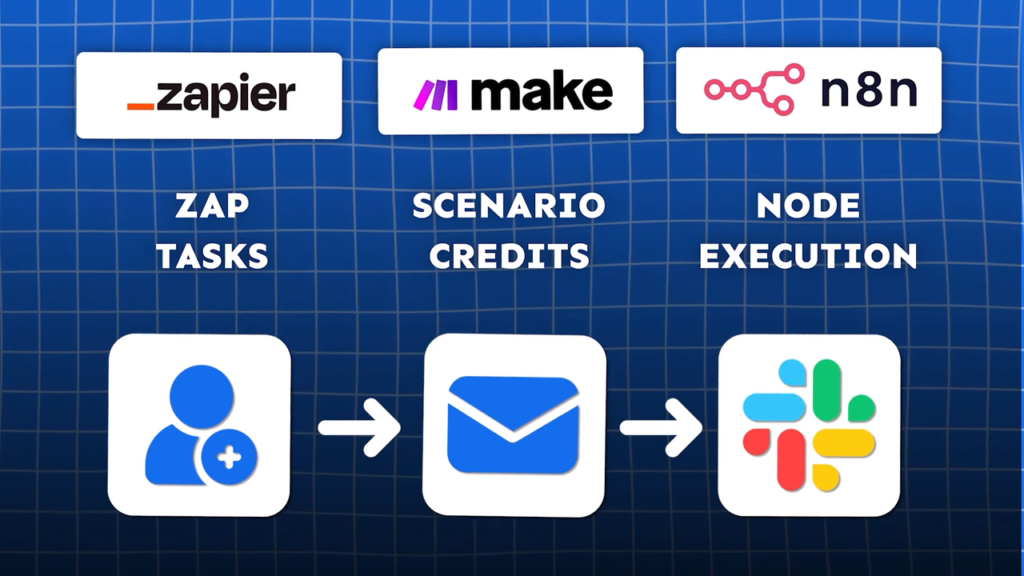
The foundation of Zapier’s power is genuine. Zapier completes tasks in fifteen minutes for marketing managers who need to ping a Slack channel and push Facebook leads into Salesforce without waiting for a developer. The integration library includes nearly all popular SaaS tools, the wizard is actually easy to use, and creating a basic workflow has almost no cognitive overhead. Once the workflows grow and the complexity increases, the issue becomes apparent. According to Zapier’s pricing methodology, a workflow with ten action steps costs ten tasks each run. When you run it 20,000 times a month, the bill rises to the point where finance people have to ask awkward questions. It’s possible that more companies have discreetly moved away from Zapier because the cost structure stopped making sense at scale rather than because the service stopped functioning.
Sit in a more captivating position. For anything involving conditional logic, multiple outcomes, or error handling that needs to be carefully designed rather than bolted on, its visual canvas – where data flows between modules along visible lines, branching and merging in ways you can actually see and trace – is truly superior to Zapier’s linear list. It is simpler to create and audit an order fulfillment sequence that treats out-of-stock items differently than available ones, or a lead routing procedure with three outcome routes. Additionally, the pricing is more liberal than Zapier’s, providing more operations per dollar for similar plans. A smaller integration library and a learning curve that is real enough to slow down a non-technical user on their first day are the trade-offs.
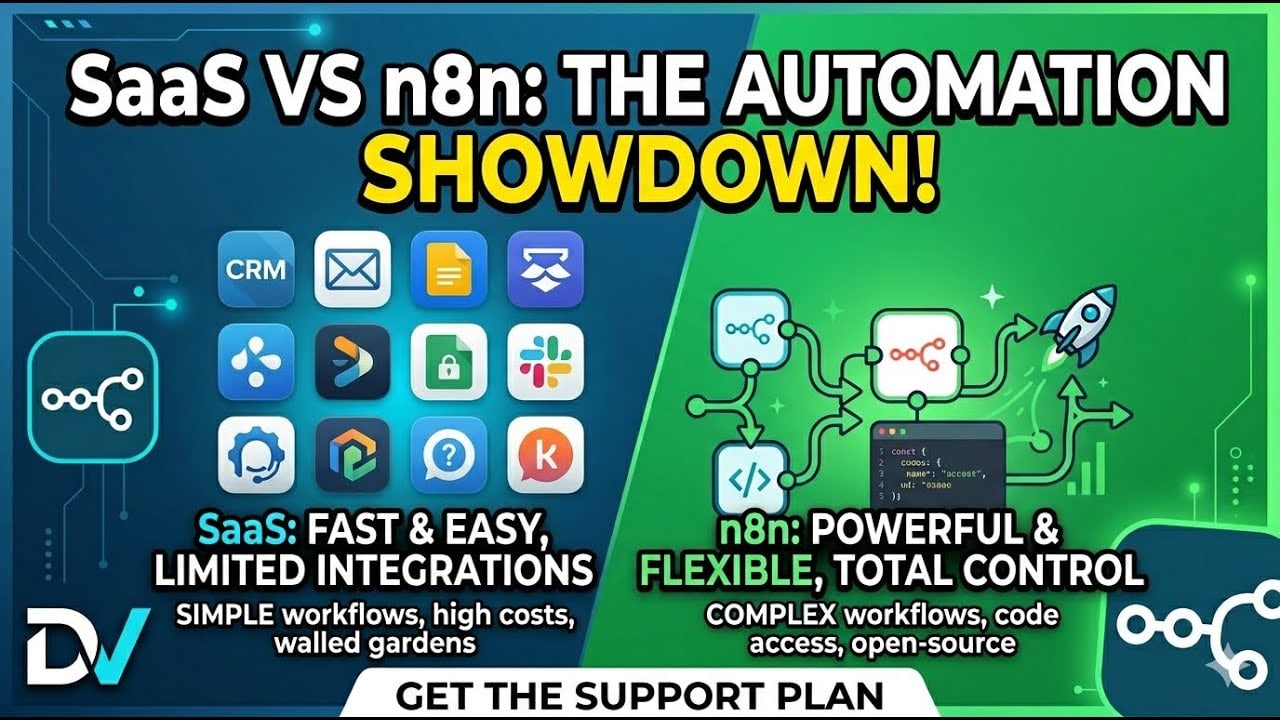
“Zapier leads on ease of use, Make leads on workflow complexity, and n8n leads on cost and flexibility – the ideal option depends on what you’re building and how much you want to pay.”
The comparison becomes truly intriguing at n8n. Of the three, the platform’s node-based editor is the most capable and demanding. However, neither Make nor Zapier can match how the underlying architecture alters the economics of automation. Regardless of the number of nodes involved, price on n8n Cloud is based on the execution of a workflow. The cost of a 5,000-run 75-node process is equal to that of a 2-node workflow with the same number of runs. Instead of punishing the development of intricate, comprehensive automations, that strategy actually encourages them. Then there is self-hosting, which virtually eliminates the execution question. The software cost is $0 when n8n is run on a $5/month VPS. The server’s capacity is the main restriction, and for the majority of freelancers and small teams, a basic machine can handle quite a bit.
The raw numbers – Zapier’s 6,000 versus n8n’s 400+ – can be misleading, so it’s important to carefully consider the integration argument. Since n8n’s HTTP Request node connects to any service with a REST API, the integration ceiling is practically infinite for anyone who is comfortable reading API documentation. The Code node handles data conversions that would necessitate numerous additional steps on other platforms by directly integrating Python and JavaScript into processes. It’s difficult to ignore the fact that teams who haven’t yet realized how far those two nodes can go are typically the ones who are most irritated with n8n’s integration count. Zapier’s breadth continues to be its greatest advantage for those who actually need plug-and-play integrations without any manual configuration.
In comparative pieces, the data privacy argument receives less attention than it merits. Credentials and data travel through the cloud architecture of Zapier or Make while a workflow is running on those platforms. This is a fair trade for the majority of use cases. The ability to self-host n8n within a private network is frequently a compliance requirement for companies handling patient records, financial data, or any other information covered by GDPR or HIPAA. Workflow logic, API keys, and business data never leave the company’s own servers thanks to self-hosting n8n. Regardless of their security certifications, cloud-only platforms just cannot match that structural advantage.
The decision between the three platforms ultimately boils down to an honest evaluation of who will really create and manage the automations. Non-technical teams should use Zapier or Make if they need something to run right now and don’t want to handle servers. Teams who can handle modest technical complexity, have outgrown Zapier’s cost, and have a visual mindset typically do well on Make. Teams that have access to technical resources, handle sensitive data, run automations frequently, or create workflows that are so complicated that per-task pricing begins to feel harsh are the ones that wind up on n8n and hardly ever look back.
n8n Use Cases for Small Business

The majority of small business owners do not find n8n when searching for a technological project. They discover it because they were finally impatient with something repeated. They are usually taken aback by what they construct next.
Small businesses have traditionally relied on a mix of ingenuity and hard work. Every morning, the founder manually enters fresh Shopify orders into a Google Sheet. At eight o’clock at night, the two-person marketing team plans each social media post individually. The consultant who, because the reminder never got past a sticky note, neglects to follow up on an invoice for three weeks. These aren’t intelligence failures; rather, they are infrastructure failures. Historically, infrastructure has been too costly, too complicated, or too time-consuming to put up for the majority of small companies. That computation has been subtly altered by n8n.
At a Glance – n8n for Small Business
| Platform | n8n workflow automation |
| Best fit | Small teams, solo operators, freelancers, e-commerce stores, service businesses |
| No-code required | Yes – visual node canvas, no programming needed for most workflows |
| Top use categories | Lead management, invoicing, customer support, social media, reporting, onboarding |
| Key integrations | Shopify, Stripe, Gmail, Google Sheets, Slack, Calendly, WooCommerce, HubSpot |
| Cost to run | Free (self-hosted on a $3-$6/month VPS) or affordable cloud plans |
| Templates available | 9,755+ community workflows including small business-specific templates |
| AI support | Native AI Agent node for customer support, content, and data tasks |
| Setup time | First useful workflow typically running within a few hours |
| Official reference | n8n.io/workflows/categories |
For good reason, the majority of small businesses begin with lead management. The pattern is nearly universal: a contact form is sent, the lead remains in an email inbox, the information is manually copied into a CRM two hours later, and by then the individual has already had a conversation with a rival. The entire sequence is short-circuited by an n8n workflow. When a new form is submitted, the workflow is initiated, the lead is automatically added to the CRM, an intro email is sent out in a matter of seconds, and a Slack message appears in the appropriate channel, allowing a person to follow up with pre-existing context. While the business owner is engaged in another activity, the entire operation is carried out. No single automation might yield a quicker return on the time invested in its development.
The use case that typically produces the most noticeable relief is invoice reminders. Every time it’s done by hand, chasing delinquent invoices is one of those activities that seems a little demeaning – the slightly regretful follow-up email, the concern about whether the appropriate tone was struck. This is handled by an n8n workflow without the emotional burden. After sending a fresh invoice, the procedure waits seven days to see if payment has been received. If it hasn’t, it sends out an email or SMS reminder without requiring anyone to remember to do it. This kind of quiet perseverance is far more valuable than the hour it takes to set up for service businesses where cash flow is monitored on a weekly basis.
“When you think of small company automation, the first thing that comes to mind is client notifications. With n8n, you can alert them one day in advance, confirm in real time, and follow up afterwards without ever touching a keyboard.”
The qualities of n8n are well suited to e-commerce operations, and the processes that are most frequently employed have a recognizable form. A single trigger causes a new Shopify order to arrive, send the buyer a confirmation email, create an invoice, register the sale to a Google Sheet, and notify the appropriate team channel. Supplier alerts and inventory checks are added to that chain by larger enterprises. One of those little, pleasant moments that makes the initial setup effort feel worthwhile is witnessing a ten-step workflow manage what used to take twenty minutes of manual processing. The reason why more small e-commerce businesses haven’t taken this step is still unknown, but it’s likely because no one informed them that it was so easily accessible.
Businesses that rely on appointments, such as consultants, therapists, personal trainers, and studio owners, face a unique issue that n8n effectively manages: the time between making a reservation and the client’s actual arrival. When a new Calendly booking is made, a workflow is initiated that adds the appointment to a shared calendar, sends a confirmation message right away, and then sends out an SMS reminder twenty-four hours in advance and again an hour later. No-shows decline. Customers are prepared when they arrive. When a workflow manages logistics more consistently than memory ever could, the business owner no longer has to expend mental energy on it.
The use case of social media scheduling may seem small, but it soon adds up for companies that want to have a steady presence. An n8n procedure that creates platform-specific versions of the announcement and uploads them to Facebook, LinkedIn, and X without anybody viewing those applications is triggered by a new blog post published on the company website. Recovering that hour every week is a big deal for a two-person team already overburdened with client work and operations. In the n8n community forums, there is a perception that content-related automations are what turn skeptics into devoted users – the instant someone discovers the tool truly operates autonomously.
In the past, weekly reporting required someone to extract data from Stripe, compare it to Shopify, create a summary, and deliver it to the appropriate parties on Monday mornings. That whole sequence in n8n operates on a schedule without the need for human intervention. An email or Slack message including revenue data, order volumes, and any abnormalities that have been reported arrives at the founder’s preferred start time each week. It’s a little issue. However, it’s precisely the accumulation of little things that gives a business the impression that it’s running rather than being driven upward. Once the first workflow is successful, n8n users continue to create more because of this differentiation, which is felt rather than measured.