
Close Menu

    Subscribe to Updates

    Get the latest creative news from FooBar about art, design and business.

    What's Hot

    How to self-host n8n on Hostinger VPS

    June 13, 2026

    n8n_community_packages_allow_tool_usage: How to Configure It

    June 12, 2026

    n8n access blocked Google verification process fix

    June 12, 2026
    n8n Automation Tutorialn8n Automation Tutorial
    • Home
    • n8n AI Workflows & Tool Comparisons
    • n8n Integrations & Nodes
    • n8n Setup & Self-Hosting
    • AI Automation & Enterprise Workflows
    • n8n Security & Vulnerabilities
    • n8n Tutorials & Comparisons
    • Contact Us
    Home ยป n8n Puppeteer:Install Puppeteer in n8n via Community Node
    n8n Integrations & Nodes

    n8n Puppeteer:Install Puppeteer in n8n via Community Node

    Olaitan OladipoBy Olaitan OladipoMay 27, 2026Updated:June 10, 2026No Comments5 Mins Read
    Facebook Twitter Pinterest LinkedIn Tumblr WhatsApp VKontakte Email
    Successful Puppeteer screenshot output in n8n
    The Puppeteer node returns a screenshot of the target webpage when the test succeeds.
    Share
    Facebook Twitter LinkedIn Pinterest Email

    Puppeteer gives n8n workflows a way to control a real browser. That is useful when a normal HTTP Request or HTML extraction step is not enough, especially on pages that depend heavily on JavaScript, client-side rendering, login flows, scrolling, screenshots, or button clicks.

    This article explains how to install Puppeteer in n8n using the Community Nodes method, then test the node by capturing a screenshot from a webpage. For the previous guide in this series, read n8n HTTP Request Node Retry on Fail: Error Handling & Retry Logic.

    What Puppeteer Does

    Puppeteer is a JavaScript library that provides a high-level API for controlling Chrome or Firefox. It can open pages, click buttons, type into forms, wait for page content, scrape rendered pages, generate PDFs, and capture screenshots.
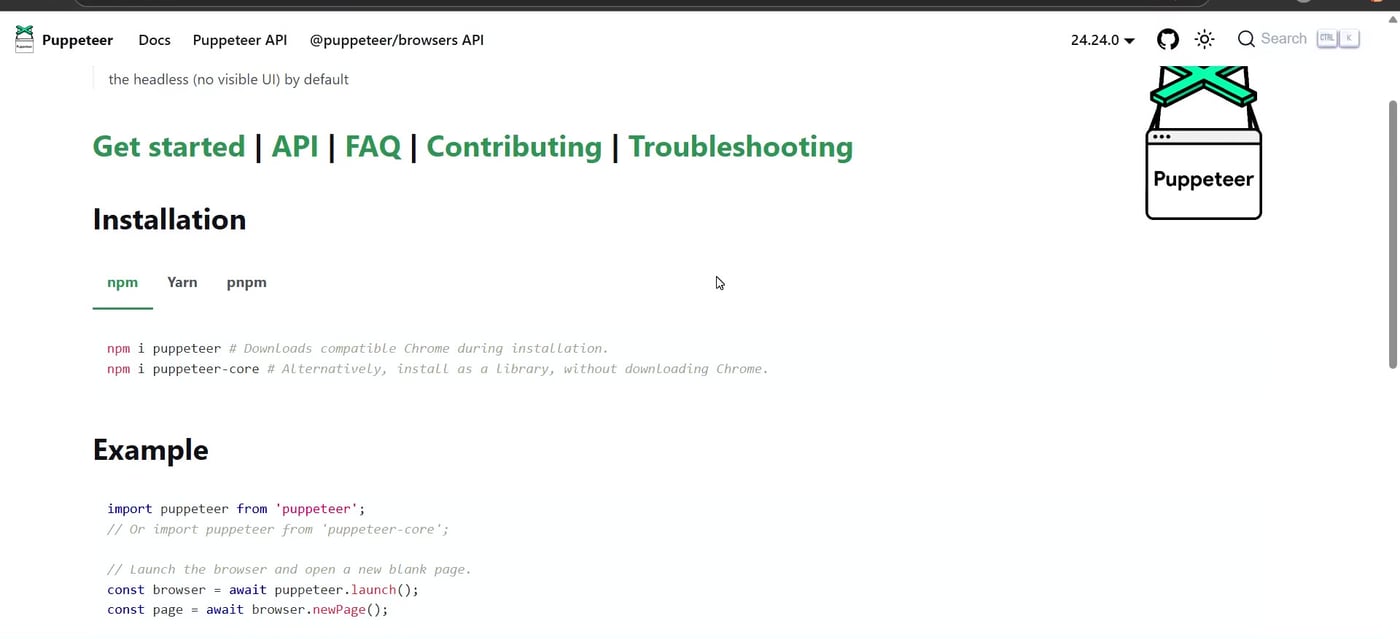
    Puppeteer official documentation showing installation and example code
    Puppeteer is a browser automation library for controlling Chrome or Firefox with JavaScript.

    Before You Install

    • Use a self-hosted or local n8n instance where community nodes are allowed.
    • Update n8n first if you are running an old version.
    • Install only community nodes you trust, because community packages can access workflow data and the machine running n8n.
    • If you use Docker or a server deployment, confirm that community packages are enabled in your environment configuration.
    • For production browser automation, test browser dependencies carefully because Chromium may need extra system libraries on some Linux servers.

    Important: community nodes from npm are third-party code. Review the package, check maintenance activity, and avoid installing random packages into production n8n instances.

    Step 1: Open Community Nodes in n8n

    Inside n8n, open the settings area and select Community nodes. This is where you can install, update, or inspect installed community packages.
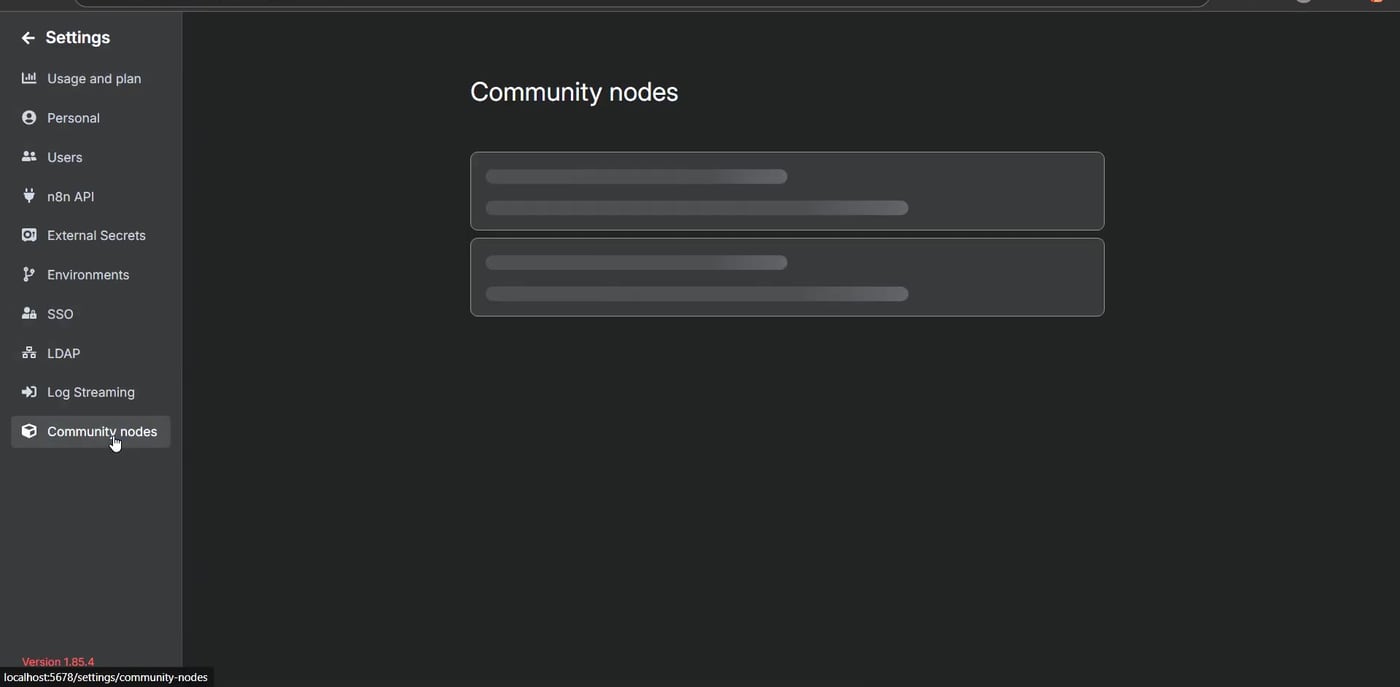
    n8n settings sidebar with Community nodes selected
    Open Settings in n8n and choose Community nodes from the sidebar.

    If Puppeteer is already installed, it appears in the installed community nodes list. If it is not listed, you still need to install it.
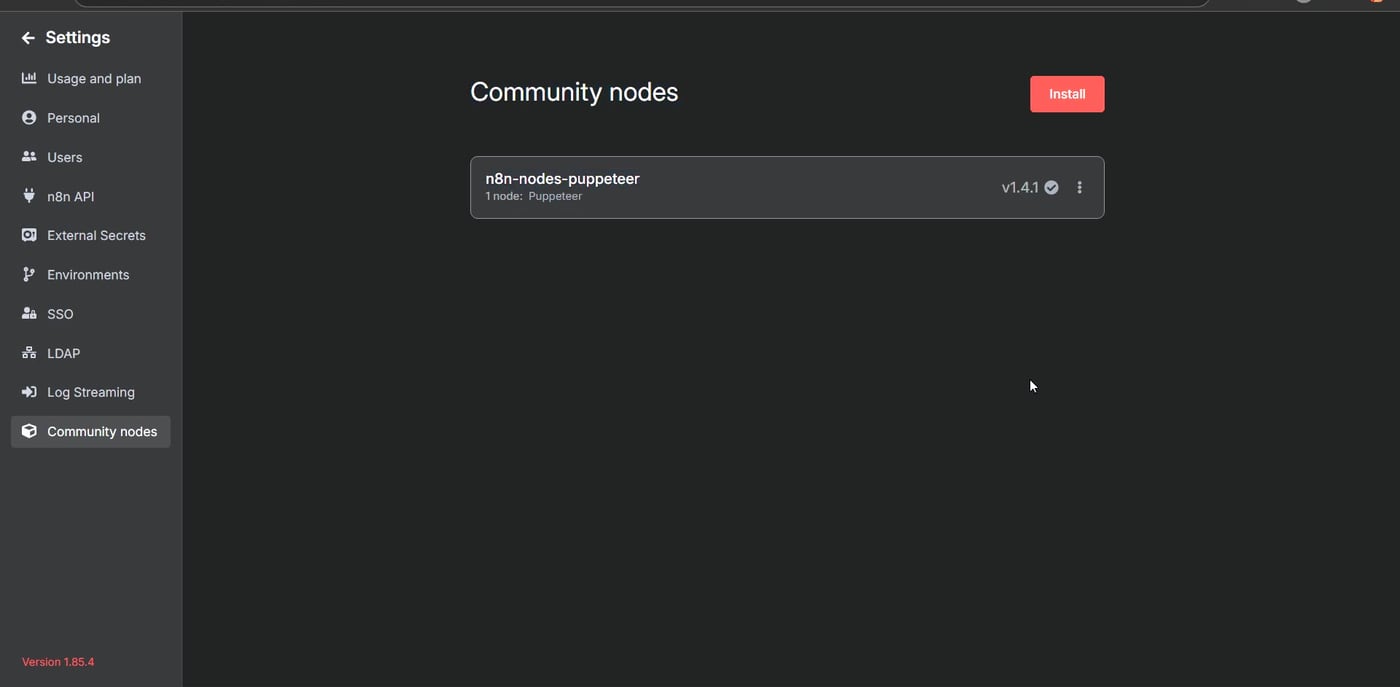
    n8n Community nodes page showing n8n-nodes-puppeteer installed
    The Community nodes page lists installed packages such as n8n-nodes-puppeteer.

    Step 2: Install the Puppeteer Community Node

    Click Install. In the npm package name field, enter the package name exactly as shown below:

    n8n-nodes-puppeteer
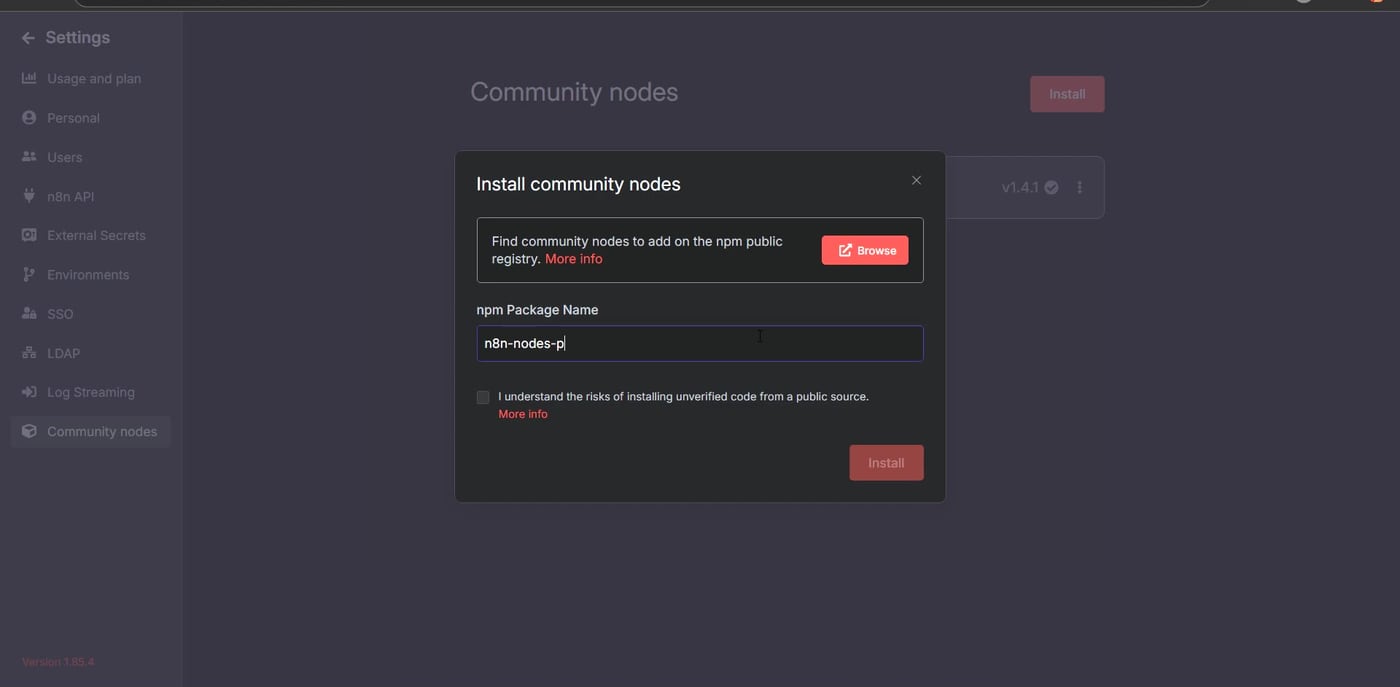
    Install community node modal with n8n-nodes-puppeteer package name
    Enter the package name n8n-nodes-puppeteer in the npm package field.

    After entering the package name, agree to the community node risk notice and install the package. If installation succeeds, the package appears in the Community nodes list.

    You can also search npm to confirm the package name before installing. This is helpful because many community packages have similar names.
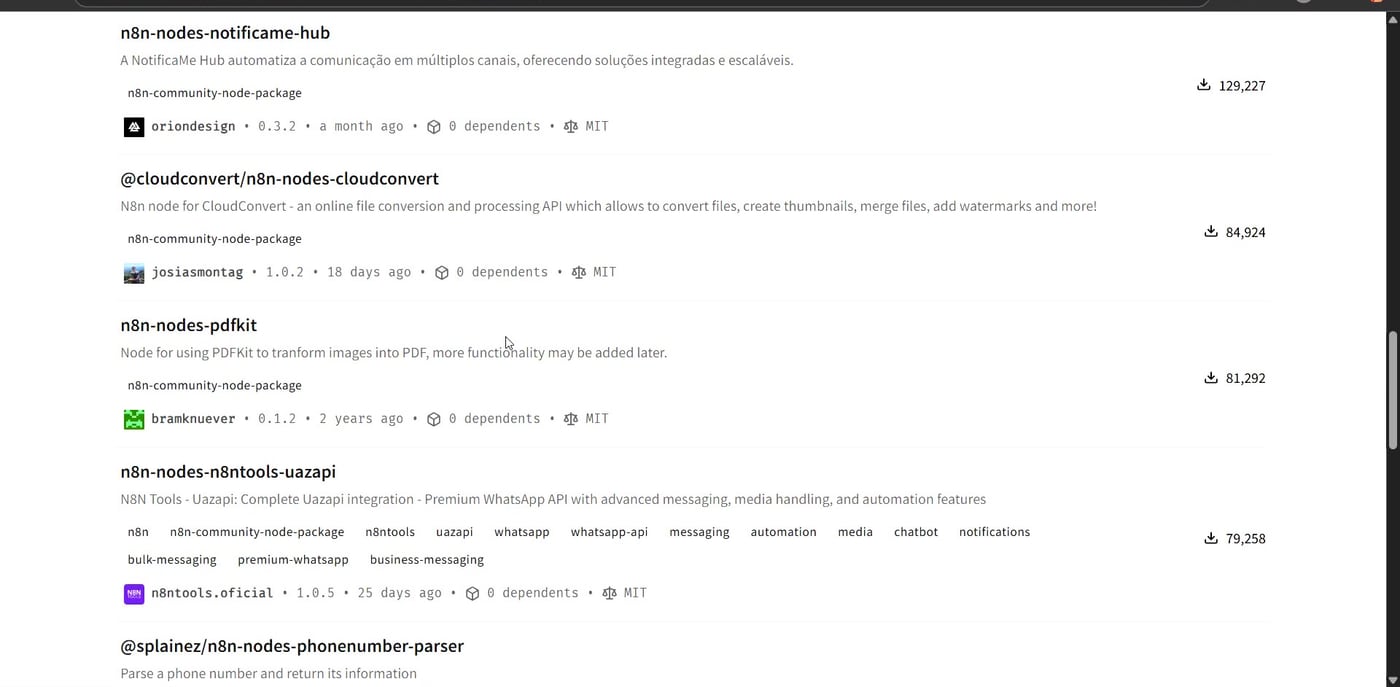
    npm search results showing n8n community packages
    The npm registry is where community node packages are published and searched.

    Step 3: Create a Test Workflow

    Create a new workflow and click Add first step. The goal is to run a simple Puppeteer action before building a larger scraping or browser automation workflow.
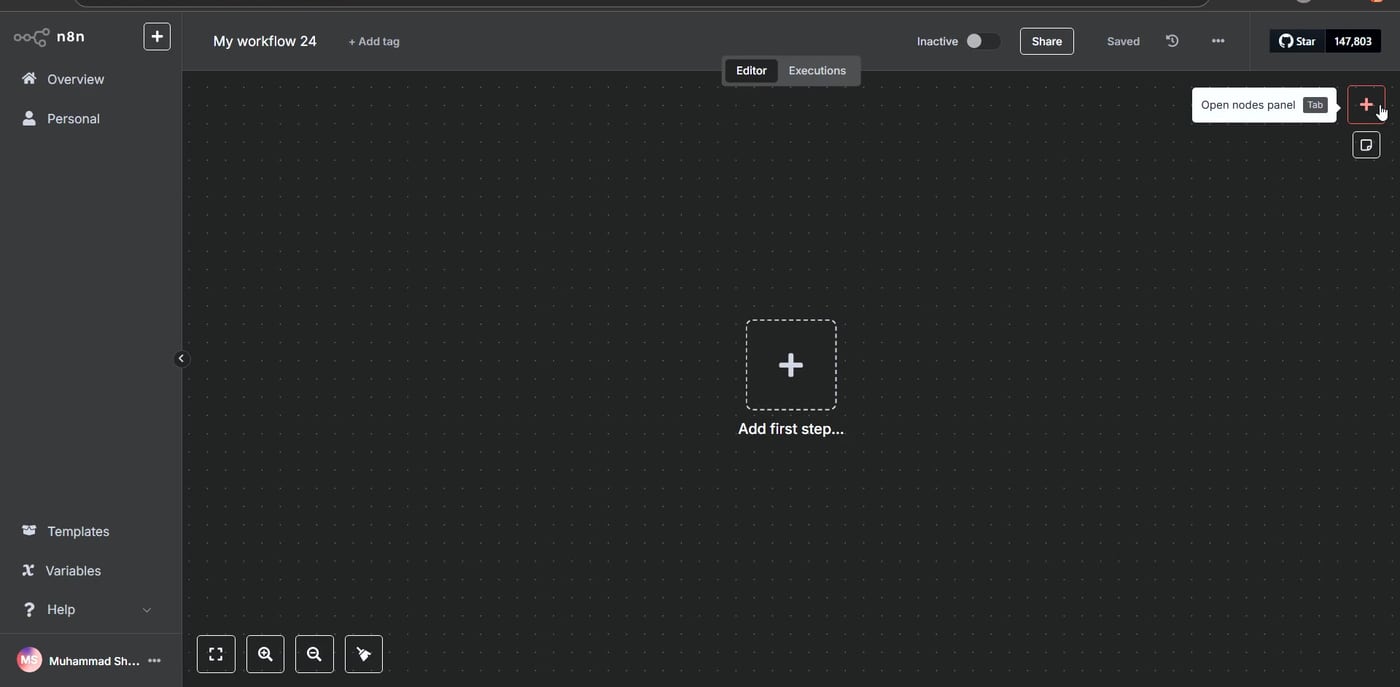
    New n8n workflow canvas ready to add a first step
    After installation, create a new workflow and add the Puppeteer node.

    Search for Puppeteer. The community node should appear with actions such as getting page content, generating a PDF, getting metadata, or taking a screenshot.
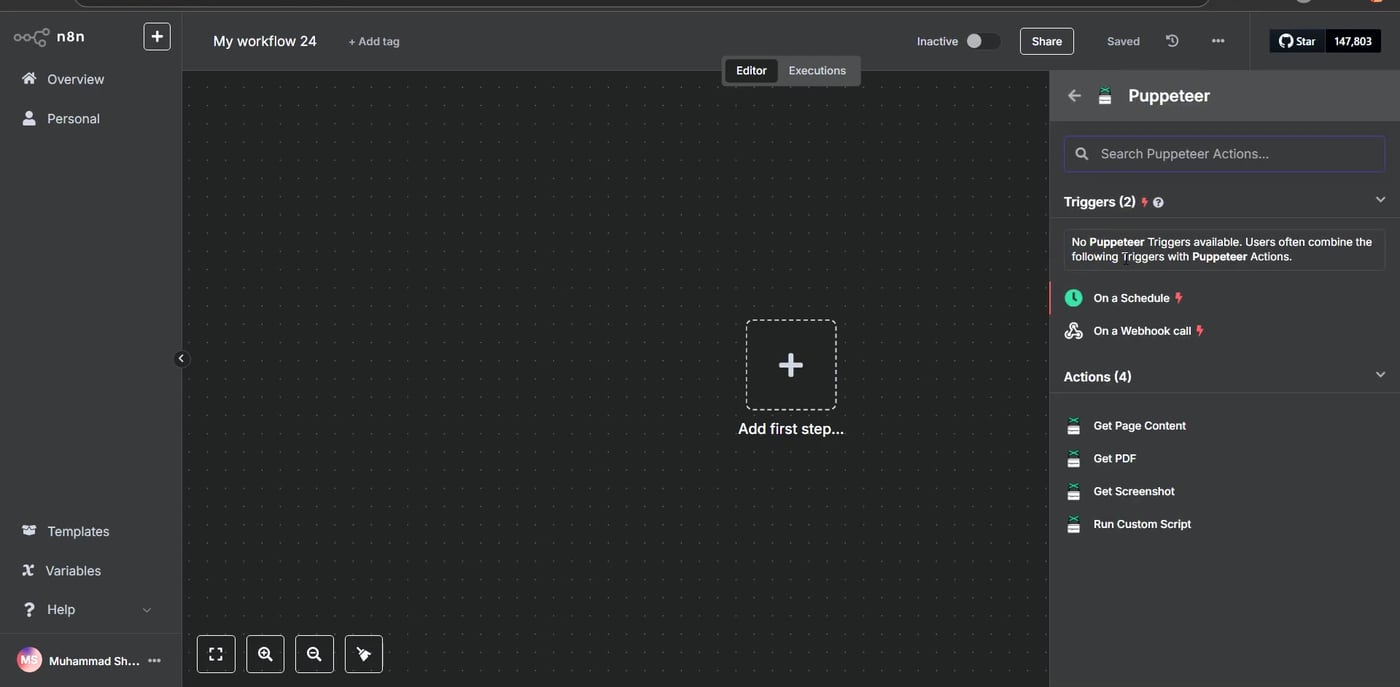
    n8n node panel showing Puppeteer actions including screenshot options
    Search for Puppeteer and choose the action you want to run, such as Get Screenshot.

    Step 4: Add the Puppeteer Node

    Choose a simple test action first. In this example, the Puppeteer node is added to the workflow and connected to a trigger. A screenshot action is a good first test because the result is easy to verify visually.
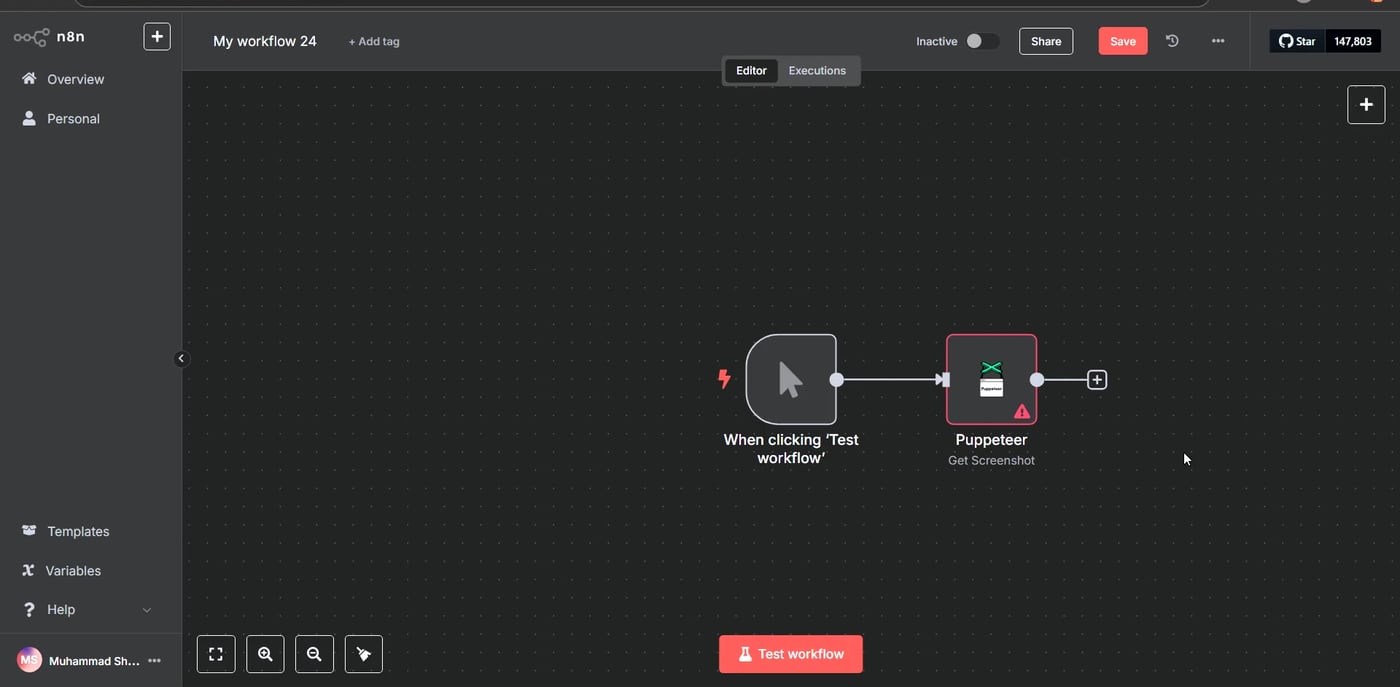
    Puppeteer node connected to a trigger in n8n
    The Puppeteer node is added to the workflow and connected to a trigger.

    Step 5: Configure Get Screenshot

    Open the Puppeteer node and select Get Screenshot. Enter the webpage URL you want to test, such as a news homepage or another public page. Keep the first test simple so you can confirm the node works before adding more advanced logic.
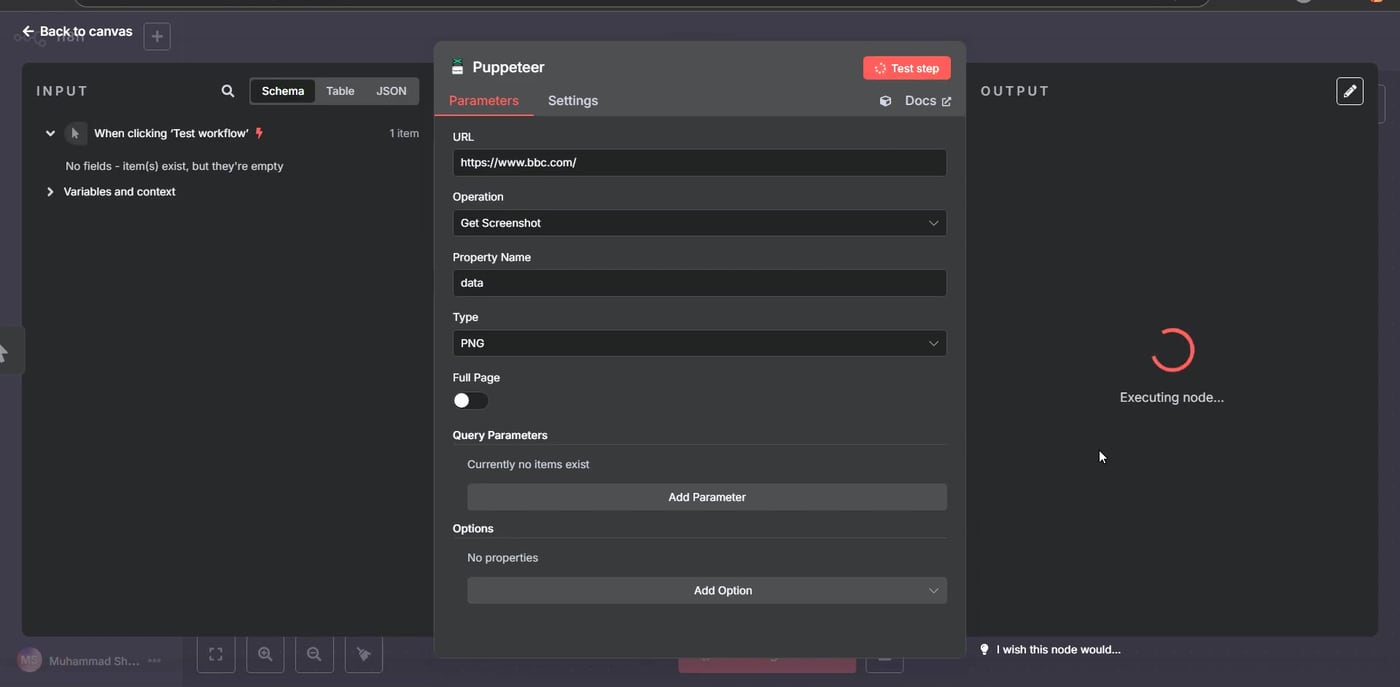
    Puppeteer Get Screenshot node configured with a webpage URL
    Configure the Puppeteer node with the page URL and screenshot settings.

    Step 6: Run the Test

    Execute the node. If the setup is working, the output panel should show a captured screenshot of the page. This confirms that Puppeteer can open the webpage, render it, and return a visual result inside n8n.
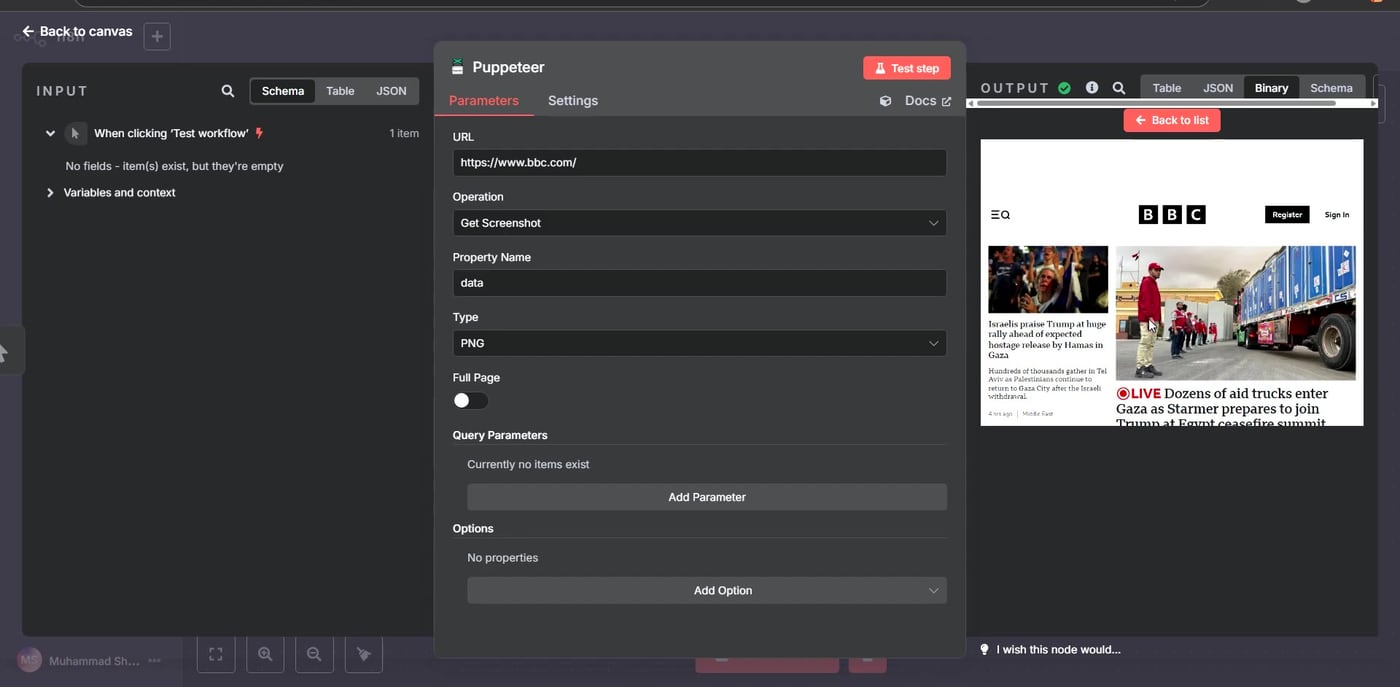
    Successful Puppeteer screenshot output in n8n
    The Puppeteer node returns a screenshot of the target webpage when the test succeeds.

    What to Build Next

    • Capture screenshots of pages that change over time.
    • Scrape content from JavaScript-heavy websites that do not expose useful static HTML.
    • Automate browser form filling for internal tools.
    • Generate PDFs from rendered pages.
    • Send scraped content into Google Sheets, Notion, Airtable, or an AI summarization workflow.

    Common Troubleshooting Tips

    • If the Puppeteer node does not appear, confirm that the package installed successfully and reload n8n.
    • If installation fails in Docker, check whether the container has the system libraries required by Chromium.
    • If the screenshot is blank, increase wait time or use a page that does not require login, cookies, or bot challenges.
    • If a site blocks automation, respect the site’s terms and use official APIs where available.
    • If you are on n8n Cloud, remember that unverified npm community nodes may not be available the same way they are on self-hosted n8n.

    Useful References

    Official and package references used for this article: Puppeteer documentation, n8n community node installation options, n8n GUI installation for community nodes, n8n community node risks, and n8n-nodes-puppeteer on npm.

    Olaitan Oladipo

    Olaitan Oladipo holds a BSc in Sociology from Olabisi Onabanjo University. He is a self-taught automation builder who has spent years inside n8n doing the work that most tutorials skip: debugging OAuth errors at 2am, migrating client automations from Make.com mid-project, fighting reverse proxy misconfigurations on AWS EC2, and figuring out through trial and error what actually holds up in production versus what only looks clean in a demo.

    He is not a developer by training and not a SaaS founder. He is the person in the Discord server who actually answers the question instead of linking to the docs.

    His writing on n8n Automation Tutorial covers self-hosting, AI agent workflows, tool comparisons, and the security vulnerabilities the automation industry would rather not discuss. He has built AI-assisted invoice approval flows using OpenAI function calling, connected Claude via HTTP Request nodes, and holds considered opinions about Zapier, Make.com, LangChain, and CrewAI that their marketing teams would not appreciate.

    He writes for people who are technical enough to follow a tutorial but experienced enough to want the honest version.

    Share. Facebook Twitter Pinterest LinkedIn Tumblr WhatsApp Email
    Previous Articlen8n HTTP Request Node Retry on Fail: Error Handling & Retry Logic
    Next Article Your n8n Instance Holds the Keys to Everything. The Ni8mare CVEs Just Proved It.
    Olaitan Oladipo
    • Website

    Olaitan Oladipo holds a BSc in Sociology from Olabisi Onabanjo University. He is a self-taught automation builder who has spent years inside n8n doing the work that most tutorials skip: debugging OAuth errors at 2am, migrating client automations from Make.com mid-project, fighting reverse proxy misconfigurations on AWS EC2, and figuring out through trial and error what actually holds up in production versus what only looks clean in a demo. He is not a developer by training and not a SaaS founder. He is the person in the Discord server who actually answers the question instead of linking to the docs. His writing on n8n Automation Tutorial covers self-hosting, AI agent workflows, tool comparisons, and the security vulnerabilities the automation industry would rather not discuss. He has built AI-assisted invoice approval flows using OpenAI function calling, connected Claude via HTTP Request nodes, and holds considered opinions about Zapier, Make.com, LangChain, and CrewAI that their marketing teams would not appreciate. He writes for people who are technical enough to follow a tutorial but experienced enough to want the honest version.

    Related Posts

    n8n_community_packages_allow_tool_usage: How to Configure It

    June 12, 2026

    n8n access blocked Google verification process fix

    June 12, 2026

    Unrecognized node type n8n-nodes-mcp.mcpclienttool

    June 12, 2026

    n8n HTTP Request Node Retry on Fail: Error Handling & Retry Logic

    May 26, 2026
    Leave A Reply Cancel Reply

    Recent Posts
    • How to self-host n8n on Hostinger VPS
    • n8n_community_packages_allow_tool_usage: How to Configure It
    • n8n access blocked Google verification process fix
    • Unrecognized node type n8n-nodes-mcp.mcpclienttool
    • Unrecognized node type n8n-nodes-base.executecommand
    • n8n Community License Activation Error: Fix Connection Failed on npm Self-Hosting
    • Your Agent Passed the Demo. Nobody Can Explain What It Did at 3am.

    Subscribe to Updates

    Get the latest creative news from SmartMag about art & design.

    About Us

    n8n Automation Tutorial is a free resource for developers, freelancers, and business owners who want to build and deploy n8n workflows. Tutorials cover self-hosting, Docker, AWS, API integrations, and real-world automation use cases - from beginner setups to production-ready deployments.

    n8n Automation Tutorial
    • Contact Us
    • Privacy Policy
    • Disclaimer
    • Terms and Conditions
    © 2026 n8n Automation Tutorial.

    Type above and press Enter to search. Press Esc to cancel.