
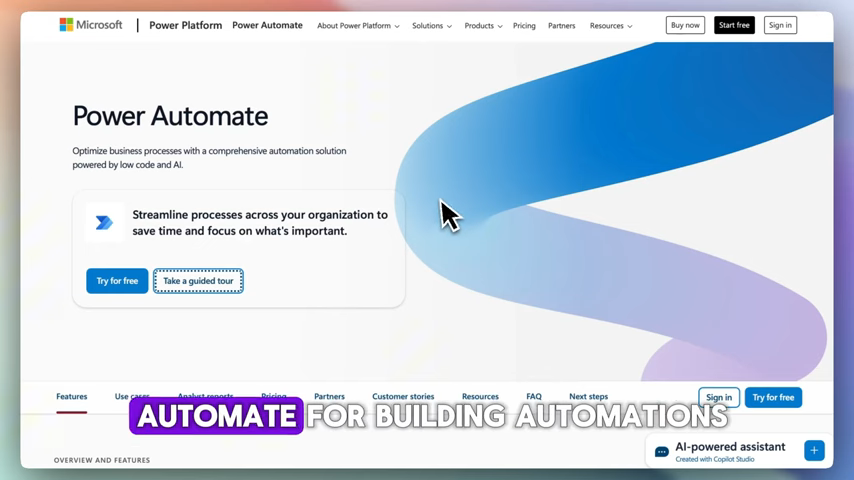
n8n and Power Automate are 2 workflow automation platforms that serve different types of teams. n8n is an open-source workflow automation platform built for flexibility and developer control. Power Automate is Microsoft’s cloud-based automation tool, deeply integrated with the Microsoft 365 ecosystem, including Teams, SharePoint, Dynamics 365, and Excel. The right choice depends on your team’s technical profile, existing software stack, and budget.
For the previous guide in this series, read LangGraph vs n8n: 2 Frameworks, 5 Core Differences, and Which One Fits Your AI Workflow in 2025.
What Is n8n?
n8n is a source-available, node-based visual automation platform. It supports custom JavaScript and Python code directly within workflows, connects to virtually any API, and can be self-hosted on your own infrastructure for full data control at near-zero cost. n8n includes over 400 native nodes, covering apps such as Slack, HubSpot, Airtable, Postgres, Stripe, and Google Workspace. Workflows in n8n are stored as JSON files, making them version-controllable, debuggable, and shareable across teams.
What Is Power Automate?
Power Automate is part of the Microsoft Power Platform, alongside Power BI, Power Apps, and Power Virtual Agents. It is designed for business users and offers automated workflows, an AI Copilot feature, and a large library of pre-built templates. Power Automate’s AI Copilot allows users to describe an automation in plain English and have a flow built automatically, significantly lowering the barrier to entry for non-technical users. It supports desktop automation, cloud flows, and robotic process automation (RPA).
How Do n8n and Power Automate Compare on Pricing?
n8n offers a free community edition that is self-hosted and available forever. The Cloud Starter plan costs EUR 24 per month and includes 2,500 executions. The Pro plan costs EUR 60 per month and adds debugging tools and priority support. All plans include unlimited users and workflows. Power Automate offers a free tier included with Microsoft 365 subscriptions. The premium plan starts at $15 per user per month and unlocks premium connectors and AI Builder.
| Feature | n8n | Power Automate |
|---|---|---|
| Free plan | Yes – self-hosted | Yes – with M365 subscription |
| Starting paid price | EUR 24/month | $15/user/month |
| Pricing model | Execution-based | Per user or per flow |
| Unlimited users | Yes (all plans) | No – per-user pricing |
| Self-hosting | Yes | No |
For teams outside the Microsoft ecosystem, n8n’s self-hosted option is nearly free. Power Automate’s standalone pricing is expensive without an existing Microsoft 365 subscription.
Which Tool Is Easier to Use?
Power Automate is designed for business users. It includes a polished interface, pre-built connectors, and an AI Copilot that generates flows from plain-language descriptions. n8n uses a node-based canvas that is powerful for visualizing complex logic but can be intimidating for beginners. It requires familiarity with APIs, JSON, and basic scripting. n8n suits teams with at least 1 developer. Power Automate suits non-technical business users who need fast setup within the Microsoft environment.
Which Tool Has Better Integrations?
Power Automate has a larger pre-built connector library, especially for enterprise applications and the full Microsoft stack. n8n has fewer pre-built connectors but can connect to virtually any API through custom configuration. Its ability to run custom JavaScript or Python directly within a workflow is a significant advantage for complex data transformation. n8n includes over 400 native nodes. Power Automate offers over 12 core features and 8 deep integrations within the Microsoft ecosystem, covering SharePoint, Teams, Outlook, Dynamics 365, and Azure AI.
Which Tool Is Better for AI Workflows?
Power Automate integrates well with the Microsoft AI ecosystem, including Copilot and Azure AI. It is strong for structured enterprise workflows where AI is embedded into predefined processes. n8n offers native support for APIs, large language models (LLMs), and agent orchestration. For agentic AI automation – workflows that reason and act dynamically rather than execute fixed steps – n8n’s architecture is the more natural fit. A 2026 arXiv study reported that automating a workflow with n8n reduced execution time from 185 seconds to 1.23 seconds and eliminated errors.
What Are the 6 Key Differences Between n8n and Power Automate?
| Category | n8n | Power Automate |
|---|---|---|
| Target user | Developers and technical teams | Business users and Microsoft shops |
| Open source | Yes | No |
| Self-hosting | Yes | No |
| AI capabilities | LLM and agent orchestration | Copilot and Azure AI integration |
| Vendor lock-in | None | Microsoft ecosystem |
| User rating (2026) | 4.6/5 | 4.4/5 |
When Should You Choose n8n?
n8n is the better choice for teams that need full control over their infrastructure, work outside the Microsoft ecosystem, handle complex data transformations, or require custom API logic. It keeps options open and avoids vendor lock-in. It is also the stronger platform for teams building AI agent systems in 2026. Choose n8n if your team meets 1 or more of these 4 criteria:
- Your stack does not include Microsoft 365
- You need to self-host data for compliance or cost reasons
- Your workflows require custom JavaScript or Python logic
- You are building multi-step AI agent automations
When Should You Choose Power Automate?
Power Automate is the best choice for organizations running Microsoft 365. The free tier included with M365 subscriptions covers basic cloud flows. The $15 premium plan unlocks premium connectors and AI Builder. It is strong for RPA and process automation within the Microsoft ecosystem. Choose Power Automate if your team meets 1 or more of these 4 criteria:
- Your organization uses Microsoft 365, Teams, or SharePoint daily
- Your automation users are non-technical business staff
- You need desktop automation or RPA
- Compliance requires Microsoft-native audit trails
Can You Use Both n8n and Power Automate Together?
Many mid-market enterprises use both platforms together. Power Automate handles internal standardized Microsoft workflows. n8n handles external API orchestration, custom logic, and AI agent pipelines. This hybrid approach puts each platform where it performs best and avoids over-relying on 1 vendor for all automation needs. n8n holds a 4.6 out of 5 user rating in 2026, compared to 4.4 for Power Automate. Both tools are excellent. n8n is better for self-hosted automation with developer teams, while Power Automate excels for Microsoft 365 workflow automation in enterprise environments. The decision comes down to 3 factors: who builds the automations, how much infrastructure control you need, and whether your stack is Microsoft-based.

Olaitan Oladipo holds a BSc in Sociology from Olabisi Onabanjo University. He is a self-taught automation builder who has spent years inside n8n doing the work that most tutorials skip: debugging OAuth errors at 2am, migrating client automations from Make.com mid-project, fighting reverse proxy misconfigurations on AWS EC2, and figuring out through trial and error what actually holds up in production versus what only looks clean in a demo.
He is not a developer by training and not a SaaS founder. He is the person in the Discord server who actually answers the question instead of linking to the docs.
His writing on n8n Automation Tutorial covers self-hosting, AI agent workflows, tool comparisons, and the security vulnerabilities the automation industry would rather not discuss. He has built AI-assisted invoice approval flows using OpenAI function calling, connected Claude via HTTP Request nodes, and holds considered opinions about Zapier, Make.com, LangChain, and CrewAI that their marketing teams would not appreciate.
He writes for people who are technical enough to follow a tutorial but experienced enough to want the honest version.