
n8n queue mode is the scaling setup you use when one n8n process is no longer enough. Instead of one instance receiving workflows and executing everything by itself, queue mode separates the main n8n process from worker processes, with Redis acting as the job queue between them.
Before scaling an instance, make sure your update process is safe. The previous guide explains how to update n8n Community Edition on Oracle Cloud, and the same backup-first mindset applies before switching a production server into queue mode.
How n8n Queue Mode Works
In queue mode, the main n8n instance handles the editor, webhooks, triggers, and orchestration. Executions are placed into a queue, and one or more worker containers pick up the jobs. Redis coordinates the queue, while the database stores workflows, credentials, execution records, and application data.
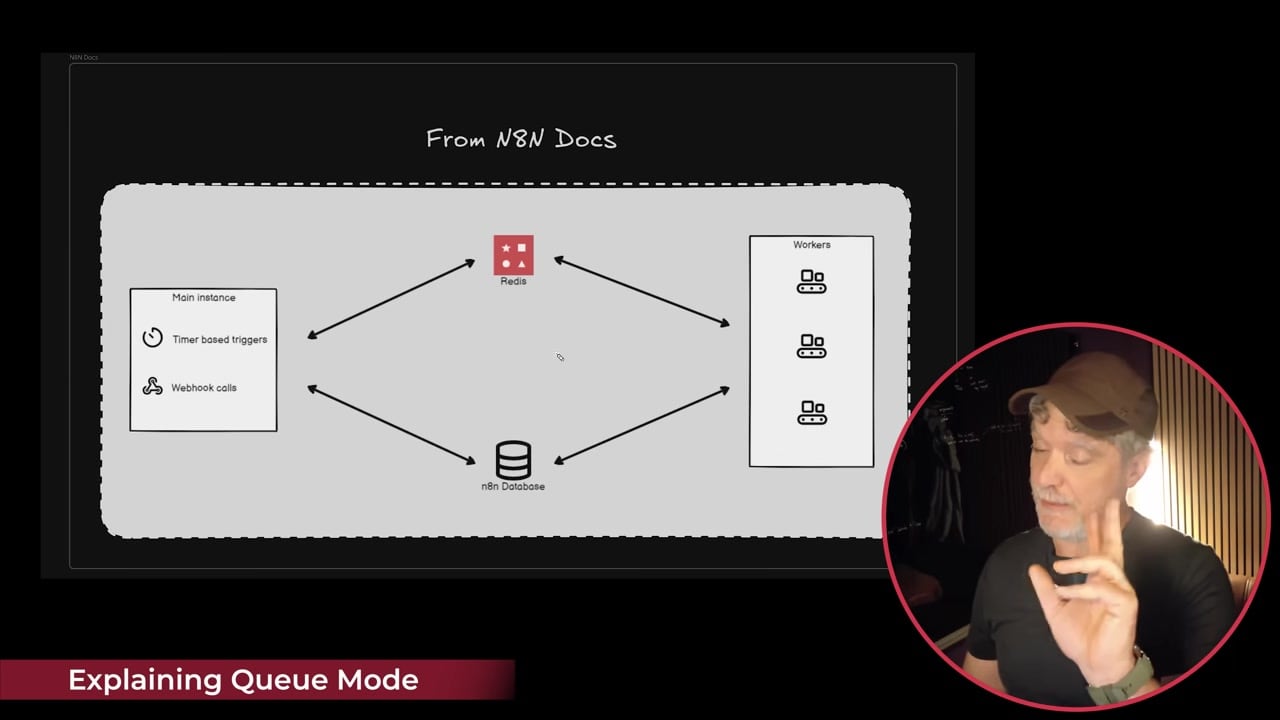
This architecture is useful because workers can process jobs in parallel. If one workflow is slow, it does not have to block every other execution from moving forward.
When You Should Use Queue Mode
- Your workflows run frequently and execution delays are becoming noticeable.
- You process many webhook events or scheduled jobs.
- You run long AI, HTTP, data transformation, or file-processing workflows.
- You want multiple worker containers so jobs can be distributed.
- You need a more production-ready setup than a single n8n container.
Queue mode is not always necessary for a small personal instance. If you only run a few light workflows per day, a single n8n container may be easier to maintain.
Step 1: Start From a Queue Mode Stack or Template
The simplest route is to start with a queue mode template that already creates the core services: n8n main, one or more n8n workers, Redis, PostgreSQL, and sometimes a reverse proxy such as Traefik.
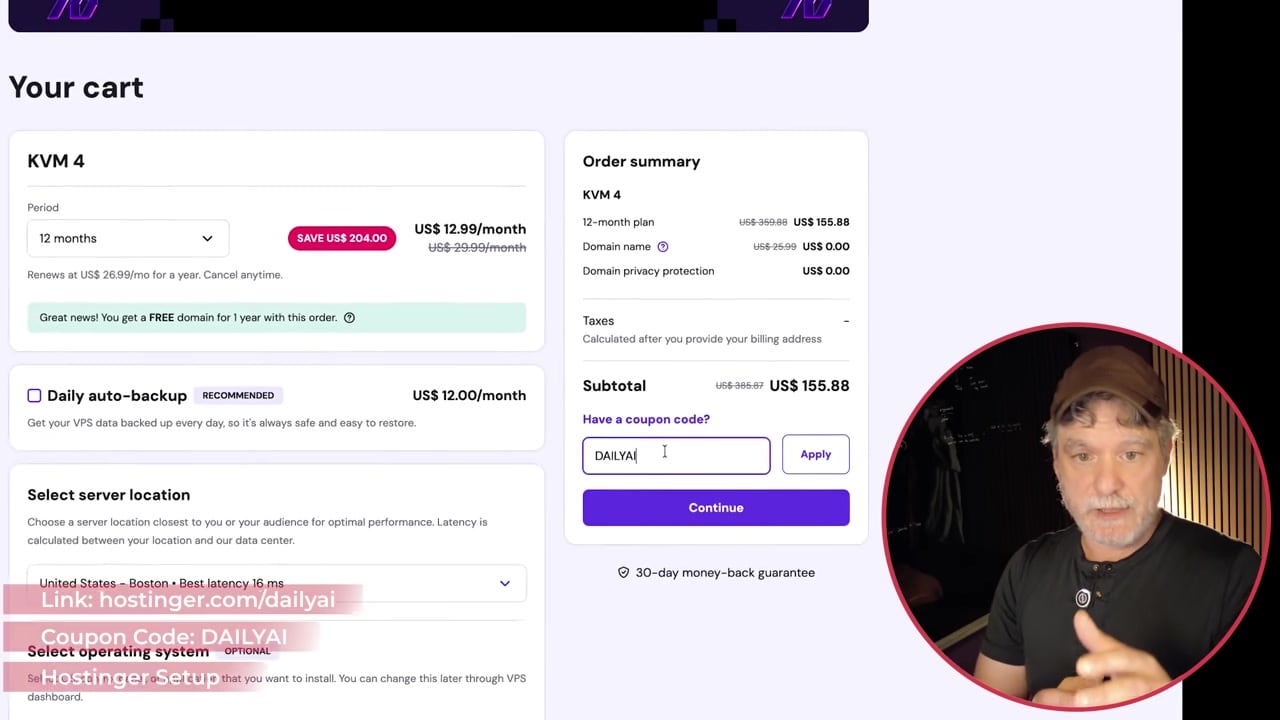
If you build the setup manually, keep the services separate. Do not try to make one container do everything once your goal is parallel execution.
Step 2: Use the Required Environment Variables
The most important setting is EXECUTIONS_MODE=queue. You also need a shared encryption key, database settings, and Redis connection settings that are identical wherever required.
EXECUTIONS_MODE=queue
N8N_ENCRYPTION_KEY=replace-with-a-long-random-secret
DB_TYPE=postgresdb
DB_POSTGRESDB_HOST=postgres
DB_POSTGRESDB_DATABASE=n8n
DB_POSTGRESDB_USER=n8n
DB_POSTGRESDB_PASSWORD=replace-with-strong-password
QUEUE_BULL_REDIS_HOST=redis
QUEUE_BULL_REDIS_PORT=6379
The encryption key is especially important. All n8n processes that access credentials must use the same key. If the main instance and workers use different keys, credentials can fail to decrypt.
Step 3: Understand the Main and Worker Containers
A typical Docker Compose file has one n8n main service and at least one worker service. The worker uses the same image but starts with the worker command.
services:
  n8n-main:
    image: docker.n8n.io/n8nio/n8n
    environment:
      - EXECUTIONS_MODE=queue
      - QUEUE_BULL_REDIS_HOST=redis

  n8n-worker:
    image: docker.n8n.io/n8nio/n8n
    command: worker
    environment:
      - EXECUTIONS_MODE=queue
      - QUEUE_BULL_REDIS_HOST=redis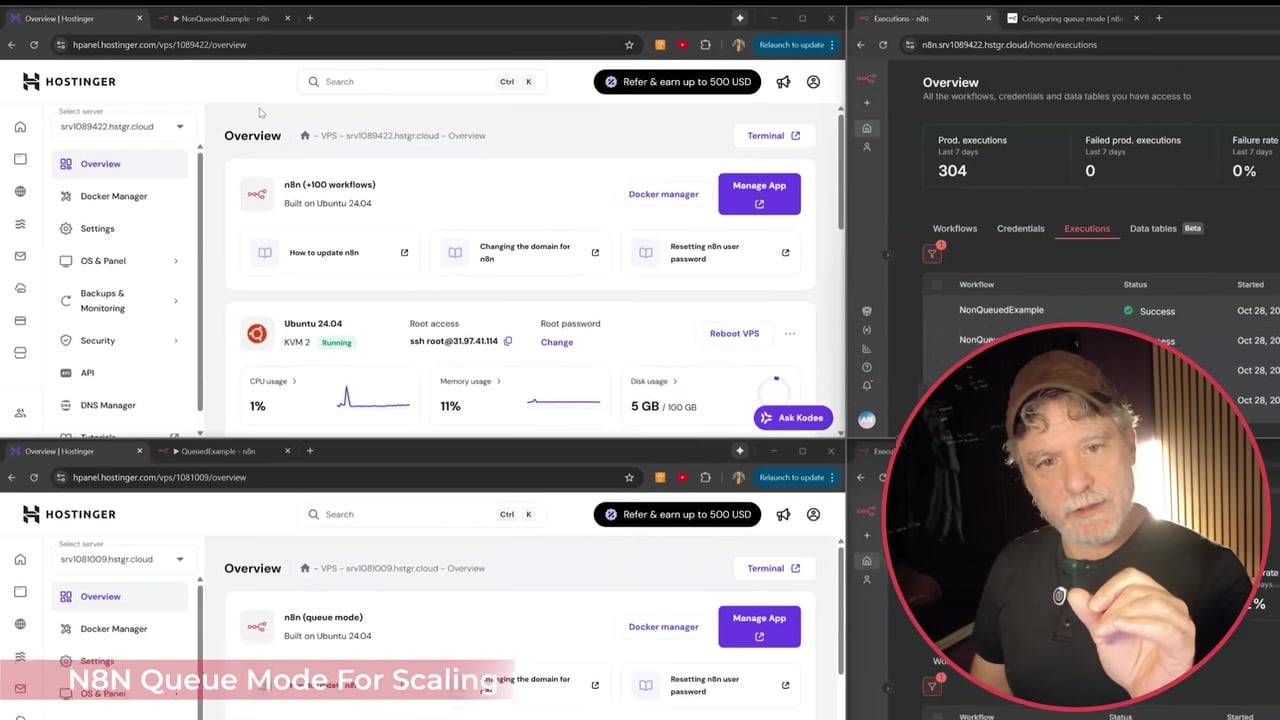
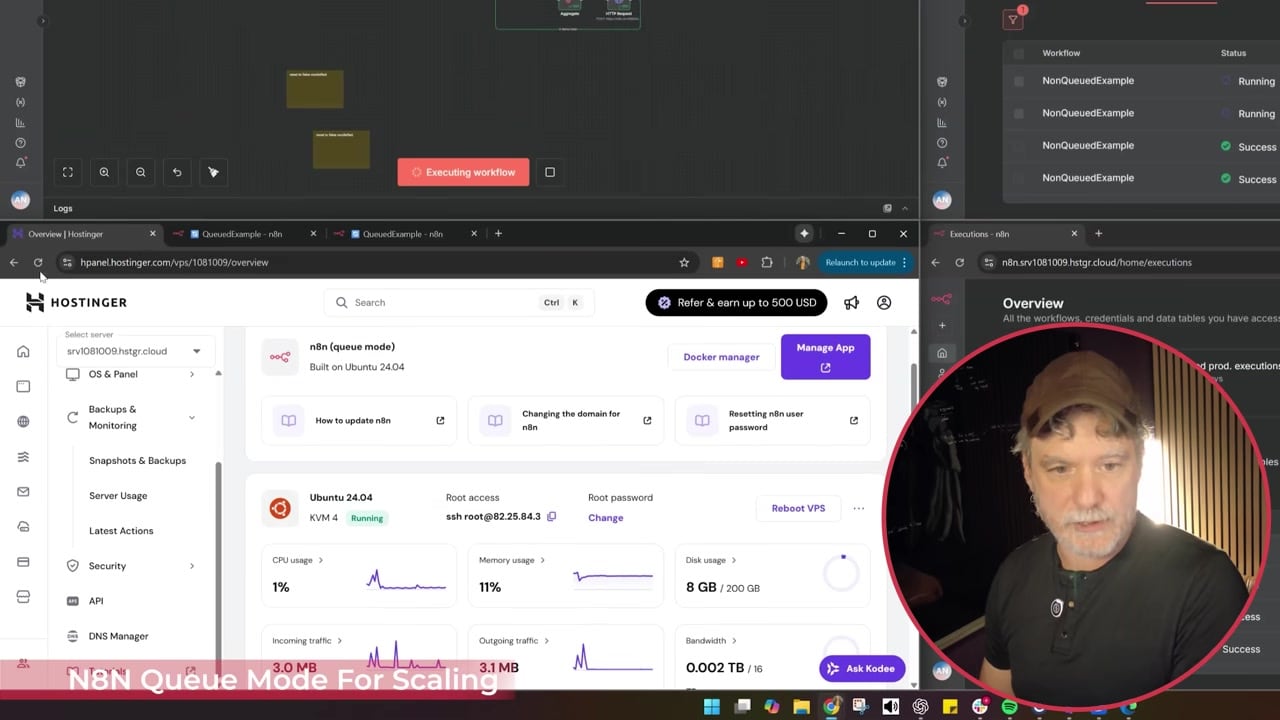
In the dashboard, you should see separate containers for the main n8n instance, workers, Redis, and the database. If workers are missing, jobs will queue but may not execute.
Step 4: Test With a Workflow That Creates Real Work
A tiny workflow may not prove much because it can complete too quickly. Test queue mode with a workflow that processes multiple items, makes API calls, or simulates enough work to see workers pick up jobs.
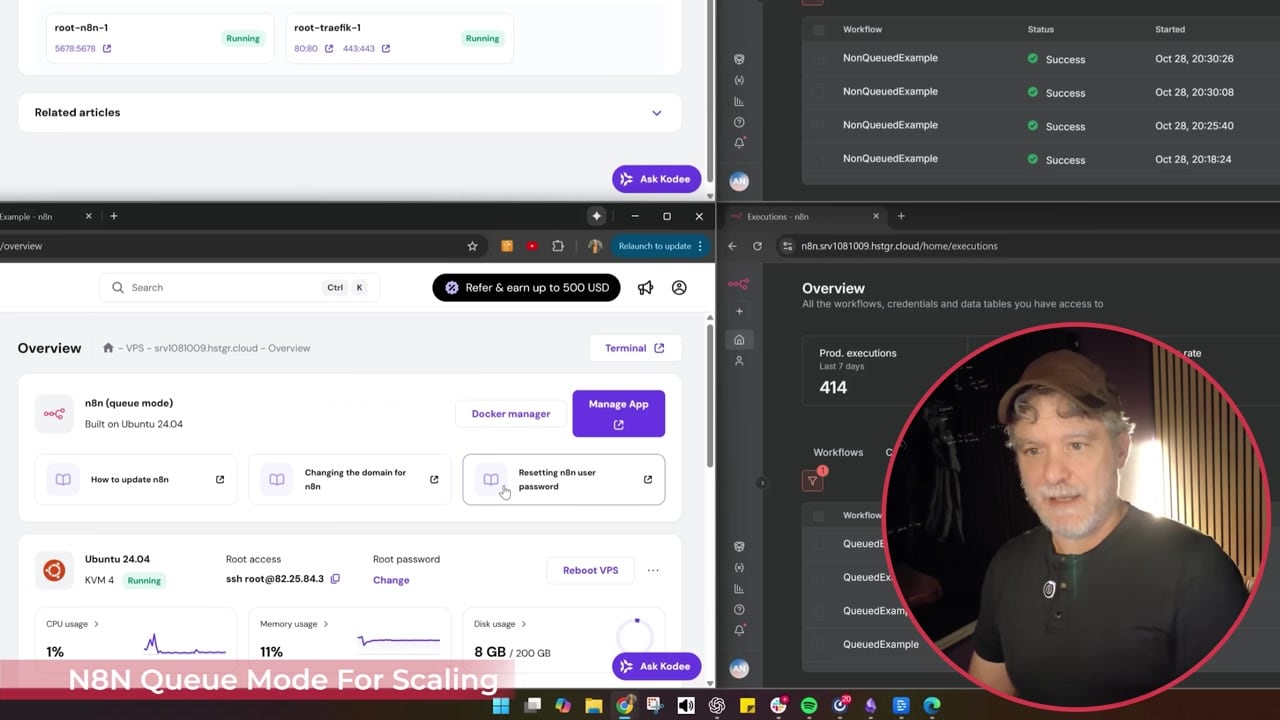
Watch the worker logs while the workflow runs.
docker compose logs -f n8n-workerIf the worker is active, you should see executions being picked up and processed.
Step 5: Compare Execution Behavior
The point of queue mode is not just that the workflow runs. The benefit is that multiple executions can be handled more predictably and workers can share the load.
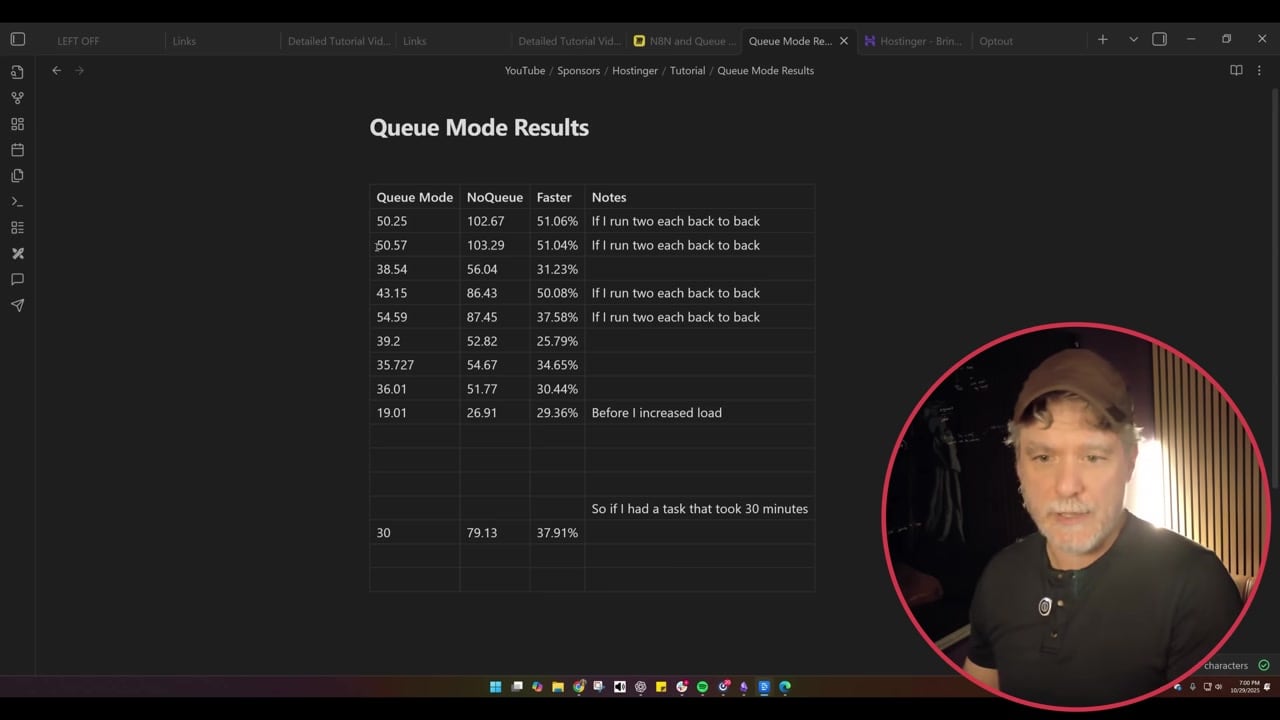
If you increase worker count, do it gradually. More workers can improve throughput, but they also increase CPU, memory, database, and API pressure.
Important Limitation: Binary Data and Files
n8n documentation warns that queue mode does not work well with local filesystem binary data when workers may run in different containers or machines. For production queue mode, prefer external storage such as S3-compatible storage for binary data.
Troubleshooting Checklist
- Confirm Redis is running and reachable from both main and worker containers.
- Confirm main and worker containers share the same
N8N_ENCRYPTION_KEY. - Confirm all n8n containers point to the same PostgreSQL database.
- Confirm worker containers are started with the
workercommand. - Check worker logs, not only main instance logs.
- Scale workers slowly and watch memory usage, CPU usage, and API rate limits.
References
Official references used for accuracy: n8n queue mode documentation and n8n queue mode environment variables.

Olaitan Oladipo holds a BSc in Sociology from Olabisi Onabanjo University. He is a self-taught automation builder who has spent years inside n8n doing the work that most tutorials skip: debugging OAuth errors at 2am, migrating client automations from Make.com mid-project, fighting reverse proxy misconfigurations on AWS EC2, and figuring out through trial and error what actually holds up in production versus what only looks clean in a demo.
He is not a developer by training and not a SaaS founder. He is the person in the Discord server who actually answers the question instead of linking to the docs.
His writing on n8n Automation Tutorial covers self-hosting, AI agent workflows, tool comparisons, and the security vulnerabilities the automation industry would rather not discuss. He has built AI-assisted invoice approval flows using OpenAI function calling, connected Claude via HTTP Request nodes, and holds considered opinions about Zapier, Make.com, LangChain, and CrewAI that their marketing teams would not appreciate.
He writes for people who are technical enough to follow a tutorial but experienced enough to want the honest version.