
A reliable self-hosted n8n setup depends on environment variables. They control how credentials are encrypted, how n8n connects to the database, what public URL webhooks use, whether cookies require HTTPS, and how the app behaves behind a reverse proxy.
This article builds on the previous guide about configuring and using n8n queue mode. Queue mode and single-container mode both depend on the same principle: put critical configuration in environment variables instead of hard-coding it into workflows.
Why Environment Variables Matter in n8n
n8n stores credentials securely, but the security depends on the encryption key and the runtime environment being configured correctly. If the encryption key changes unexpectedly, saved credentials may become unusable. If the public URL is wrong, webhooks and OAuth callbacks can fail. If secure cookies are enabled without HTTPS, the editor can refuse login or show browser warnings.
Step 1: Separate Docker Compose From the .env File
A clean setup uses Docker Compose for services and a .env file for secrets and environment-specific values. This makes the stack easier to update and safer to copy between servers.
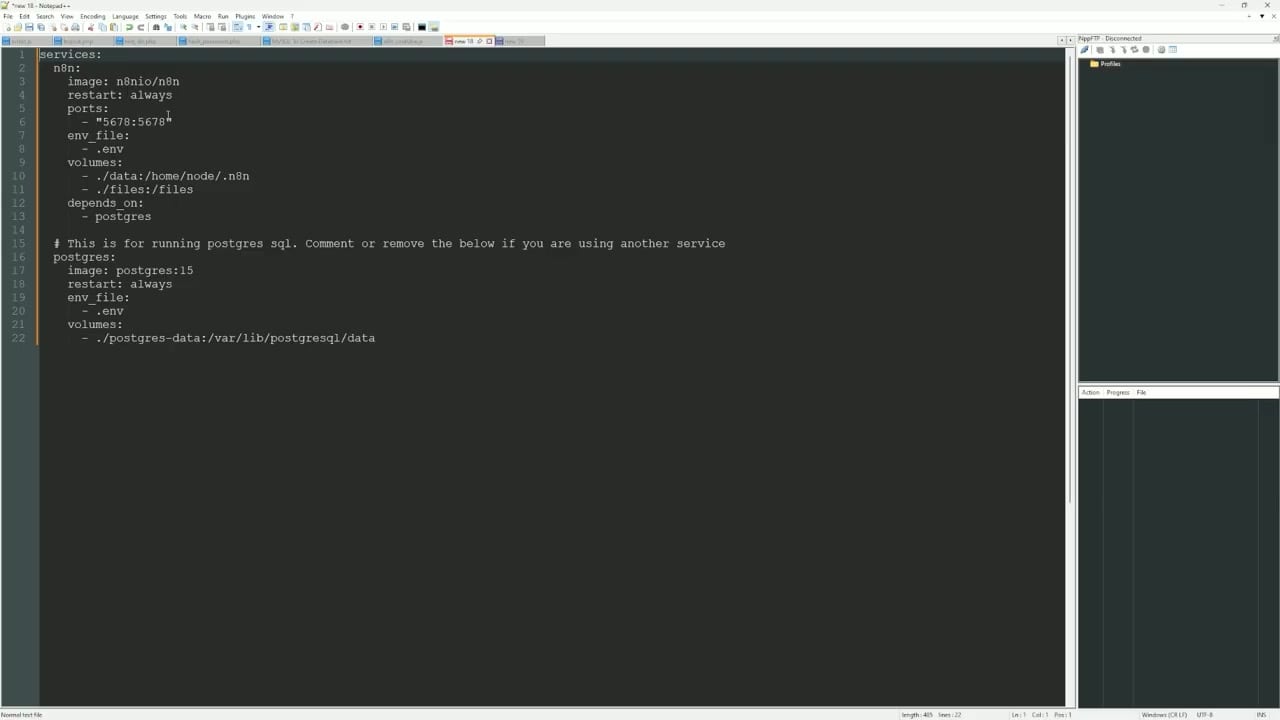
A simplified compose setup usually includes the n8n service, the database service, persistent volumes, and any reverse proxy network used by your hosting platform.
Step 2: Configure the Public URL and Secure Cookie Settings
If n8n is accessed through a domain and HTTPS, the domain and protocol settings should match that public address.
N8N_HOST=n8n.example.com
N8N_PROTOCOL=https
WEBHOOK_URL=https://n8n.example.com/
N8N_EDITOR_BASE_URL=https://n8n.example.com/
N8N_PROXY_HOPS=1
N8N_SECURE_COOKIE=true
GENERIC_TIMEZONE=Africa/Lagos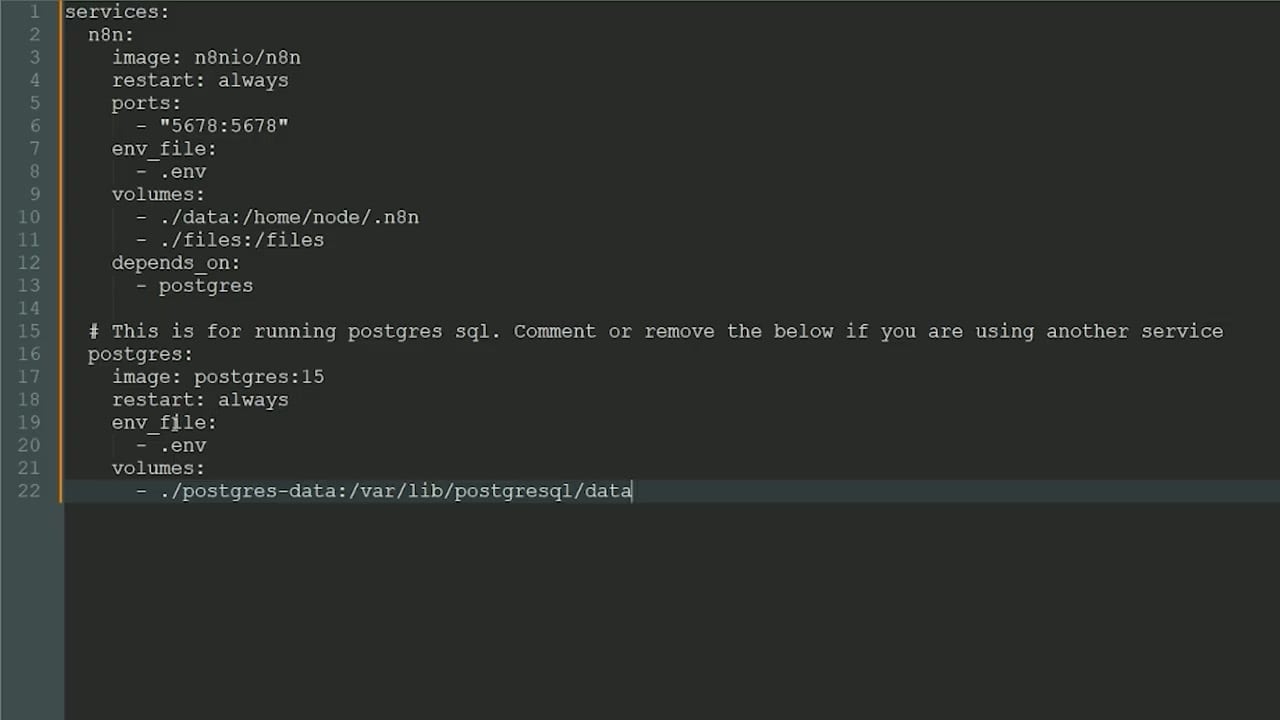
WEBHOOK_URL is especially important because n8n uses it when generating production webhook URLs and OAuth callback URLs. If this value is wrong, external services may call the wrong endpoint.
Step 3: Set a Stable Encryption Key
The encryption key protects stored credentials. Generate a strong random value once, save it securely, and reuse the same value whenever the instance restarts or moves to another server.
openssl rand -hex 32Then add it to your environment.
N8N_ENCRYPTION_KEY=replace-with-your-generated-keyDo not rotate this value casually. If you change it without following a proper credential migration process, n8n may no longer be able to decrypt saved credentials.
Step 4: Configure PostgreSQL Credentials
For production-style hosting, PostgreSQL is usually a better choice than SQLite. Keep database values in environment variables and make sure the n8n container uses the same host, database name, user, password, and port as the database service.
DB_TYPE=postgresdb
DB_POSTGRESDB_HOST=postgres
DB_POSTGRESDB_PORT=5432
DB_POSTGRESDB_DATABASE=n8n
DB_POSTGRESDB_USER=n8n
DB_POSTGRESDB_PASSWORD=replace-with-strong-password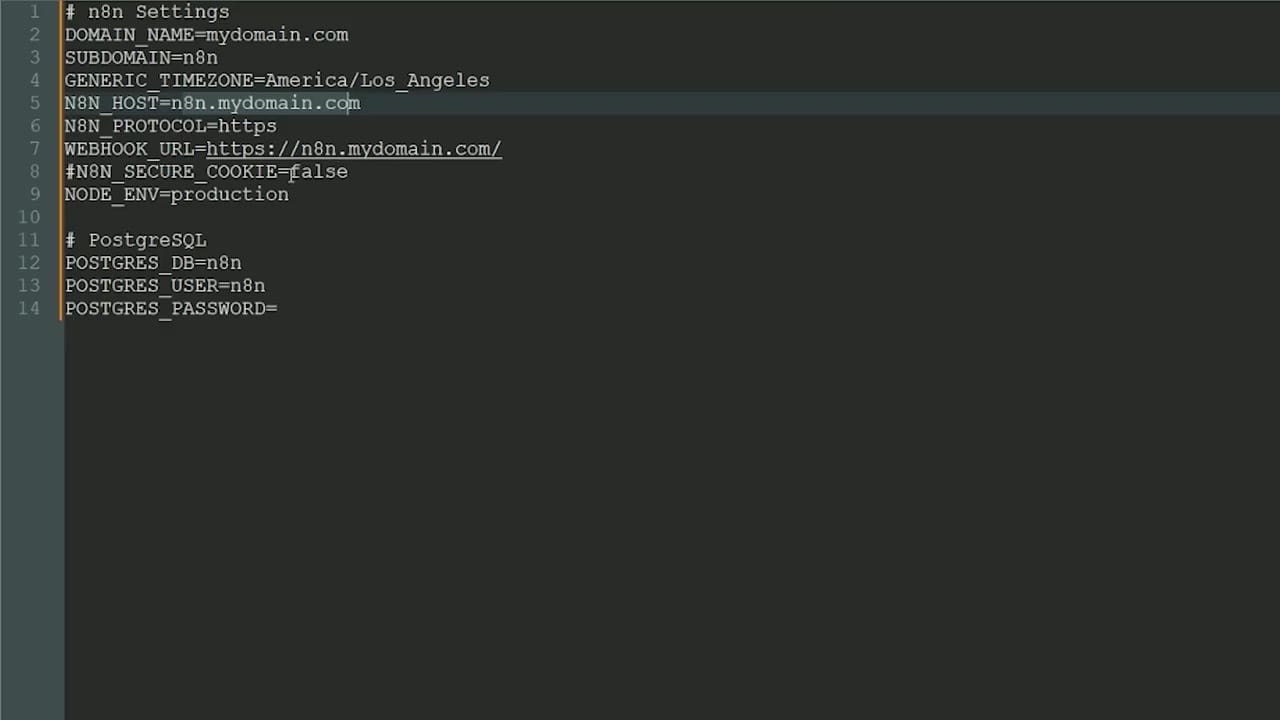
If you use queue mode, every n8n main and worker service must point to the same database and use the same encryption key.
Step 5: Fix File and Folder Permissions
Permission errors often appear when Docker mounts a folder from the host, but the n8n user inside the container cannot write to it. In many n8n Docker setups, the internal user ID is 1000.
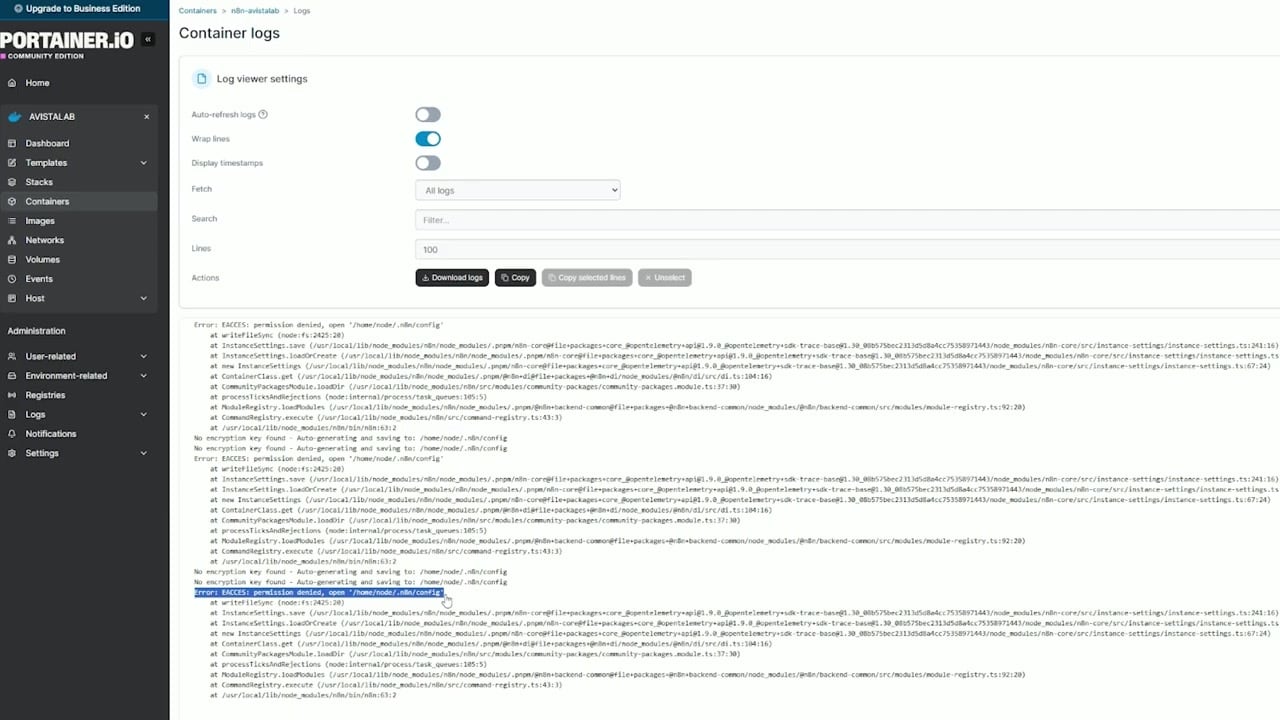
sudo chown -R 1000:1000 /opt/stacks/n8nUse the actual folder path for your setup. Be careful with recursive ownership changes: only run them against the intended n8n data folder, not the whole server.
Step 6: Understand the Secure Cookie Warning
If n8n expects secure cookies but you open the editor over plain HTTP, you may see a secure cookie warning. This often happens when the reverse proxy is not finished yet, the domain is not using HTTPS, or the proxy headers are not being forwarded correctly.
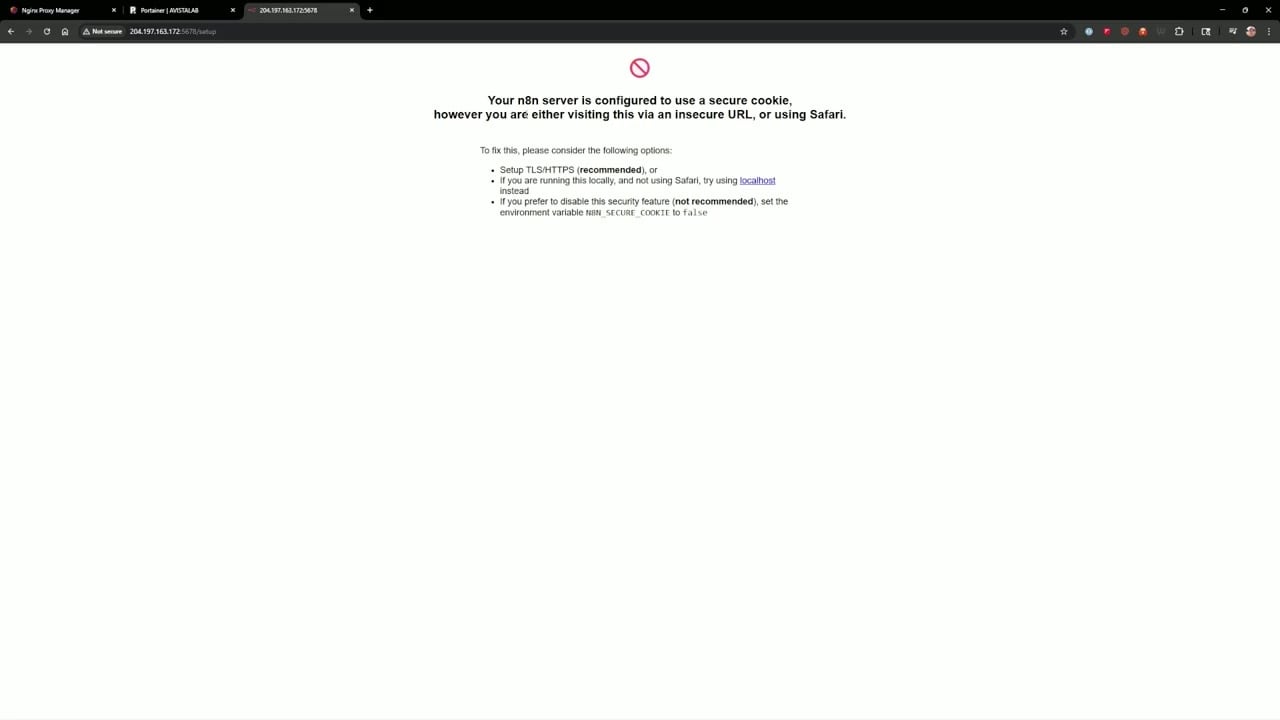
For quick local testing over HTTP, some people temporarily set:
N8N_SECURE_COOKIE=falseFor a public server, the better solution is to finish the HTTPS reverse proxy setup and keep secure cookies enabled.
Step 7: Put n8n Behind an HTTPS Reverse Proxy
Use a reverse proxy such as Nginx Proxy Manager, Traefik, Caddy, or Nginx to serve n8n on a domain with SSL. The proxy should forward traffic to the internal n8n container and provide a valid certificate.
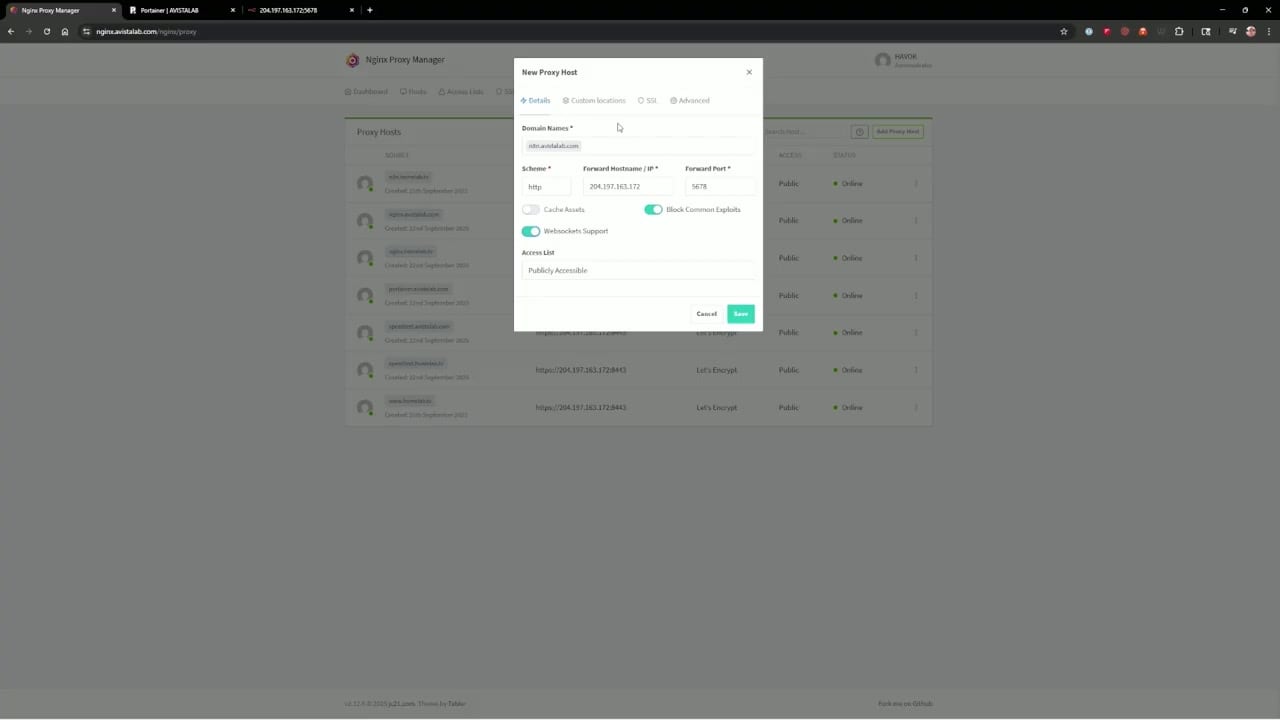
After HTTPS is working, open n8n through the domain, not through the raw IP address and internal port. This keeps cookies, OAuth callbacks, and webhook URLs consistent.
Step 8: Finish Owner Setup and License Activation
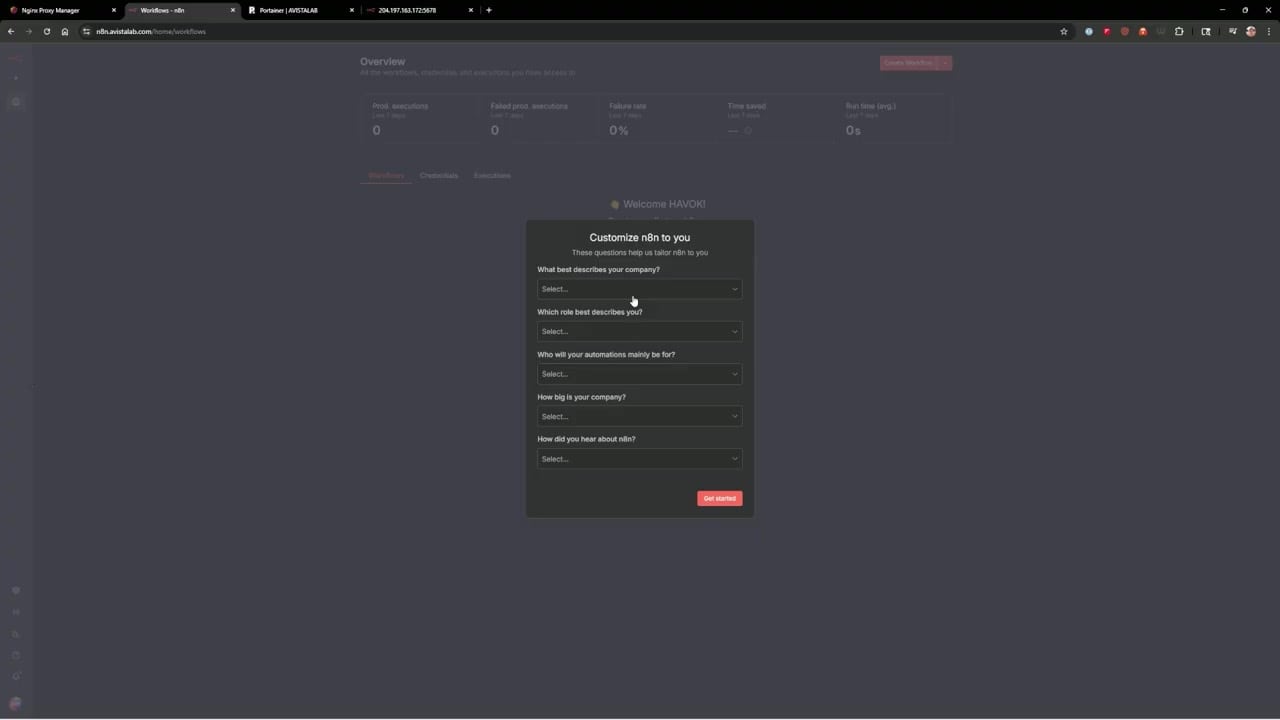
Once the domain, database, and environment values are correct, create the n8n owner account. Then activate the free community license if you want the unlocked community features available to self-hosted instances.
Recommended .env Starting Point
N8N_HOST=n8n.example.com
N8N_PROTOCOL=https
WEBHOOK_URL=https://n8n.example.com/
N8N_EDITOR_BASE_URL=https://n8n.example.com/
N8N_PROXY_HOPS=1
N8N_SECURE_COOKIE=true
GENERIC_TIMEZONE=Africa/Lagos
N8N_ENCRYPTION_KEY=replace-with-generated-key

DB_TYPE=postgresdb
DB_POSTGRESDB_HOST=postgres
DB_POSTGRESDB_PORT=5432
DB_POSTGRESDB_DATABASE=n8n
DB_POSTGRESDB_USER=n8n
DB_POSTGRESDB_PASSWORD=replace-with-strong-password
Common Mistakes
- Changing
N8N_ENCRYPTION_KEYafter credentials have already been saved. - Using HTTP while
N8N_SECURE_COOKIE=trueon a public setup. - Forgetting
WEBHOOK_URL, causing OAuth and webhook URLs to use the wrong host. - Putting database credentials into workflow nodes instead of environment settings.
- Fixing permissions on the wrong folder.
- Restarting only the reverse proxy after environment changes instead of restarting n8n itself.
References
Official references used for accuracy: n8n encryption key configuration, n8n webhook URL configuration, n8n deployment environment variables, and n8n SSL setup documentation.

Olaitan Oladipo holds a BSc in Sociology from Olabisi Onabanjo University. He is a self-taught automation builder who has spent years inside n8n doing the work that most tutorials skip: debugging OAuth errors at 2am, migrating client automations from Make.com mid-project, fighting reverse proxy misconfigurations on AWS EC2, and figuring out through trial and error what actually holds up in production versus what only looks clean in a demo.
He is not a developer by training and not a SaaS founder. He is the person in the Discord server who actually answers the question instead of linking to the docs.
His writing on n8n Automation Tutorial covers self-hosting, AI agent workflows, tool comparisons, and the security vulnerabilities the automation industry would rather not discuss. He has built AI-assisted invoice approval flows using OpenAI function calling, connected Claude via HTTP Request nodes, and holds considered opinions about Zapier, Make.com, LangChain, and CrewAI that their marketing teams would not appreciate.
He writes for people who are technical enough to follow a tutorial but experienced enough to want the honest version.