
The n8n Think Tool node gives an AI Agent a dedicated tool for reasoning before it answers or chooses another tool. It is useful when the request is ambiguous, when the agent needs to compare options, or when a workflow has multiple possible actions and the model should slow down before acting.
This article follows the guide on how the n8n MCP Server Trigger node works. MCP gives agents access to tools; the Think Tool helps an agent decide how to reason about a request before it uses tools or responds.
What the Think Tool Does
The Think Tool does not send an email, update a database, scrape a website, or call an API. Its job is to give the AI Agent a structured place to think. That can improve results when the agent needs to reason through a problem instead of jumping straight to an answer.
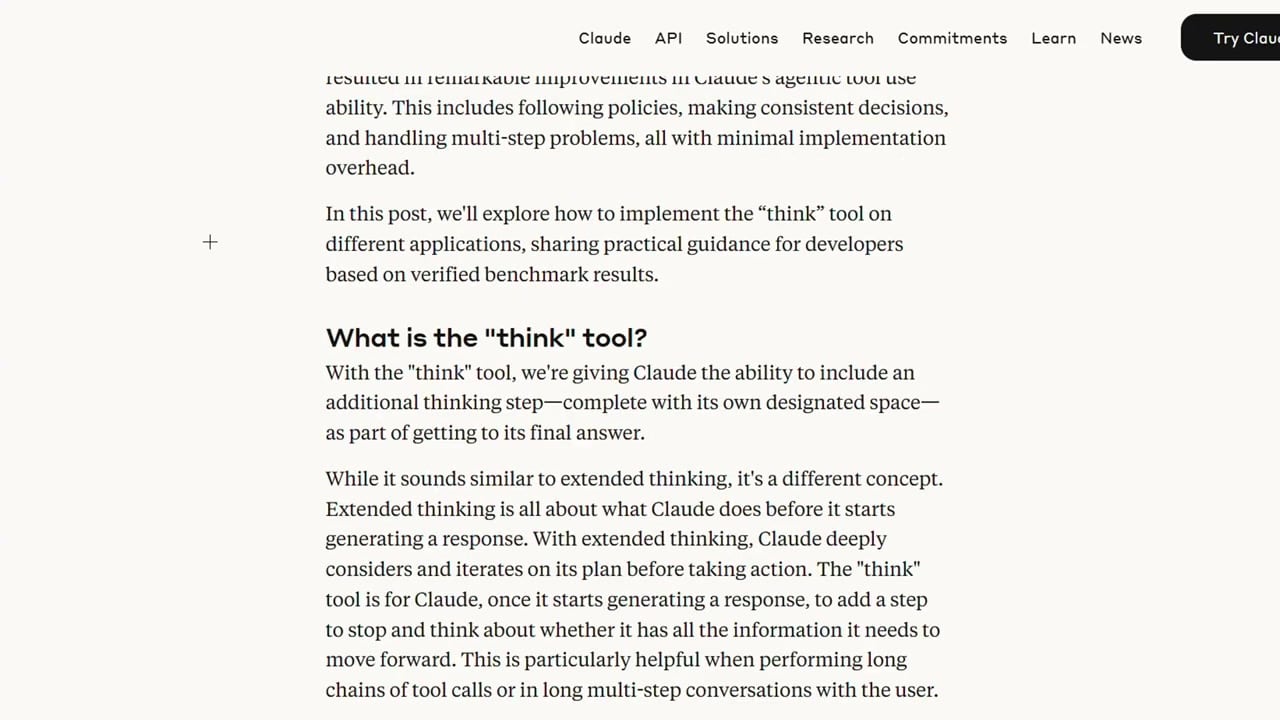
This pattern became popular because tool-using agents often fail when they act too quickly. A separate thinking step can help the model identify missing information, choose the right tool, and avoid unnecessary actions.
When to Use the Think Tool
- The request is ambiguous and the agent may need to clarify intent.
- The workflow has multiple tools and the agent must decide which one fits.
- The answer requires comparison, planning, or step-by-step reasoning.
- The agent needs to inspect previous context before acting.
- You want more transparent debugging for why an agent chose a path.
For simple one-step automations, the Think Tool may be unnecessary. Add it when the extra reasoning step improves reliability.
Step 1: Create an AI Agent Workflow
Start with a workflow that uses an AI Agent node. Connect the trigger you want, such as a chat trigger, webhook, or form input. Then add the AI Agent node and connect a chat model.
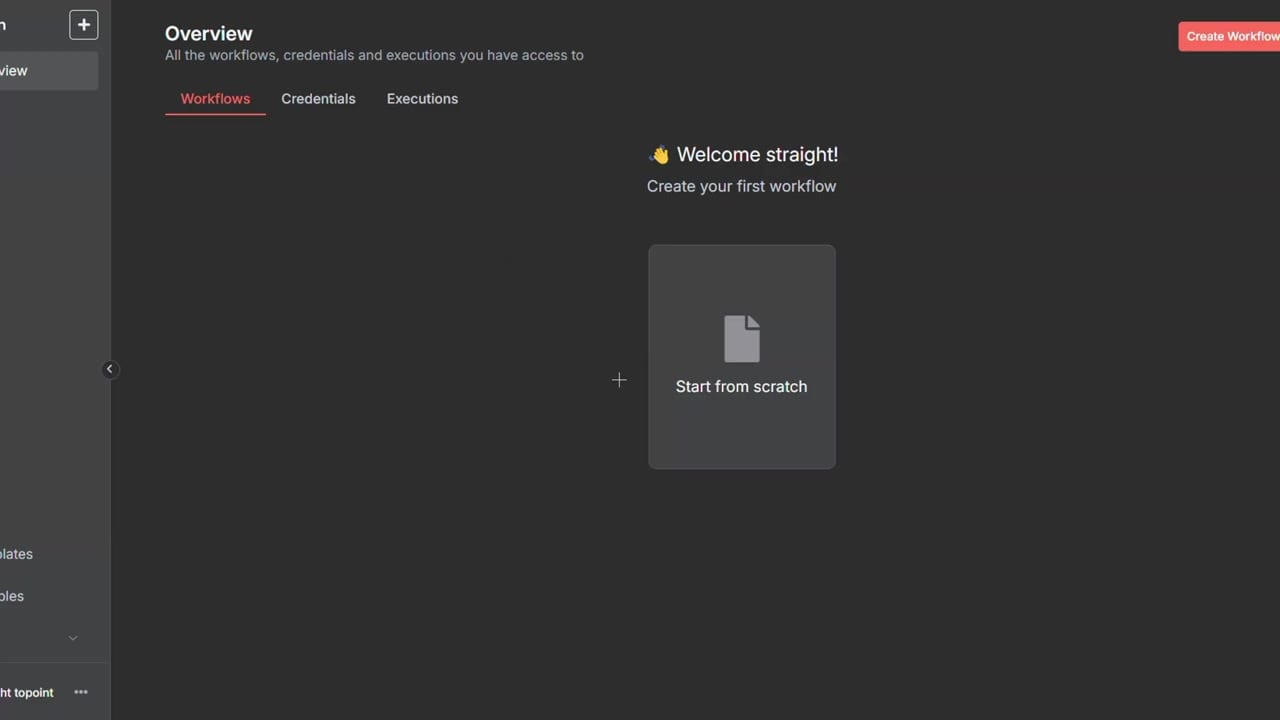
The Think Tool works as part of an AI Agent setup, so the agent needs a model before it can decide whether to call the tool.
Step 2: Add the Think Tool
Add the Think Tool to the agent’s tool list. Give it a clear description so the model knows when to use it.
Use this tool when the answer requires careful reasoning, ambiguity resolution,
comparison of options, or multi-step planning before responding.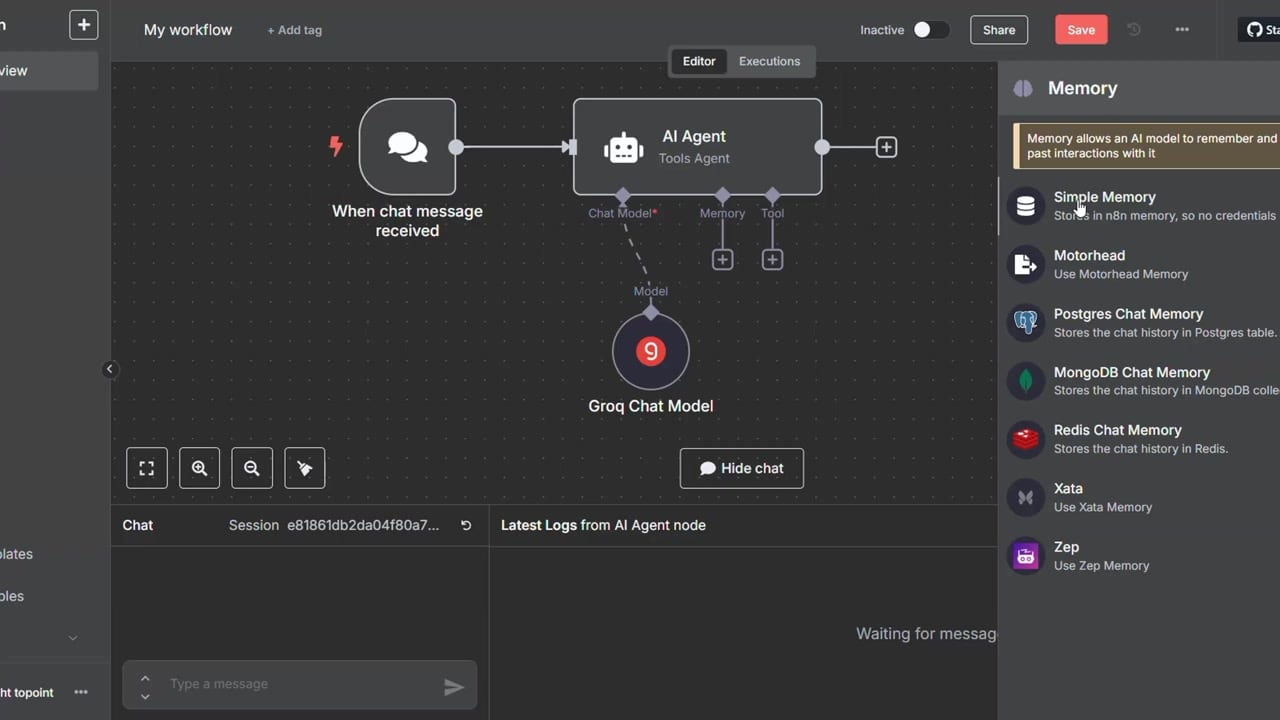
Descriptions matter. If the tool description is vague, the model may call it too often or not call it when it should.
Step 3: Test With a Simple Prompt
Run a simple prompt first. For a direct factual question, the Think Tool trace should be short. The agent should not overcomplicate a question that has an obvious answer.
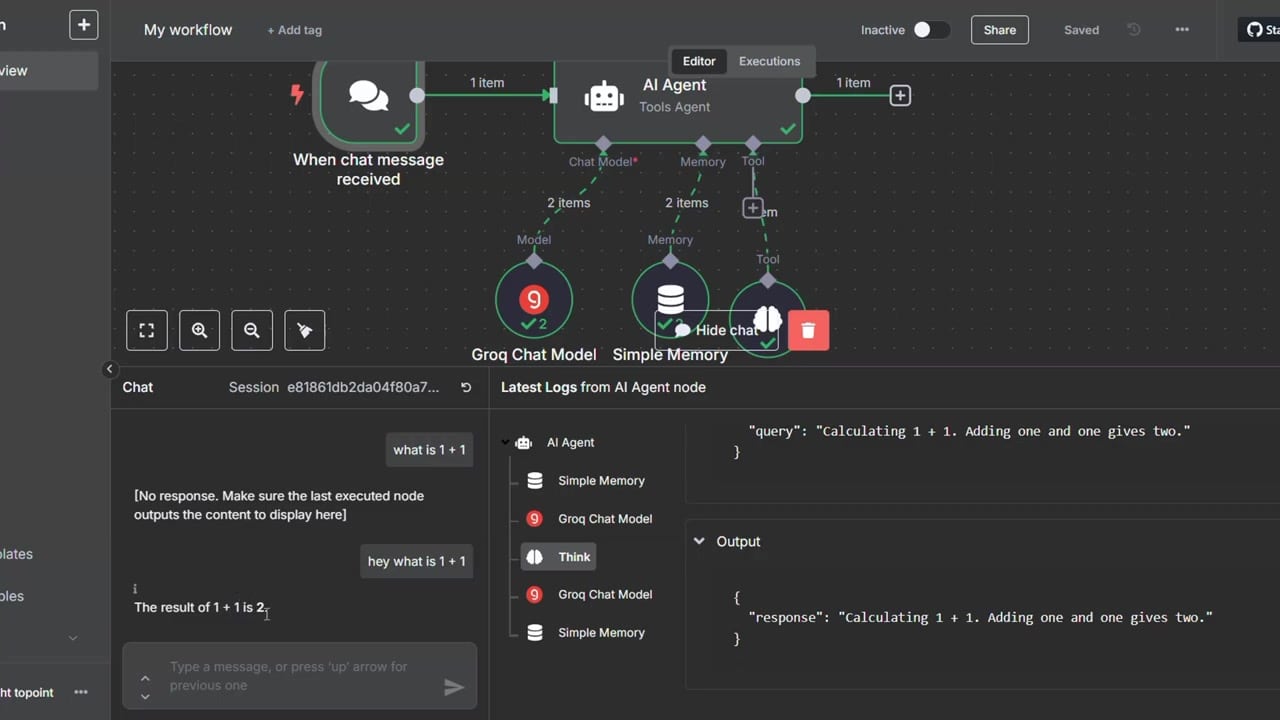
This test confirms the agent can run and that the tool connection is available.
Step 4: Test With an Ambiguous Prompt
The Think Tool becomes more valuable when the input is unclear. For example, if a user asks about a symbol, abbreviation, or incomplete request, the agent can use the tool to reason about possible meanings before answering.
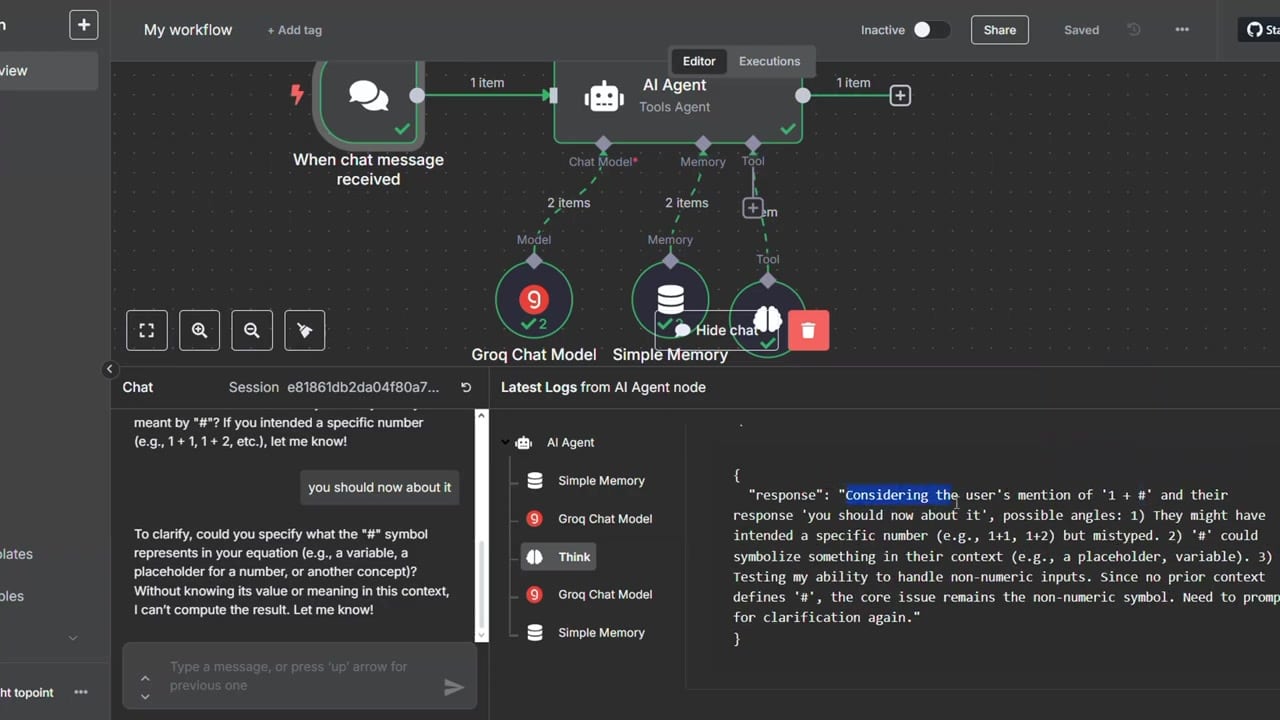
In a production workflow, this can prevent the agent from calling the wrong tool or giving a confident answer based on a weak assumption.
How to Prompt the Agent Around the Think Tool
A good system message tells the agent when to use the Think Tool and when not to. You do not want it thinking endlessly for every tiny request. You want it to think when the decision matters.
You may use the Think Tool before responding when the request is ambiguous,
requires multiple steps, or may require choosing between tools. Do not use it
for simple greetings or obvious one-step answers.
When Not to Use It
- Do not add it just to make every workflow look more advanced.
- Do not use it for simple deterministic tasks where a regular node is better.
- Do not let it replace explicit validation, permissions, or human approval.
- Do not assume thinking makes unsafe tools safe; tool permissions still matter.
Practical Use Cases
- A support agent deciding whether to search documentation, check order history, or ask a clarifying question.
- A research workflow deciding which source to query first.
- A sales assistant comparing lead context before choosing a CRM action.
- A content assistant deciding whether a request is asking for rewriting, summarizing, or planning.
References
Official references used for accuracy: n8n Think Tool documentation, n8n guide to understanding AI tools, and Anthropic Think Tool article.

Olaitan Oladipo holds a BSc in Sociology from Olabisi Onabanjo University. He is a self-taught automation builder who has spent years inside n8n doing the work that most tutorials skip: debugging OAuth errors at 2am, migrating client automations from Make.com mid-project, fighting reverse proxy misconfigurations on AWS EC2, and figuring out through trial and error what actually holds up in production versus what only looks clean in a demo.
He is not a developer by training and not a SaaS founder. He is the person in the Discord server who actually answers the question instead of linking to the docs.
His writing on n8n Automation Tutorial covers self-hosting, AI agent workflows, tool comparisons, and the security vulnerabilities the automation industry would rather not discuss. He has built AI-assisted invoice approval flows using OpenAI function calling, connected Claude via HTTP Request nodes, and holds considered opinions about Zapier, Make.com, LangChain, and CrewAI that their marketing teams would not appreciate.
He writes for people who are technical enough to follow a tutorial but experienced enough to want the honest version.