
Seventeen Hours Inside n8n and the Mistakes That Actually Taught Me Something
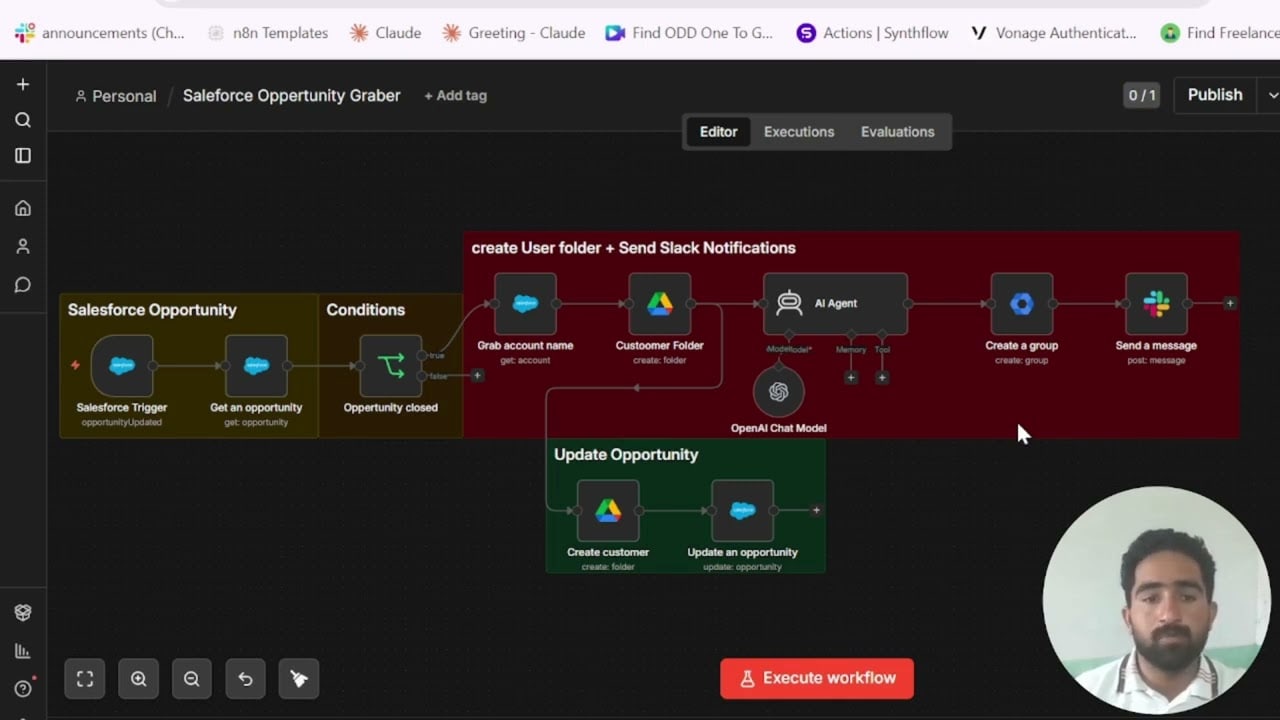
The first workflow I built in n8n did nothing. Not failed with an error. Nothing. I clicked Execute Workflow, watched the nodes turn green one by one, and then looked at my inbox waiting for the email that was supposed to arrive, and it did not arrive, and I clicked execute again, and it still did not arrive, and I spent forty minutes checking my Gmail credentials, deleting and recreating the OAuth connection, reading the Gmail node documentation twice, before I noticed the small text in the trigger node that said it was set to run on a schedule, not on manual execution. The workflow had run correctly. It had sent no email because the IF node above the Gmail node had evaluated false, and I had not noticed because I had not looked at the IF node output. I had looked at the green checkmarks and assumed green meant the thing I wanted had happened.
That is the first mistake and it is the one that costs the most time repeatedly until you stop making it. Green in n8n means the node executed without throwing an error. It does not mean the node did what you intended. These are completely different statements and the UI does not distinguish between them in a way that is obvious when you are new.
The second mistake was structural and took longer to understand. I came to n8n having spent about eighteen months in Zapier, which trains you to think about automation as a linear sequence of steps where data flows in one direction and each step receives the output of the previous step as a simple, flat object. This is not how n8n works. n8n passes items, and items are arrays, and when a node outputs multiple items the next node receives all of them and processes each one, and if you do not understand this you will build workflows that produce four times the output you expected without understanding why. The first time I connected a Google Sheets node that returned twelve rows into an HTTP Request node and watched it fire twelve separate API calls, I thought the workflow had malfunctioned. It had worked exactly as designed. I just had not understood the design.
The documentation explains the item concept. I had read it. I had not understood it at the level required to predict its behaviour in a real workflow until I had encountered the behaviour unexpectedly several times. This is not a criticism of the documentation. It is an accurate description of how this particular concept lands, which is: you think you understand it and then you encounter a case where you did not.
Webhooks were the third area and the most expensive in terms of lost time. When I first set up n8n on an EC2 instance using Docker Compose, following a tutorial that was approximately correct but had been written for a slightly different version, I could not get webhooks to receive external traffic. The workflow would sit waiting and nothing would arrive. The problem was that the WEBHOOK_URL environment variable in my docker-compose.yml was still set to http://localhost:5678, which is the default, which means every webhook URL that n8n generated was a localhost URL that no external service could reach. The fix is one line in the environment configuration. The documentation mentions this. It does not mention it in the webhooks section, which is where you would look when webhooks are not working. It mentions it in the self-hosting configuration section, which you have usually already read and moved past by the time you encounter the problem.
I found the fix in a GitHub issue thread after searching for “n8n webhook not receiving” and reading through about thirty responses that were about different problems before finding one that matched mine. The person who had posted the solution had not marked it as the accepted answer because the thread predated that feature. This is the actual shape of self-hosted n8n debugging, and anyone telling you otherwise has not done enough of it.
The mistake I made with AI nodes took longer to see because it was a design mistake rather than a configuration mistake. When I first started building OpenAI integrations, I was treating the AI node as the end point of a workflow rather than one step in a chain that required the same error handling and output validation as any other HTTP call. AI responses are variable. A response that works correctly ninety-five percent of the time will fail in a specific and consistent way the other five percent, usually because the model has formatted something differently or omitted a field that your downstream Set node is expecting. If you do not have an IF node checking the structure of the AI response before passing it forward, that five percent will cause silent failures that you will not notice until a client notices.
CrewAI, which I spent two weeks evaluating as a potential replacement for some of my OpenAI function calling setups, has a version of this problem at a larger scale. The multi-agent coordination works in the demo. In production, with real inputs and real variance, the agents make decisions that are locally reasonable and globally wrong, and the framework gives you very little visibility into why. I built nothing client-facing on it. I will revisit it in a year.
What I would tell myself at hour one is this: the Canvas is not a flowchart tool that happens to run code. It is a runtime environment that happens to have a visual interface. Learn what is actually executing before you trust what you are seeing.

Olaitan Oladipo holds a BSc in Sociology from Olabisi Onabanjo University. He is a self-taught automation builder who has spent years inside n8n doing the work that most tutorials skip: debugging OAuth errors at 2am, migrating client automations from Make.com mid-project, fighting reverse proxy misconfigurations on AWS EC2, and figuring out through trial and error what actually holds up in production versus what only looks clean in a demo.
He is not a developer by training and not a SaaS founder. He is the person in the Discord server who actually answers the question instead of linking to the docs.
His writing on n8n Automation Tutorial covers self-hosting, AI agent workflows, tool comparisons, and the security vulnerabilities the automation industry would rather not discuss. He has built AI-assisted invoice approval flows using OpenAI function calling, connected Claude via HTTP Request nodes, and holds considered opinions about Zapier, Make.com, LangChain, and CrewAI that their marketing teams would not appreciate.
He writes for people who are technical enough to follow a tutorial but experienced enough to want the honest version.