


If your n8n AI Agent workflow fails with Unrecognized node type n8n-nodes-mcp.mcpclienttool, the workflow is usually trying to use an MCP Client Tool that your self-hosted instance has not fully allowed yet. The node may be installed, but n8n still blocks community package tools from being used by AI Agents.
This guide continues the same self-hosted troubleshooting path as the previous article on fixing the Execute Command unrecognized node type error. Here, the focus is narrower: MCP tools inside AI Agent workflows.
What This Error Looks Like
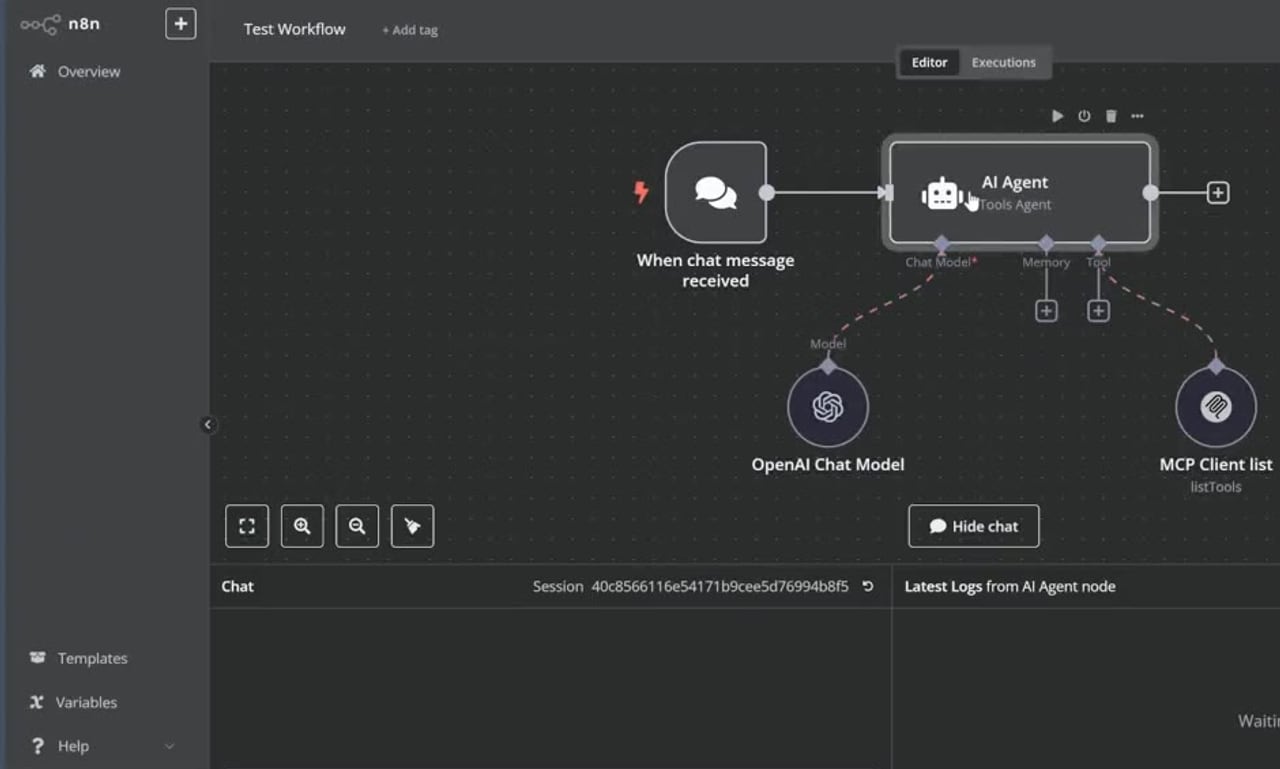
The most obvious symptom is that the chat or agent execution fails as soon as it tries to call or list MCP tools. In the editor, the MCP tool node can appear as an unrecognized node type instead of behaving like a connected AI tool.

Step 1: Stop n8n
Before changing environment variables, stop the running n8n process. If you are running n8n from a terminal, press Ctrl + C. If you are using Docker Compose, stop the container from the folder that contains your compose file.
docker compose downStep 2: Allow Community Package Tool Usage
Set N8N_COMMUNITY_PACKAGES_ALLOW_TOOL_USAGE=true before starting n8n again. The exact command depends on how you run n8n.
# macOS or Linux terminal
export N8N_COMMUNITY_PACKAGES_ALLOW_TOOL_USAGE=true

# Windows Command Prompt
set N8N_COMMUNITY_PACKAGES_ALLOW_TOOL_USAGE=true

# Windows PowerShell
$env:N8N_COMMUNITY_PACKAGES_ALLOW_TOOL_USAGE="true"
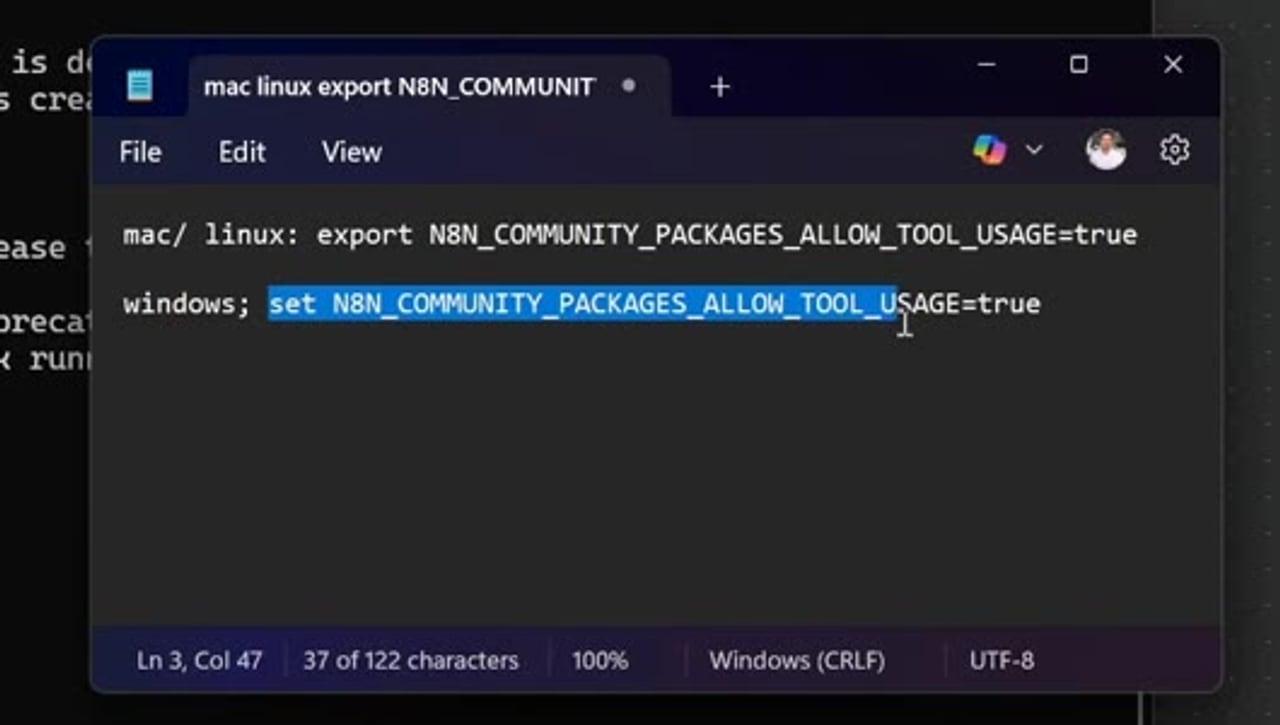
If n8n runs through Docker Compose, add it to the n8n service environment section instead of typing it only in the terminal.
services:
  n8n:
    environment:
      - N8N_COMMUNITY_PACKAGES_ALLOW_TOOL_USAGE=true
Step 3: Start n8n Again
Start n8n again after the environment variable is in place. For Docker Compose, run:
docker compose up -dFor npm or a local terminal session, start n8n the way you normally do after setting the variable in that same shell session.
n8n startStep 4: Refresh the Workflow and Test the MCP Tool
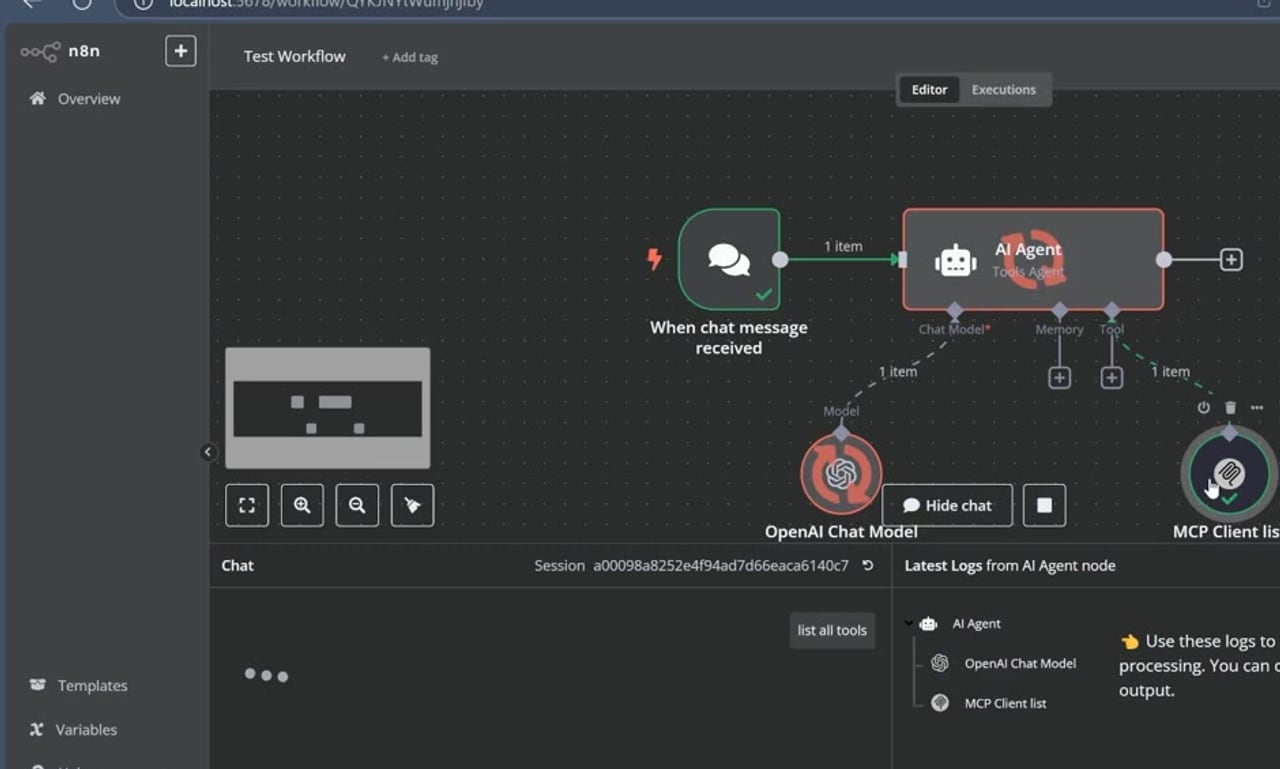
Return to the n8n editor, refresh the page, and run the same AI Agent action again. A simple test is to ask the agent to list available tools. If the MCP server is reachable and the package is loaded correctly, the agent should return the tool list instead of the unrecognized node type error.
Troubleshooting Checklist
- Confirm the MCP community node package is actually installed on the same n8n instance you are running.
- Confirm community packages are enabled in your self-hosted setup.
- Confirm
N8N_COMMUNITY_PACKAGES_ALLOW_TOOL_USAGE=trueis available to the n8n process, not only typed into a different terminal session. - Restart n8n after adding the variable; refreshing the browser alone is not enough.
- Check that the external MCP server URL or SSE endpoint is reachable from the n8n host.
- If the node still appears broken, remove and re-add the MCP Client Tool node after the restart so the editor reloads the node definition.
Why This Fix Works
n8n has separate safety boundaries for community nodes and AI Agent tools. A package can be installed, but tool usage can still be restricted until the instance is explicitly configured to allow it. Once the environment variable is loaded and n8n restarts, the MCP Client Tool can expose external MCP server tools to the AI Agent.
References
Official references used for accuracy: n8n MCP Client Tool documentation, n8n community node installation documentation, and n8n environment variable configuration methods.


Olaitan Oladipo holds a BSc in Sociology from Olabisi Onabanjo University. He is a self-taught automation builder who has spent years inside n8n doing the work that most tutorials skip: debugging OAuth errors at 2am, migrating client automations from Make.com mid-project, fighting reverse proxy misconfigurations on AWS EC2, and figuring out through trial and error what actually holds up in production versus what only looks clean in a demo.
He is not a developer by training and not a SaaS founder. He is the person in the Discord server who actually answers the question instead of linking to the docs.
His writing on n8n Automation Tutorial covers self-hosting, AI agent workflows, tool comparisons, and the security vulnerabilities the automation industry would rather not discuss. He has built AI-assisted invoice approval flows using OpenAI function calling, connected Claude via HTTP Request nodes, and holds considered opinions about Zapier, Make.com, LangChain, and CrewAI that their marketing teams would not appreciate.
He writes for people who are technical enough to follow a tutorial but experienced enough to want the honest version.


